
Child lock on Candy washing machine
 When starting a wash cycle on an automatic washing machine, it's best to immediately lock the control panel to prevent accidental operation. This precaution is especially important for families with children. Little ones are very inquisitive, so they often try to reach the flashing control panel and touch all the buttons. How do you activate the child lock on a Candy washing machine? How do you turn this feature on? Let's explore what other options are built into the intelligent controls of these machines.
Activating the lock, how to remove it?
The key combination for turning on the baby mode will depend on the washing machine model. How to activate the control panel lock is described in the equipment manual. Please refer to the section on button functions to find all the information you need.
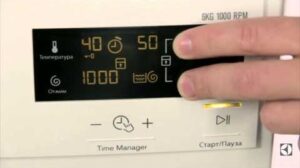
To lock the control panel on a Candy washing machine, you must simultaneously press and hold the “Temperature” and “Spin” buttons for 3 seconds.
Once the baby mode is activated, the control panel will no longer respond to any touches. This prevents accidental, unintentional changes to cycle settings.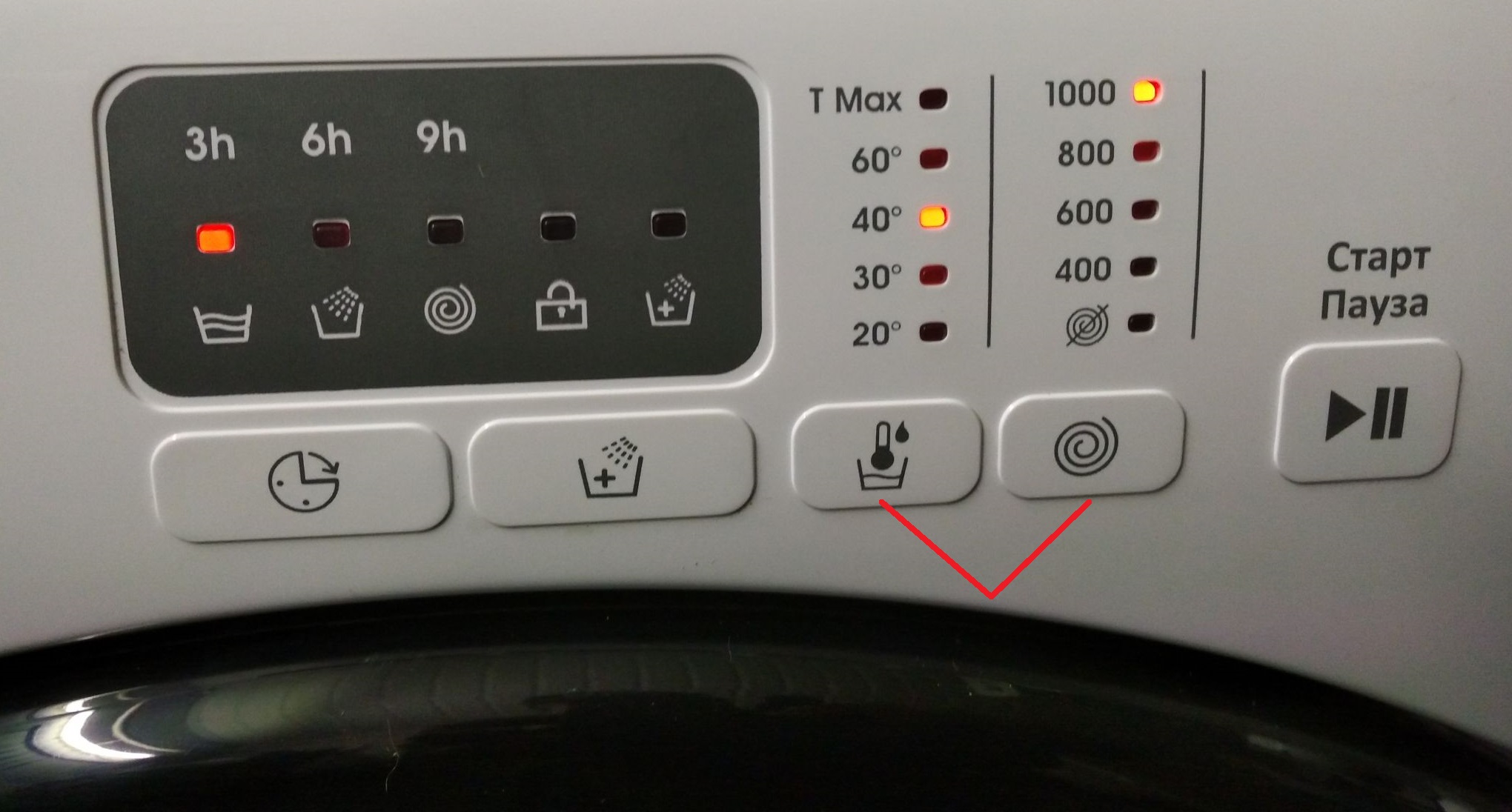
The Candy washing machine's control panel also features a unique hint. If you can't find the instructions, examine the dashboard carefully. The buttons for activating the child mode will be marked with a lock or a child's face. To activate the lock, press and hold the marked pair of buttons.
To disable this feature, simply press and hold the temperature and spin buttons again for 3 seconds. After the washing machine beeps, the control panel will be unlocked.
Important features of SM Candy
To get the most out of your washing machine, it's important to learn about all the functions programmed into the device's memory. Many additions can improve the quality of washing and make subsequent ironing and drying of items easier.
The range of options and additions will vary depending on the Candy washing machine model.
Before using your "home assistant" for the first time, be sure to read the instructions. The user manual provides a detailed description of the machine's features. We'll cover the most popular options stored in the intelligent memory of Candy washing machines.
- Delayed start. This feature allows the user to set a convenient start time for the wash cycle. For example, they can set the machine to start at 5 a.m. so that the laundry is already clean when the family wakes up. Depending on the Candy model, the delay can be set to 1 hour or more.
- Easy Ironing. This option minimizes creasing and wrinkling. Unfortunately, this feature is not compatible with all washing modes.
- Hygiene+. This option can be added to a wash program that requires water temperatures of 60°C or higher. This feature allows for hygienic treatment of laundry by maintaining a constant temperature in the drum throughout the entire cycle.
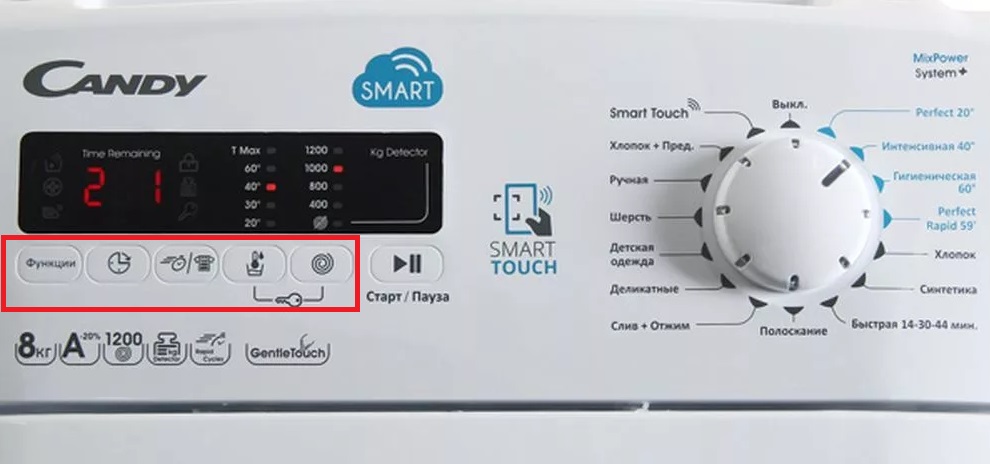
- Soil Intensity. By pressing the appropriate button, you can tell the washing machine's intelligence how soiled the items in the drum are. You can select one of three soil levels. Based on this information, the machine will adjust the cycle settings to most effectively remove stains.
- Extra Rinse. This button on the control panel adds additional rinse cycles to the main program. This option is designed for people with sensitive skin, for whom even small amounts of detergent residue in the fabric fibers can cause allergies or irritation.
How to activate a particular function is described in the appliance's manual. For example, to activate the delayed start, press the corresponding button once and wait until h00 appears on the display. Each subsequent press of the button will increase the delay by one hour. Once you've set the desired time, confirm the option by pressing the "Start/Pause" button. You can deactivate it by turning the selector knob to the OFF position.
Some housewives never use additional features because they simply don't know about them. Therefore, it's best to explore all the capabilities of your washing machine before using it for the first time.
Interesting:


1 reader comment
Add a comment
Headings
Washing machine repair




For buyers




For users


Dishwasher




Is there a lock that prevents the machine from turning off?