
Child lock on an Indesit washing machine
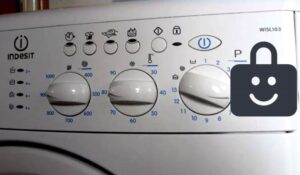 Most Indesit automatic washing machines available on the Russian market do not have a child lock feature. The main advantage of these washing machines is their low cost, so they often don't even have a display.
But if Indesit washing machines don't have a child lock, why does the control panel sometimes fail to respond to user input and flash various indicators? This means there's a system malfunction, and the machine is signaling a detected fault. Let's look at what errors the machine might be warning about.
Code examples and their descriptions
Sometimes, when a user tries to start a washing program, the machine doesn't respond to button presses. Meanwhile, the lights on the control panel flash. This is a clear sign of a system failure. The main task is to decipher the error and fix the problem.
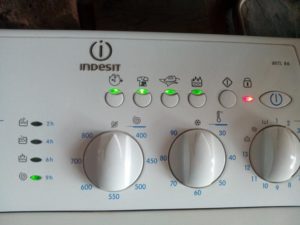
Errors in Indesit WIU, WIN, WISN, WIUN automatic machines will be indicated by additional option LEDs and a door lock indicator.
The door lock icon will always be red in case of any malfunction. The illumination of the remaining indicators is selective, depending on the fault that has occurred. Let's find out what error codes are programmed into the Indesit memory.
- F01 (F1) – indicator 1 is on. The code indicates damage to the electric motor.
- F02 (F2) – lamp 2 is on. Indicates abnormal engine operation.
- F03 (F3) – LEDs 1 and 2 flash simultaneously. Indicates thermostat failure.
- F04 (F4) – indicator 3. The error indicates that the water level sensor is not functioning and the pressure switch needs to be checked.
- F05 (F5) – lights 1 and 3 are flashing. The machine is signaling a drain pump malfunction.
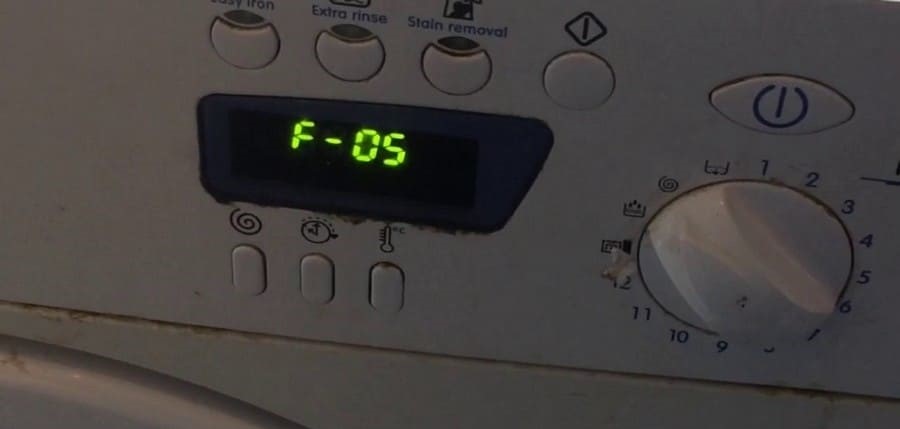
- F06 (F6) – indicators 2 and 3 are lit. Indicates a command (key) error.
- F07 (F7) – lamps 1, 2, and 3 flash simultaneously. The washing machine indicates that the pressure switch stops working properly after water has already filled the tank.
- F08 (F8) – LED 4 is flashing. The machine is signaling a heating element failure.
- F09 (F9) – indicators 1 and 4 are lit. Informs about a control module memory error.
- F10 – lamps 2 and 4. The machine informs that water is filling the tank too slowly.
- F11 – LEDs 1, 2 and 4 flash simultaneously. A defect is detected in the drain pump circuit.
- F12 – LEDs 3 and 4. Indicates a communication problem between the instrument panel indicators and the electronic module.
- F13 – indicators 1, 3 and 4. The error indicates a breakdown of the drying chamber temperature sensor.
- F14 – lamps 2, 3 and 4. The code indicates damage to the drying heating element.
- F15 – indicators 1, 2, 3, and 4 are flashing simultaneously. This could indicate a faulty dryer heater relay.
- F16 – light 5 is on. This error is typical only for vertical machines and indicates that the drum is blocked.
- F17 – indicators 1 and 5 are lit. Informs about a malfunction of the door locking system.
- F18 – lights 2 and 5 are flashing. Indicates a failure in the module processor.
You can always look up the interpretation of error codes in the washing machine instructions.
How do you disable the panel lock? Of course, you need to fix the problem. But it's not always a real problem; sometimes the washing machine simply freezes, and you can fix it in just a minute.
Resetting the control lock
The instrument panel is not always blocked due to a real breakdown. The control panel may stop responding to user commands due to a short-term system failure. In this case, it will be enough to simply reset the error.
To disable the lock, press and hold the Start/Pause button for 10 seconds. If your washing machine is an older model, additionally set the programmer to the OFF position.
This resets the program settings. The indicator on the dashboard should turn green and then go out after a second. If this doesn't happen, you'll need to perform a full reset of the machine. To do this: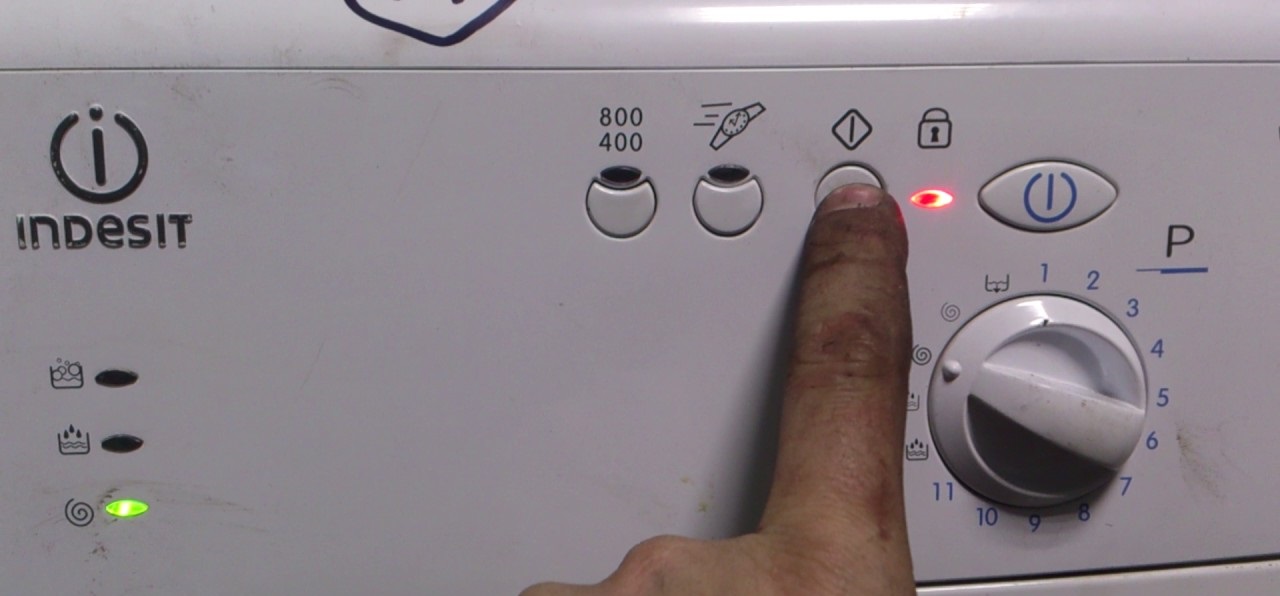
- turn the selector knob to the OFF position;
- press and hold the "Start" button for 5 seconds;
- Unplug the power cord from the socket and leave the machine for 20-25 minutes;
- Plug the machine into the power supply and activate the desired washing mode.
If your Indesit doesn't respond to the program selector or buttons, you can proceed directly to the third step: disconnecting the power from the washing machine. This step should only be taken as a last resort, as a sudden power outage can damage the control module.
Interesting:


Readers' comments
Headings
Washing machine repair




For buyers




For users


Dishwasher




Add a comment