
Resetting the program on a Samsung washing machine
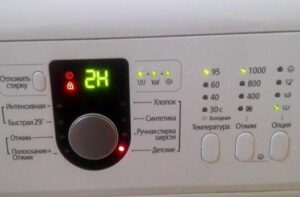 There are often situations in which you need to urgently stop your washing machine to add forgotten items, check pockets, or change an incorrectly selected cycle. All of this can be accomplished by resetting your Samsung washing machine. This reset is very simple if you know the correct procedure, which we'll explain today.
Correct reset of the program
Regardless of why you need a reset, you should stop the machine properly. This applies even if it's simply frozen. This is due to the fact that a sudden power outage or other emergency procedures can damage the control module of the "home assistant", which will require either complex repairs or a complete replacement of the control module, and the cost of this can reach half the cost of the washing machine. To prevent this from happening, strictly follow the following instructions:
- press and hold the "Start" button for 4 seconds;
- After this, the indicators on the machine’s control panel will light up green for a short period of time;
- When the indicators stop lighting, the wash will stop.
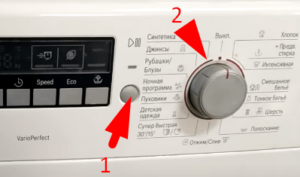
If you have an older Samsung washing machine, you need to set the programmer to the neutral position.
If everything is done according to the instructions, the machine will stop working. If the machine is visible at this point, you can see the lights flashing on and off. If there are no such signals, this indicates a malfunction, which the washing machine will notify with a separate error signal. In this case, you will need to reset the machine using this cheat sheet.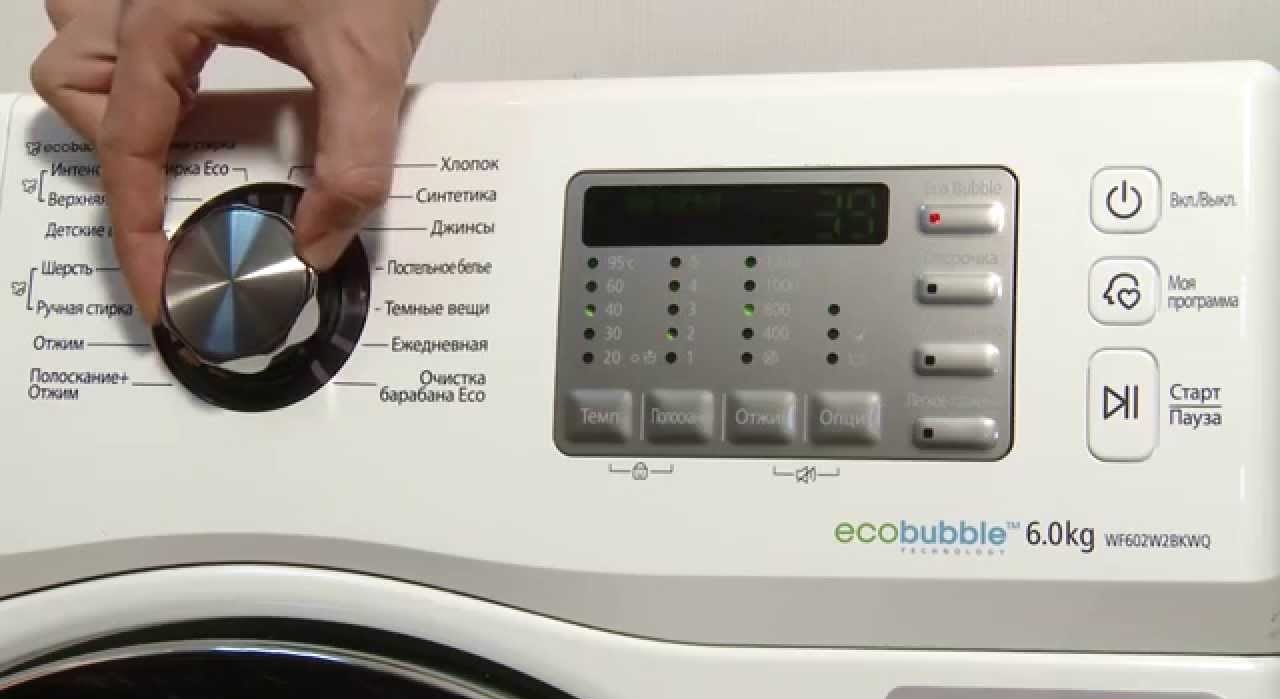
- Set the programmer to the first position.
- Press and hold the Stop/Start button for 5 seconds.
- Disconnect the machine from the electricity supply.
- After a couple of minutes, reconnect the unit to the power supply and start the wash.
If, even after these steps, the washing machine does not start working, you should immediately unplug it from the socket.
Resetting after a fault code
It's not always possible to keep the user manual for your home appliance, and without it, it's nearly impossible to figure out the cause of an error message on the display. If you don't have the user manual handy, we've prepared a breakdown of the most common errors that occur with modern Samsung washing machines.
- This error is related to the pressure switch. The problem may be caused by a chipped or damaged level switch tube, a disconnected, clogged, or pinched tube, a faulty level switch or control module, or damaged connections or wiring to the element.
- This code indicates damage to the engine winding, faulty tacho or electric motor contacts. It's also worth considering the possibility of the electric motor seizing due to a foreign object getting into it.
- This is how the washing machine signals that the drum is overloaded, preventing the motor from operating properly. The problem could also be faulty motor contacts or a damaged tachometer.
- The code indicates that the tachogenerator signal is too weak, which may be due to a breakdown of the generator itself or damage to the contacts.
If you decide to replace damaged contacts yourself, be sure to take a photo of the correct wire connection first so you have an example to hand.
- Another problem is poor module contacts. This is most often associated with incorrect signals from the tachometer sensor or misalignment of the electric motor components.
- Indicates damage to the electric motor circuit, motor, problems with the tachogenerator, or contact integrity issues.
- If this error appears on the display, you have mixed up the cold or hot water hoses. If there is no water supply, then either the hose is disconnected, or there is a hole in it, it is pinched somewhere, the contact of the inlet valve is broken, or there is simply a foreign object in it.
- This error indicates that the water is too hot during drying, reaching 70 degrees Celsius or higher. If this occurs, the hot and cold water hoses are most likely reversed.
- A similar error, but related to delicate washing rather than drying, occurs when the machine detects a water temperature above 50 degrees Celsius.
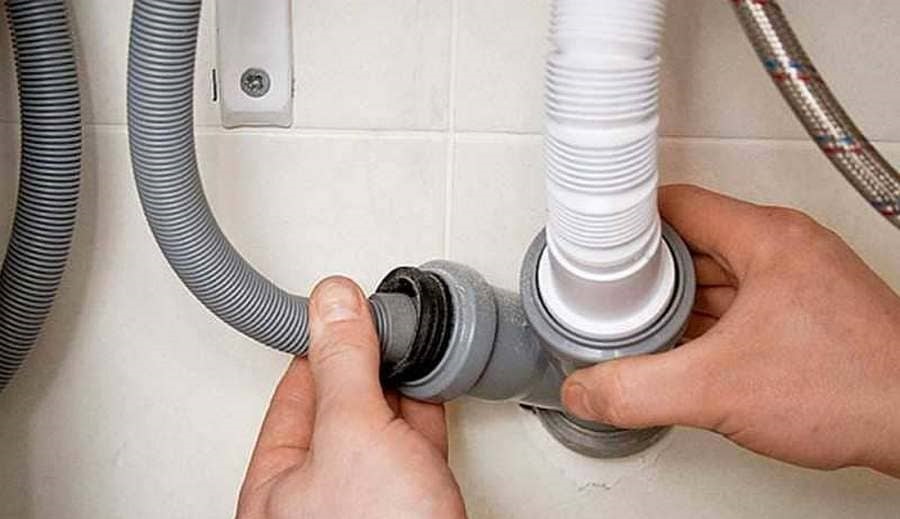
- This error appears after the machine detects a problem with the drainage system. This could be caused by a broken impeller, a clogged drain hose, or debris in the drainage system. It could also indicate a poor connection with the drain pump or a problem with other components of the washing machine.
- A warning sign of problems with the washing machine's motor. This occurs when the tachometer sensor fails, causing the drum to rotate incorrectly. It's also possible that the electric motor contacts are faulty or the control circuits are malfunctioning.
- 13E (AE/AC/AC6). Indicates there is no signal between the control boards. In this case, you need to examine the connections and connectors. If necessary, you will need to replace the control or indicator module.
If several error codes are listed, these are different error codes for different Samsung models.
- CE (AC/AC6). Indicates that the temperature before draining exceeds 55 degrees Celsius, preventing the machine from draining waste water. This can occur if a high-heat wash cycle was selected, or if the inlet hose was incorrectly connected to the hot water tap. It's also possible that the temperature sensor is faulty and showing incorrect readings.
- FE (FC/SDC). Warns of problems in the ventilation system. This could include damaged wiring, a faulty fan, or a failed starting capacitor. You won't be able to detect the problem yourself, so you'll need to either replace the capacitor or check the fan bearings for grease, plus make sure the blades don't jam during operation.
- OE (OF). Water overflow message. This may occur due to a clogged pressure switch tube, foreign objects getting into the fill valve, or a faulty water level sensor.
- Hot. This error appears only in machines with a drying function and indicates a high temperature. If this error appears on the display, you should check the heating element circuit, the integrity of the temperature sensor, and any damage to its connectors and circuits.
- E4 (UE/UB). The last error in our list indicates that the laundry has bunched up, become tangled, or there's too much or too little laundry in the drum. To fix this, simply rearrange the laundry and continue the cycle.
You don't need to know all the common washing machine error codes by heart; having a breakdown is enough. Knowing the error codes allows you to easily determine the cause of the problem and try to fix it yourself, without resorting to service center help.
Interesting:
Readers' comments
Headings
Washing machine repair




For buyers




For users


Dishwasher




Add a comment