
Error E03 on a Vestel washing machine
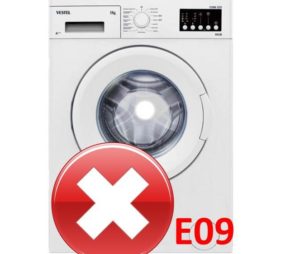 Owners of Vestel washing machines equipped with a digital display will learn about the E03 error after the error message appears on the control panel. Washing machines without a display will alert you to a system malfunction by flashing two indicators on the control panel: "Start/Pause" and "Extra Rinse." To resolve the E03 error on a Vestel washing machine, you'll need to run a system diagnostic, identify the cause of the problem, and resolve it.
Let's decipher and find the reason
To take appropriate measures to correct the situation, you should understand what this error code means. The manufacturer's instructions interpret it as a pump malfunction. Error E03 may indicate not only a faulty drain pump, but also a simple blockage of filters, hoses, and drainage system pipes. Thus, the machine gives an error for one of the following reasons:
- A clogged or broken pump. Sometimes, a foreign object gets into the pump: a coin, a bra underwire, or a paper clip. The foreign object blocks the impeller, preventing it from rotating. This causes the washing machine to fail to drain the tank and displays an error code E. Often, hair, lint, or threads simply get wrapped around the impeller, which can have the same effect on the drain pump.
- A blockage in the drain hose, drain spout, or fittings. A plug of hair and debris can clog any of these components. This can also trigger an error code;
- A clogged waste filter. If users don't clean this filter for years, it accumulates a large amount of dirt. A serious blockage prevents wastewater from draining from the system, and the machine alerts with the E03 code.
- A broken drain pump wiring harness. Power to the pump can be disrupted even if just one of the wires has come loose or mice have chewed through the connection;
- Damage to the control board's triac, which regulates the drain pump. The control board is the "brain" of the washing machine. If the triac can't receive and send signals, the washing machine will stop working.
Most causes of the E03 error can be addressed at home. You can clear blockages, check, and, if necessary, replace the pump at home. Repair of the control board is best left to professionals.
Removing blockage from the filter
What's the first thing you should do if you see this error code? Check the debris filter. It's located at the front of the washing machine, behind a small hatch. The door is usually secured with latches and may require a slotted screwdriver to open. However, in some Vestel washing machines the hatch can be easily opened by hand.
Before starting work, be sure to de-energize the washing machine and close the shut-off valve.
Once you open the door, don't rush to remove the filter. Water will accumulate in the drainage system and will spill out as soon as you begin to unscrew the filter element. Therefore, it's best to cover the floor in front of the washing machine with rags or place a container under the machine to catch the liquid.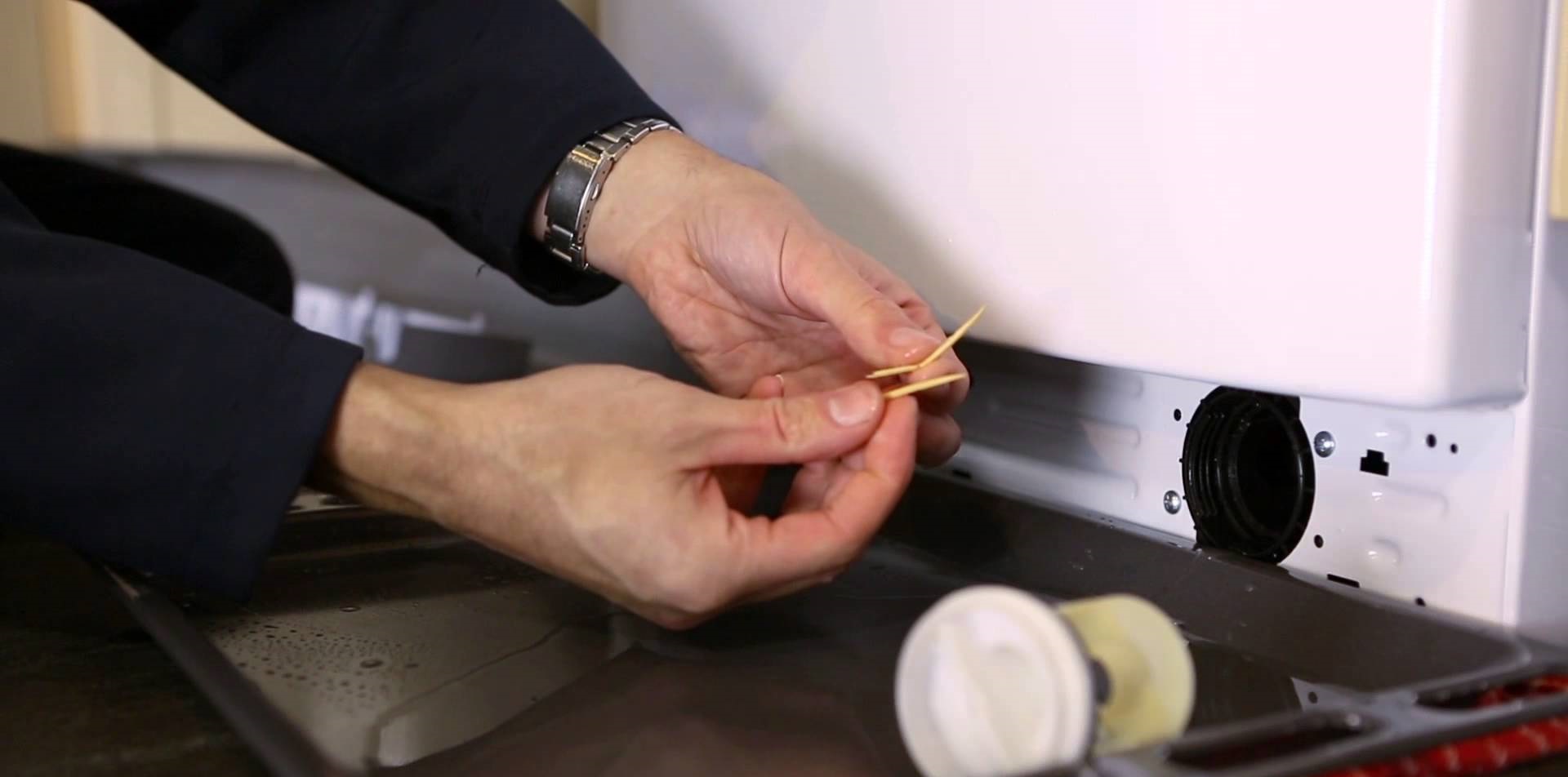
Next, unscrew the debris filter. You'll see dirt, hair, and debris stuck to it. Rinse the filter element in warm water. You can also use an abrasive sponge to thoroughly clean the surface of any debris. Using hot water for cleaning is not recommended, as it can cause deformation of the part and loss of elasticity of the seal.
Once the filter is sparkling clean, you can inspect the housing. Use a flashlight to shine a light into the hole and remove any hair, lint, dirt, or foreign objects. Use a damp cloth or the same sponge to wipe the walls, removing any stuck-on dirt.
Looking deeper, you can see the impeller. Remove any debris stuck to it. Insert a long skewer into the hole and rotate its blades. If the impeller is blocked, the error may be caused by the impeller. After all these steps, replace the filter. Insert it into the hole as straight as possible. Tighten the cap clockwise.
If the problem was a clogged debris filter or impeller, these steps should resolve the issue. Start the washing machine, select the "Rinse" cycle, and check for leaks. If there are no leaks from the debris filter plug, you can close the door.
Checking the pump
Next, you'll need to check the drain pump. Unplug the machine again and turn off the inlet valve. To check the pump, tilt the washing machine back. For easier access, you can lay the machine on its side. The drain pump is located at the bottom of the machine.
If your washing machine model is equipped with a tray, remove it by unscrewing the retaining bolts.
Next, you need to locate the pump and remove it from the housing. To remove the drain pump:
- unscrew the bolts that secure it;
- disconnect the wiring supplying the pump;
- loosen the clamp of the pipe and hose using pliers;
- remove the element from the unit.
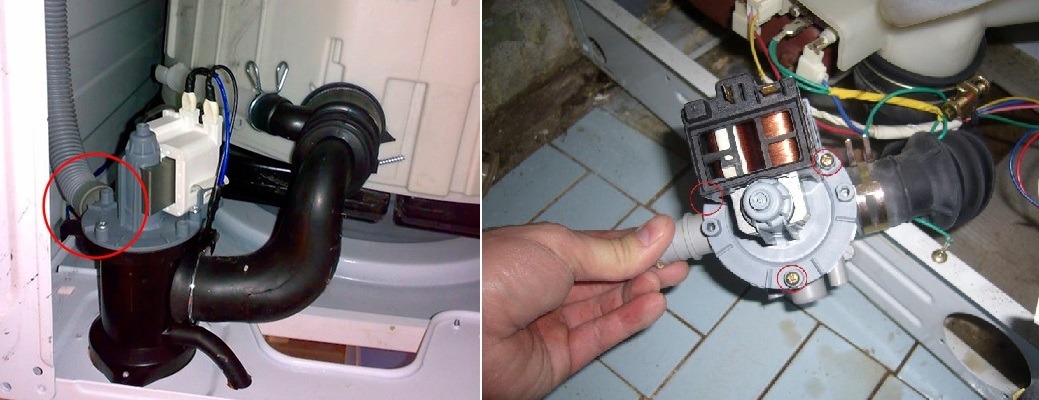
Next, use a screwdriver to loosen the volute mount. Then, disconnect the motor and impeller and rotate its cavities by hand. A functioning impeller will rotate jerkily. Then, inspect the volute and remove any debris. Make sure all rubber seals are intact and not deformed. If any seals are damaged, the rubber seals will need to be replaced.
You can test the pump yourself using a multimeter. The tester's probes are connected to the drain pump terminals. If no values are displayed on the multimeter screen, then the pump is faulty and will need to be replaced. If you still can't fix the washing machine, the problem may be a faulty control board triac. It's best to call a professional to repair the electronics.
Interesting:


1 reader comment
Add a comment
Headings
Washing machine repair




For buyers




For users


Dishwasher




The article was very helpful, thank you!