
Error F11 in an Indesit washing machine
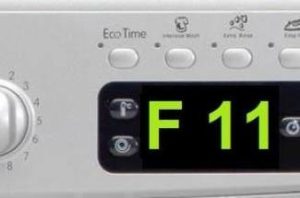
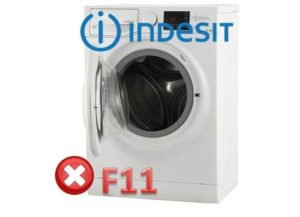 Modern Indesit washing machines can automatically diagnose system problems and issue an SOS alert. One such alert will be "F11" on the display, and if there's no display, the "Rinse," "Intensive Wash," "No Spin," "Quick Iron," and "Spin" lights will flash. All of this clearly indicates a problem with the water drainage system, and the issue must be resolved to continue washing.
Restoring your washing machine's functionality is easy: simply determine the cause of the F11 error on your Indesit washing machine. Possible causes include a clogged filter, a broken water level sensor, or a burnt-out pump. In most cases, you can diagnose the problem and repair the washing machine yourself. We'll explain in detail below how to do this quickly and efficiently.
What could cause this code?
Error F11 can occur both at startup and during the wash cycle. For example, the machine may suddenly refuse to drain, spin, or stop a cycle that has just started. The following malfunctions may cause this problem:
- system failure;
- filter contamination;
- failure of the drain pump;
- non-working pressure switch;
- Problems with the control module.
This code may also indicate problems with individual components of the drainage mechanism: pipes, hoses, or wires. But first, it's necessary to rule out a possible system failure and restart the machine. If after resetting the error, turning it off and restarting, the washing machine still displays F11, you will have to start repairing it yourself. Possible malfunctions should be checked in order: from the filter, pump and hoses to the control system.
Let's start with the trash filter
The most common cause of the F11 error code is a clogged filter, which collects paper, hair, buttons, and other small debris. This debris must be carefully removed without damaging the filtration system. Follow the instructions carefully, as do the technicians at Indesit service centers. Here's how to proceed.
- First, disconnect the washing machine from the power supply and turn off the water and drain.
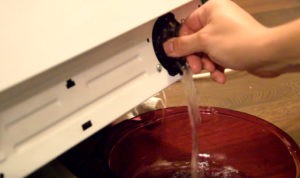
- Locate the filter. On most Indesit models, both front-loading and top-loading, it's located at the bottom, behind a dedicated panel.
- We pry the panel with scissors or a flat-head screwdriver and remove the cover.
- Place a rag under the unit and unscrew the filter. Be prepared for water to spill out of the drain system.
- After unscrewing the filter, thoroughly clean it: first, remove any large debris, then scrub away any remaining residue with a standard sponge or toothbrush. A more effective way to remove limescale and unpleasant odors is to soak the filter in water with citric acid.
- Next, rinse the part under a strong stream of warm water.
Important! The water must be warm, as high temperatures can cause plastic to deform and the rubber seal to lose its elasticity.
After cleaning the filter itself, it's important to pay attention to the surrounding drainage system components. Be sure to inspect the filter housing, shine a flashlight through it, and remove any deposits or dirt. Finish the cleaning process by replacing the filter and reconnecting all the hoses. The main thing is that the filter cover fits tightly to the device, otherwise water will leak.
This type of filtration system cleaning should be done regularly, every six months. A comprehensive wet cleaning of the interior of your Indesit washing machine every six months is also beneficial.
Let's move on to the drain pump
If the source of the error is a faulty drain pump, the repair will take a different approach. In this case, you'll need to thoroughly inspect the pump. First, gain access to the component: unscrew the fasteners, remove the bottom, disconnect the wires, loosen the clamps, and remove the unit. The instructions for what to do next are as follows.
- Clean the pipes.
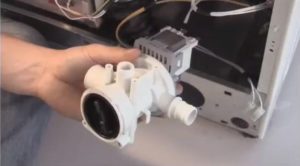
- Inspect the pump impeller and thoroughly clean it if it's tangled with hair, dirt, or debris. This will require disassembling the pump, which is fairly easy to do yourself.
- It is necessary to take a photo of the original location of the wiring, disconnect the wires from the pump, loosen the clamps, pull off the hose with the branch pipe and turn the housing counterclockwise by half a turn.
- Next, we pry the latches, remove the cover, and inspect the mechanism, rubber seals, and impeller. After a thorough cleaning, we reassemble the assembly and install it in its original location, using the photograph as a reference.
- Check the pump with a multimeter to rule out the possibility of burnout due to a short circuit or overheating. To do this, simply set up the measuring device, connect the probes to the contacts, and record the reading. If the number on the screen is less than one, the pump has burned out and cannot be repaired, and if a three-digit number appears, you need to continue troubleshooting.
- Test the hoses from the drum to the pump by laying the washing machine on its side. Although rare, it can happen that a sock or baby clothing gets caught in the rubber hose. To clear the blockage, you'll need to disconnect the hose from the pump and clean it.
If cleaning the filter and checking the pump doesn't resolve the F11 error, or if the pump needs replacing, it's important to check the control board's triac and water level sensor. Testing their functionality is difficult and unsafe for an untrained person, and only a specialist can select a suitable new pump. Therefore, it's best to contact a service center and entrust your Indesit washing machine to professionals.
Interesting:



Readers' comments
Headings
Washing machine repair




For buyers




For users


Dishwasher




Add a comment