
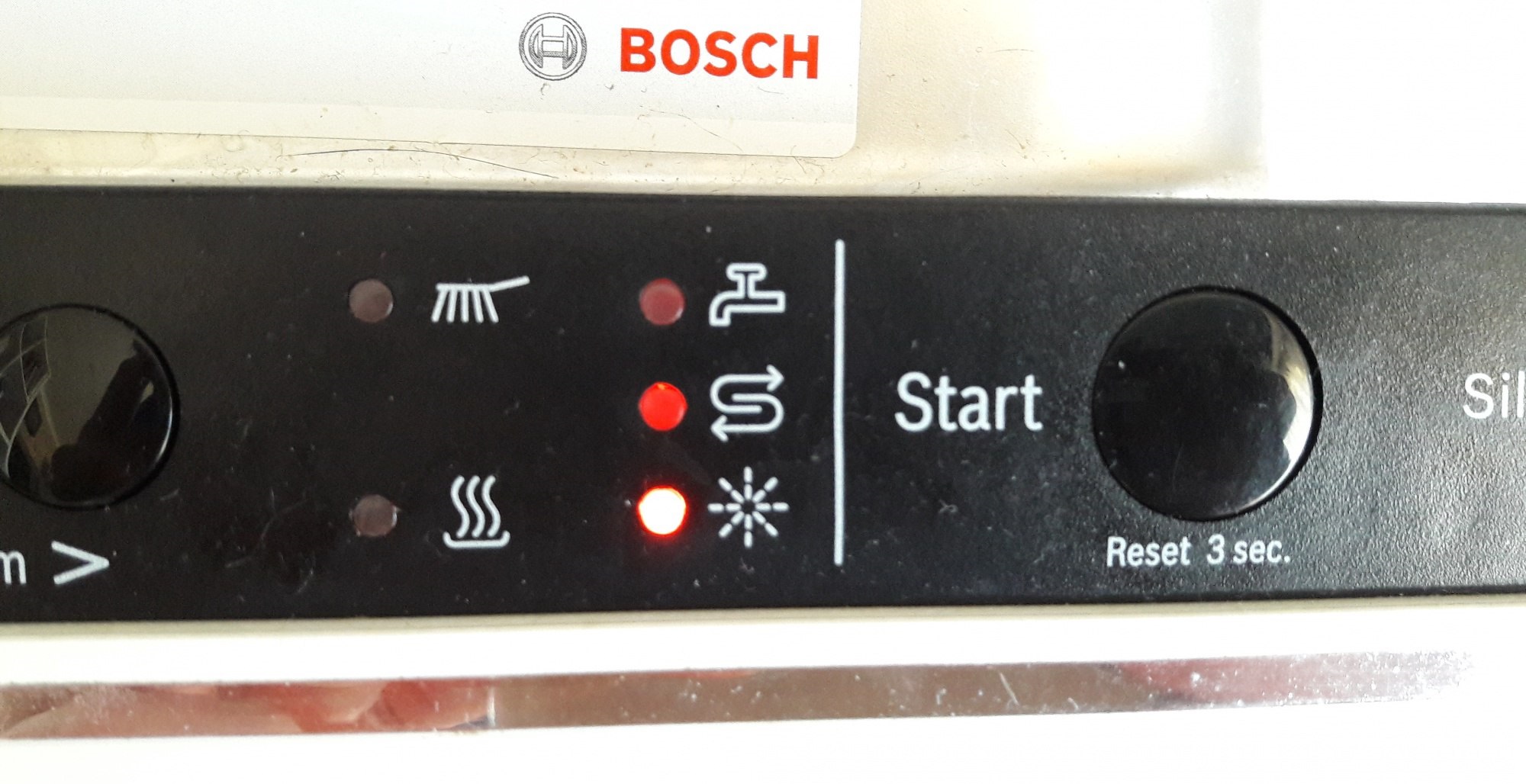
The snowflake light on my Bosch dishwasher is on fire.
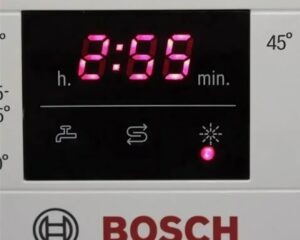 The snowflake icon, sometimes mistaken for a star, lights up on dishwasher control panels almost exclusively. Therefore, if the snowflake icon lights up on your dishwasher, it's not a cause for alarm; it's a sign to replenish your detergent supplies, which we'll explain in detail below.
What is this light bulb for?
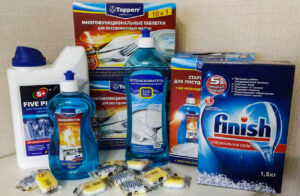
If you've been washing dishes faithfully for a long time and then suddenly notice a snowflake burning on your Bosch dishwasher, it's time to add some household cleaning products to the rinse aid compartment. This product is essential for preventing streaks on freshly washed dishes. You can use your "home helper" just fine without it, but with rinse aid the washing result will be close to ideal.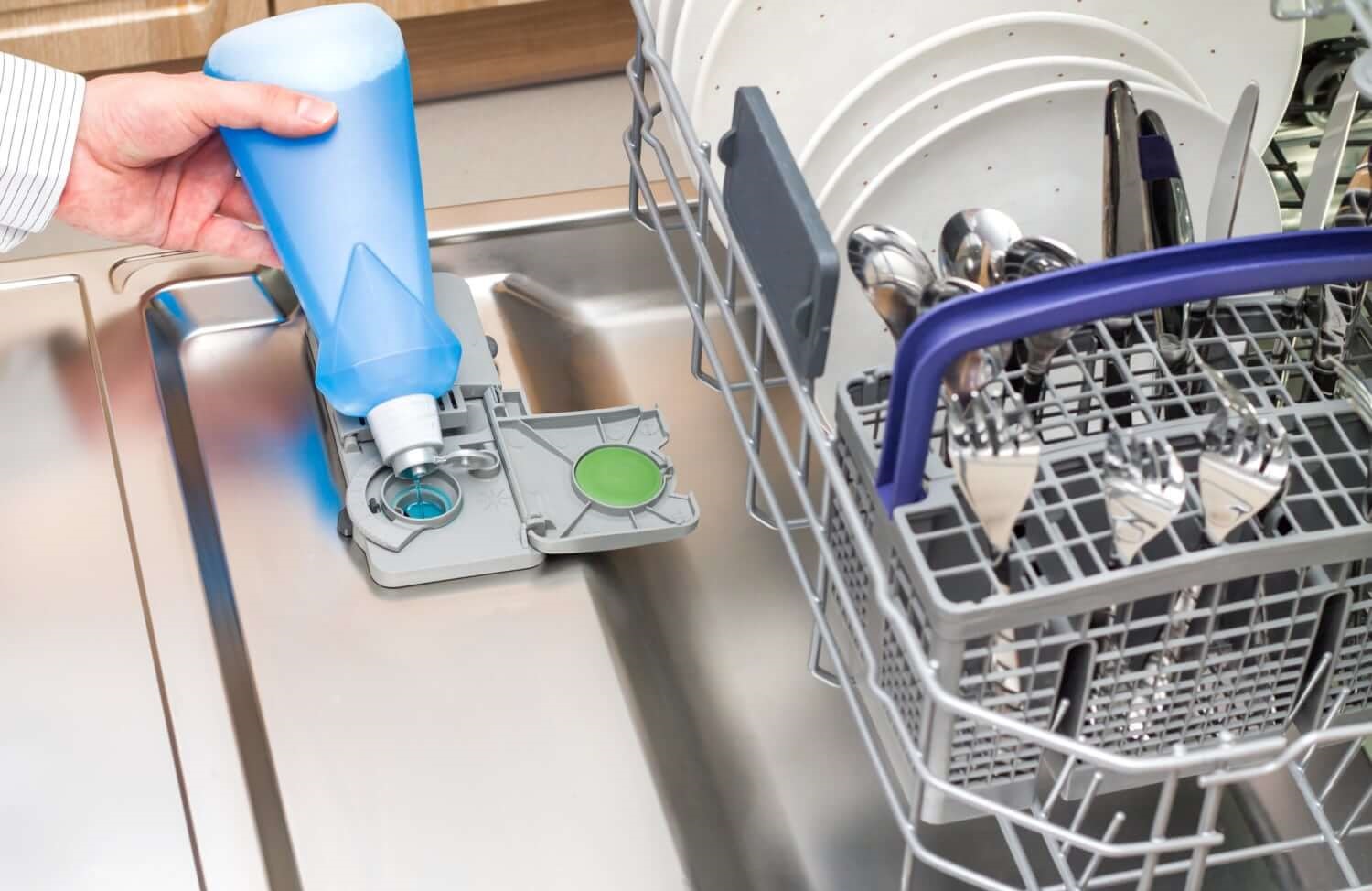
The manufacturer recommends adding rinse aid up to the designated mark in the compartment. This will ensure the rinse aid lasts for several washes before it runs out and the indicator on the control panel lights up again. If you don't want to use rinse aid but are annoyed by the snowflake light, you can experiment by adding plain water to the compartment until the indicator finally goes out. However, it's best to simply ignore the light and use the dishwasher strictly according to the instructions.
Bosch dishwasher symbols
Modern Bosch dishwashers have a number of icons that are difficult to decipher without the official user manual or detailed online instructions. We've compiled the following list specifically for those who don't have the manual at hand but need to understand the indicator right away.
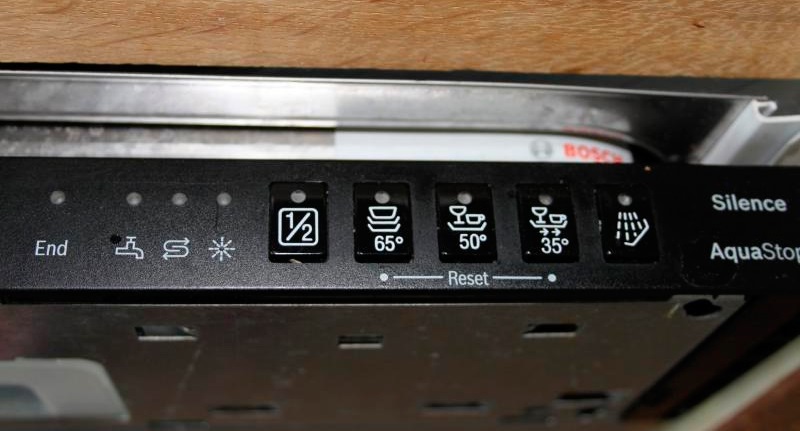
- The pot with stand icon means that the intensive dishwashing mode has been selected, lasting approximately 120 minutes at a temperature of 70 degrees Celsius.
- The icon of a cup with a plate or the word "Auto" indicates the classic dishwashing mode in water heated from 45 to 65 degrees.
- “Eco” means a mode in which the dishwasher will first rinse the dishes and then wash them in water heated to 50 degrees.
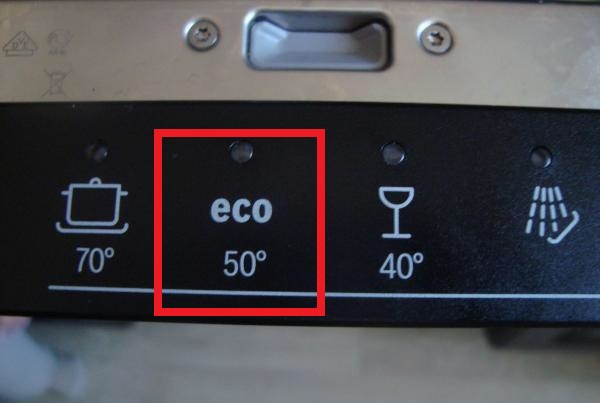
- The sign of a wine glass with a cup on a stand and arrows means a quick wash in half an hour in warm water.
- The icon with a shower of water drops is a program with pre-cleaning and rinsing before washing.
- The letter "H" with a plus sign means adjustment of the working cycle duration.
- The wine glass icon indicates a delicate wash cycle, suitable for crystal, porcelain and other fragile items.
- The clock icon with arrows pointing to the right is a key for cutting the washing time in half.
- “1/2” – half load, a function for saving about 30% of resources.
- The baby bottle milk icon is a mode for disinfecting dishes in extremely hot water conditions.
Do not lean in front of the washing chamber when opening the door – hot steam can cause serious burns.
- The pictogram of a saucepan with rocker arms in a square indicates the working cycle for the utensils in the lower basket at the highest temperatures.
Finally, you can explore the auxiliary indicators, which also feature the snowflake described earlier. Here, you may also find some unusual icons.
- The brush icon symbolizes washing.
- "End" – indicates the completion of the current work cycle.
- The tap icon indicates the supply of liquid to the washing chamber.
- The sign of two wavy arrows indicates a special salt in the ion exchanger.
Remember the icons described, or save this list for yourself, so you always understand what exactly your Bosch dishwasher is trying to communicate.
Different lights are blinking
Flashing icons on the control panel sometimes indicate not the selected operating cycle or current status, but a breakdown or serious malfunction in the electronics. To understand the meaning of each signal, review the list of possible problems.
- If the brush icon on your washing machine is flashing, it's likely that the bottom tray has filled with water, causing the Aquastop protection to activate. To fix this problem, press and hold the "Start" button for three seconds, disconnect the dishwasher from the power supply and wait a few minutes. After a pause, you can turn the equipment back on, and it will continue to operate normally if the problem was a system failure.
- When the faucet icon flashes, it may indicate a water supply problem, interrupting the current cycle. The water supply could be interrupted by a closed valve or low water pressure. If the faucet indicator and "End" light both flash, either the Aquastop safety system has been activated, cutting off the water supply to the machine, or the dishwasher's control board is damaged.
- If all the lights on the control panel are activated and flashing regularly, either a specific component of the appliance is damaged or the control board has failed. This usually occurs after moisture gets into the "brain" of a Bosch dishwasher. You can try resetting the dishwasher, but if that doesn't help, don't attempt to repair the board yourself—it's best to call a service center technician.
- When the drying mode icon lights up and flashes rapidly, the machine is experiencing problems draining the waste water. To troubleshoot, check the drain hose and ensure it is not kinked, is clear of debris, and is free of obstructions.
Another common problem is the dishwasher's failure to respond to any user commands. This could be due to an electronic failure or a blockage causing the keys to stick or freeze. The latter is easy to fix—simply clean the keys and try again.
Interesting:

Readers' comments
Headings
Washing machine repair




For buyers




For users


Dishwasher




Add a comment