
Haier washing machine won't turn on
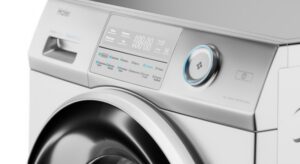 Sometimes, when turning on the washing machine, you may find that it doesn't respond to key presses. The first thing to check is whether the power cord is plugged into the outlet and whether the power to the apartment is turned on. If all else fails, there's a problem.
Why won't my Haier washing machine turn on? How can I diagnose the problem? Can I repair the appliance myself, at home? Let's explore the details.
List of possible problems
It's easy to tell if your washing machine isn't turning on. The control panel lights aren't flashing, and pressing the buttons on the dashboard has no effect—the machine remains silent. All of this indicates that the machine has been cut off from power. There could be several possible causes:
- disconnection of centralized electricity;
- the network key on the control panel is stuck;
- breakdown of the socket supplying power to the washing machine;
- defective power cord or its plug;
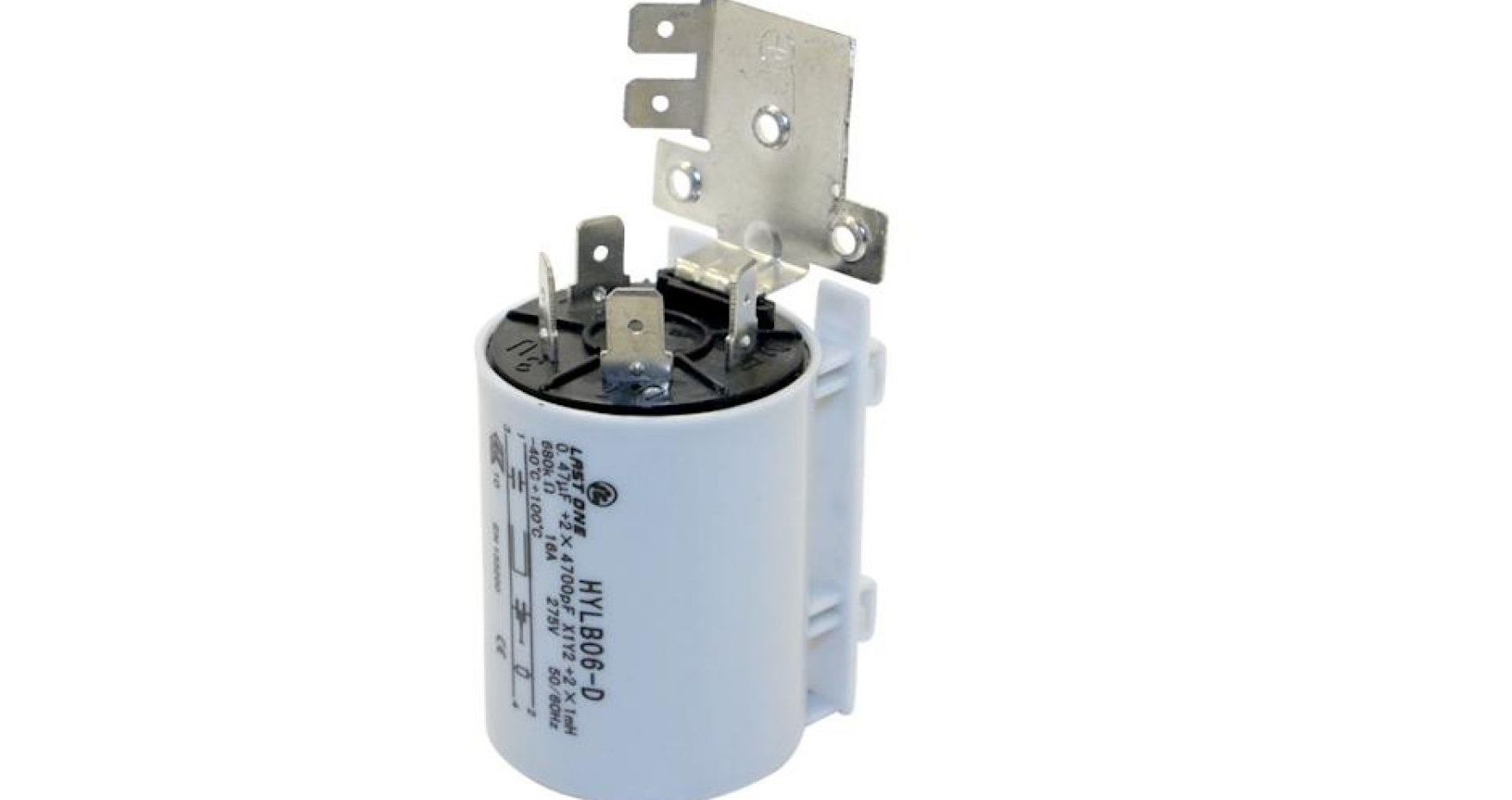
- failure of the noise suppression filter;
- break in the power supply wiring inside the automatic machine;
- main control module failure.
To identify the fault, you will have to diagnose the external electrical communications and check the automatic machine itself.
The diagnostic process progresses from the simplest to the most complex. Check to see if the power supply is disconnected. Next, check the power cord, the outlet itself, and the plug. Let's take a closer look at what to do in this situation.
Main wire, outlet or surge protector
First, you need to flip the switch. The machine may be fine, and its failure to work may be due to a simple power outage. The next step is to check the electrical panel. Sometimes, when the power grid is overloaded, the line can't handle it, and the residual-current device (RCD) is triggered. In this case, you need to "shed" the excess load and restart the system.
Next, inspect the outlet that powers the washing machine. Usually, the problem can be spotted with the naked eye:
- there are burn marks and dark spots on the socket body;
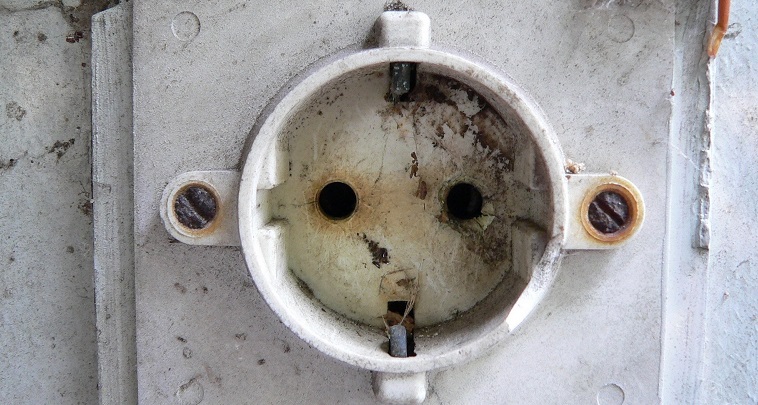
- there is a burning smell;
- there is smoke coming from the socket;
- The plastic housing of the socket is melted.
If there are no visible defects, check the outlet by plugging in any working electrical appliance (such as a hair dryer). If the appliance hums, the outlet is working. If there's still no contact, the fault lies with the outlet.
You can change the outlet yourself or call an electrician. It's best to provide a separate outlet with a high level of moisture protection for the washing machine.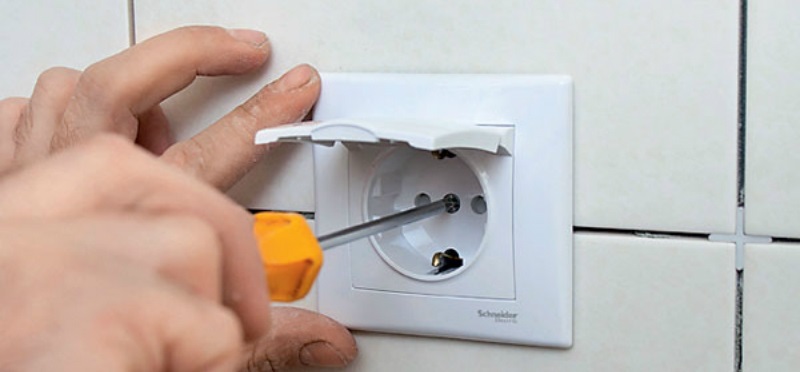
Once you've finished with the external wiring, it's time to turn your attention to the washing machine itself. Start by inspecting its power cord for defects. Sometimes, signs of a fire can be found on the cord or plug.
If the cord appears to be intact, test it with a multimeter. If you determine the power cord is faulty, replace the component. Repair will be impossible in this case—re-taping defective parts with electrical tape is unsafe.
Next, you need to check the noise suppression filter. The FPS protects the washing machine from power surges.A single sharp current surge can cause the device to burn out, cutting off power to the washing machine's main components.
The interference filter is tested with a multimeter. The following steps must be performed: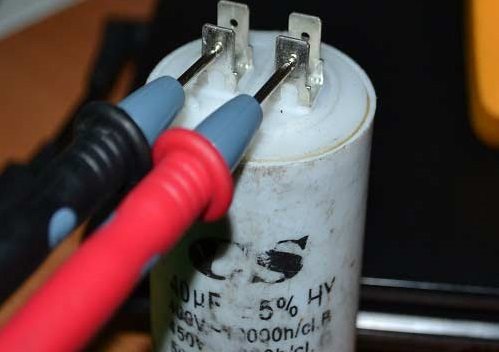
- de-energize the automatic machine;
- turn off the valve that supplies water to the washing machine;
- remove the top panel of the washing machine (to do this you need to unscrew the 2 bolts securing the cover);
- find the place where the power cord connects to the washing machine body;
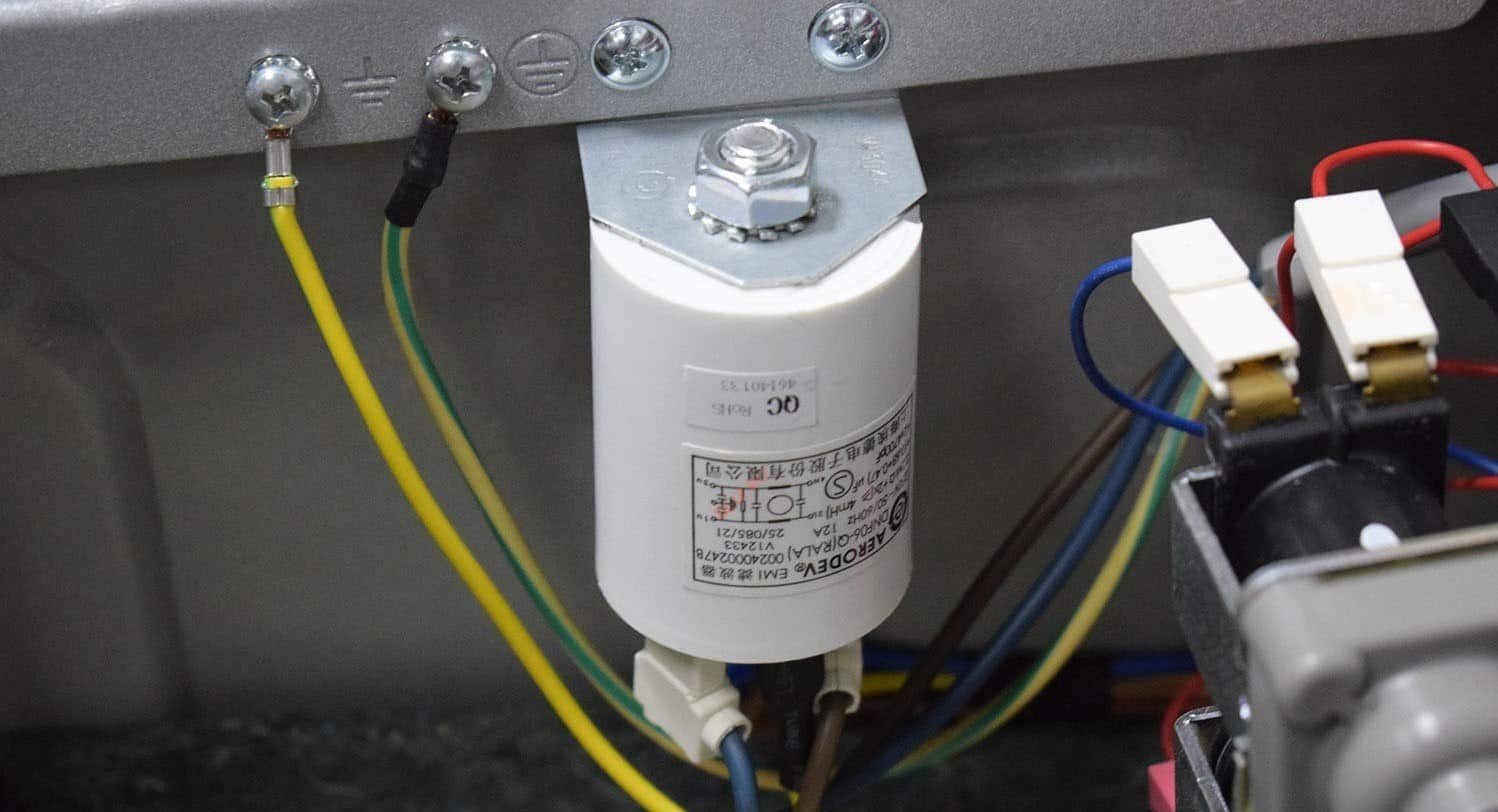
- Find a noise suppression filter near the cord (it’s a small “box” with rounded edges);
- Disconnect all wiring connected to the interference filter;
- remove the FPS from the machine gun.
Once you have the filter in your hands, inspect it. There should be no signs of burning or melted contacts. If there are no visible defects, use a multimeter. Set the tester to buzzer mode and ring the FPS.
If the multimeter display shows 0 or 1, the interference suppression filter is faulty. The component cannot be repaired; a new device will have to be purchased. The interference suppression filter is returned to its original location, and all previously disconnected wires are reconnected.
Network key on the control panel
Older Haier washing machines often experience a sticking power button. This can be the reason why the machine won't turn on. A faulty button prevents power from reaching the control board, causing the washing machine to fail to start.
Sticking buttons are common in washing machines located in the bathroom. Water gets under the button and causes the contacts to oxidize. This disrupts the electrical current flow, and the washing machine stops working.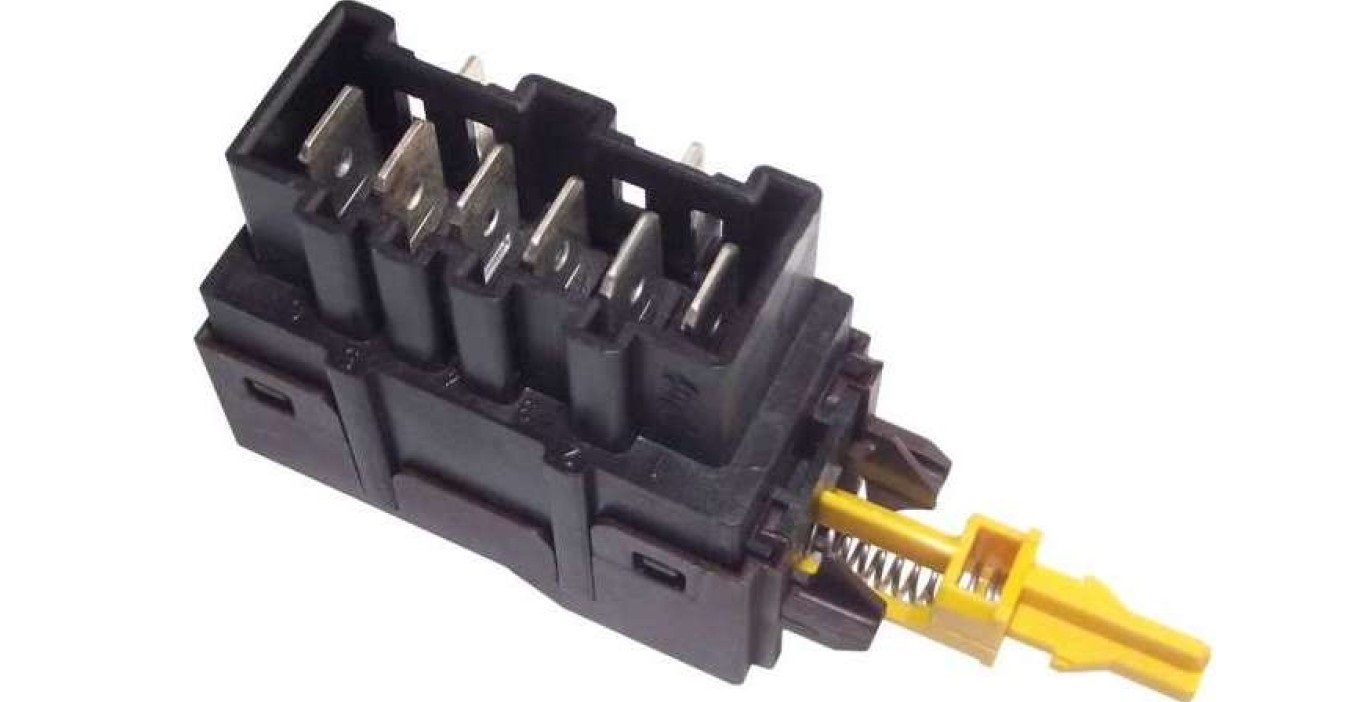
The network button is checked for proper operation as follows:
- unplug the washing machine;
- remove the top cover of the automatic machine;
- look inside the case - find the power button on the back of the dashboard;
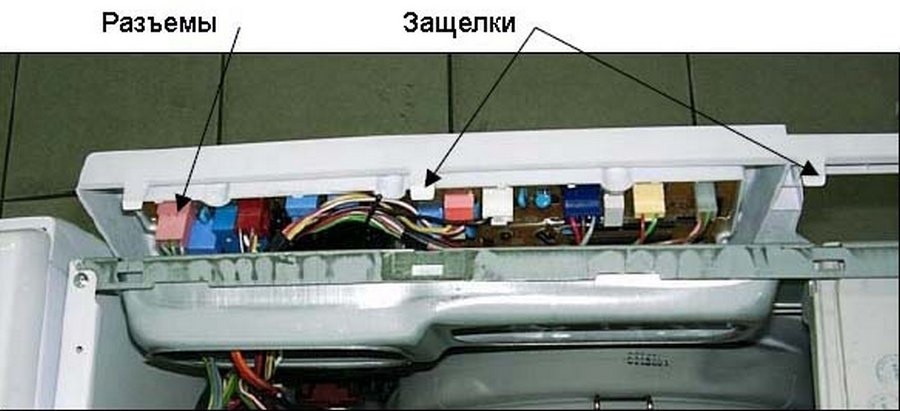
- disconnect the wires connected to the button;
- Use a screwdriver to pry up the plastic, release the latches and pull the key out.
Next, the button needs to be tested with a multimeter. First, it's checked for breakdown, then for resistance. If the device detects a deviation from the standard values, you'll have to buy and install a new button. Sometimes cleaning the contacts can help, but it's recommended to play it safe and replace the component immediately.
Problem with the semiconductor element of the control module
If the outlet, power cord, interference filter, and key are all in order, the main unit is most likely faulty. This problem is considered one of the most difficult and expensive to repair. The semiconductor elements on the control board are sensitive to power surges in the electrical network, and they burn out when there are sudden changes. The "chain" is broken and the machine does not turn on.
It is very difficult to identify a damaged semiconductor – there can be dozens or even hundreds of them on a board.
Sometimes, the damaged area can still be identified with the naked eye—to do this, inspect the control board. Follow these steps:
- de-energize the machine;
- remove the detergent drawer from the washing machine;
- remove the "top" of the case;
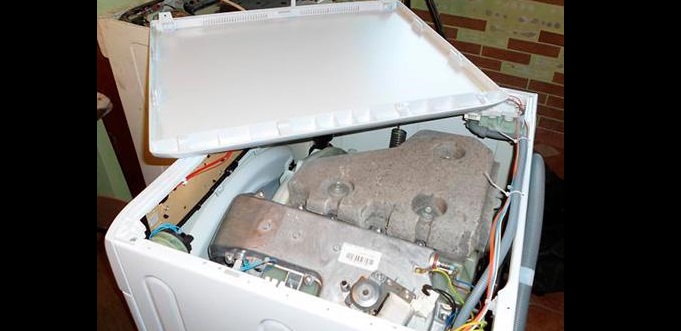
- Unscrew the screws holding the washing machine dashboard;
- "split the dashboard in half" using a flat-head screwdriver;
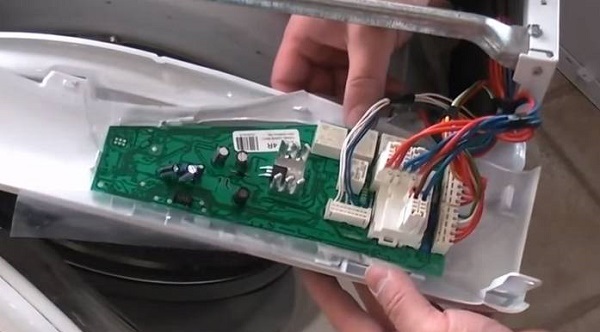
- remove the control board.
What should you look for on the board? Any defects—black spots, oxidized areas, melted wiring. If everything appears fine visually, you'll need to contact a service center for diagnostics.
You shouldn't attempt to test or repair the control module yourself without sufficient knowledge and experience. This could cause further damage to the component. Only a qualified technician can identify and resolve the problem.
Interesting:


Readers' comments
Headings
Washing machine repair




For buyers




For users


Dishwasher




Add a comment