
Connecting a washing machine to Wi-Fi
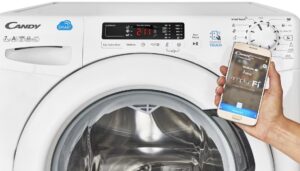
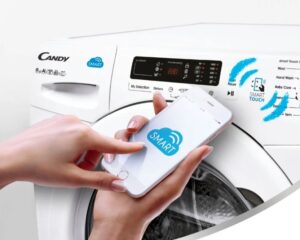
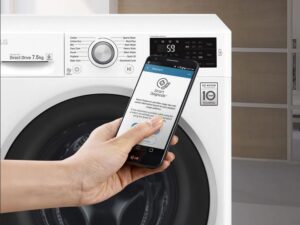 Just 5-7 years ago, many users couldn't even imagine that their washing machine could be controlled via a smartphone. Today, it seems commonplace—the machine can access the internet and contact the owner or service center. Let's explore how to connect your washing machine to Wi-Fi and what features a mobile app offers.
Setting up Wi-Fi on the machine
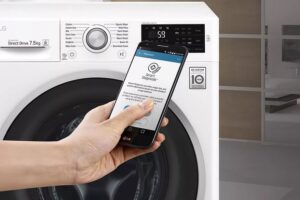
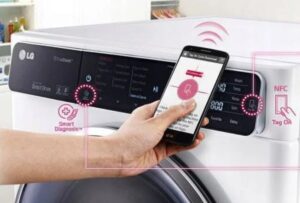
To connect equipment to a gadget, manufacturers develop special applications. For the LG brand, this is the LG Appliance Smart Diagnosis program, for Bosch it is Home Connect, and for Samsung it is SmartThings. Since South Korean washing machines are quite common, let's look at how to connect an LG washing machine to Wi-Fi as an example.
You can download the official LG Appliance Smart Diagnosis app for iPhone via the App Store, and for Android via the Play Market platform.
To establish communication between the LG automatic machine and your smartphone, you need to:
- turn on the washing machine;
- connect your phone to a Wi-Fi network;
- Download the LG Appliance Smart Diagnosis mobile app to your smartphone;
- log in to the application by creating a username and password;
- indicate the name of your washing machine model in the program;
- Bring your smartphone closer to the automatic machine, pointing the display towards the device;
- Complete the setup by following the steps provided by the application.
Using the app, you can easily diagnose your device. Testing your machine takes about two minutes. All information about faults and malfunctions will be displayed on your smartphone screen.
To connect your Samsung washing machine to the Internet, follow these steps:
- Download the SmartThings app to your smartphone;
- Register an account or log in to the app if you have used it before (by entering your username and password);
- launch the application on your phone;
- Make sure your smartphone is connected to a Wi-Fi network within range of the automatic washing machine;
- in the “New device found” window, click “Add”;
- select your washing machine model from the list provided;
- If you cannot find the name in the list, click “Device Type”, then “Specific Device Model” and enter the name of the machine manually;
- Add the washing machine to the app and wait for pairing to complete.
It's important to download the official app. The program interface for Russia will be in Russian, and the results of the requested scan will be in English. During smart diagnostics, the system will display all detected errors and offer possible troubleshooting options.
It's recommended to download the app and pair your smartphone with the washing machine after connecting it to the power grid. Make sure the appliance is level before attempting to program it.
What features does the application provide?
Before downloading an app to their phone, many people try to understand what features it will offer. While features may vary depending on the manufacturer and model of the washing machine, they are generally similar. Using a smartphone, users can:
- view basic information about the current cycle: how much time is left until completion, what stage of the wash cycle the machine is currently at;
- control how much electricity the equipment consumes;
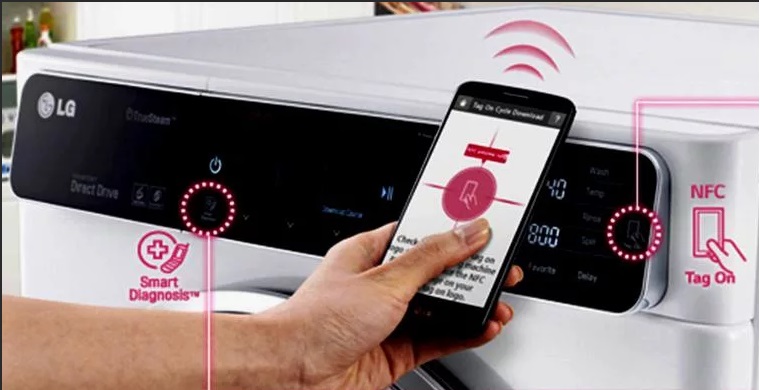
- run self-diagnostics of the washing machine;
- pause or start washing;
- adjust the cycle parameters.
The application allows you to completely control the washing process remotely.
For example, you could throw your laundry in the drum and close the door in the morning, and then start the machine right from the office towards the end of the workday. By the time you get home, the clothes will be washed and ready for unloading. Or, for example, you could pause the cycle, change its settings, and resume the machine.
The smart diagnostics feature is equally useful. If the machine freezes during a wash cycle, you can always run a check through the app. The program will display any detected errors and provide recommendations for fixing them.
Interaction of the machine with external devices
All processes in the washing machine are controlled by an electronic module. Sensors and components transmit data to the main unit, which analyzes the data and displays it on the user's display. If the washing machine is equipped with a Wi-Fi module, it can easily display information on a smartphone in addition to the screen.
The washing machine can't access the internet on its own. A router that broadcasts a Wi-Fi signal is required. The final missing link between the machine and the smartphone is an app, which can be downloaded for free from the App Store or Play Market. Each brand of washing machine has its own app.
Interesting:
Readers' comments
Headings
Washing machine repair




For buyers




For users


Dishwasher




Add a comment