
Error E03 in a Whirlpool washing machine
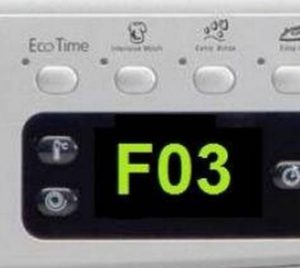
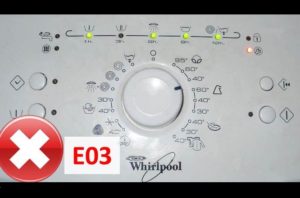 While running, your Whirlpool washing machine may suddenly stop and display "E03" or "F03." Don't panic—this error indicates a problem with the machine's drainage system. Simply run a diagnostic, identify the problem, fix it, and restart the machine. We'll explain the steps and what to look out for.
Let's decipher the code
According to Whirlpool instructions, error code E03, or the similar F03, stands for "water drainage system failure." Simply put, the wastewater isn't being pumped out of the drum. This is because before the wash cycle starts and the water is drawn from the water supply, some of the water remaining in the bottom of the drum is automatically emptied into the sewer by a command from the control module. If the pump can't start draining, the machine aborts the cycle for safety. Sometimes the code appears later, during the draining process.
There are several possible causes for water not draining from the tank. Error E03 may indicate the following issues:
- a faulty pump (probably the pump has served its purpose, broken down or become clogged);
- a blockage in the drainage system (the drain filter, drain hose, pump impeller or other drainage element may be clogged with debris);
- a "broken" control board (the failure can be either partial, a burnt-out triac or track, or complete).
The E03 or F03 error code on a Whirlpool indicates problems with draining water from the tank!
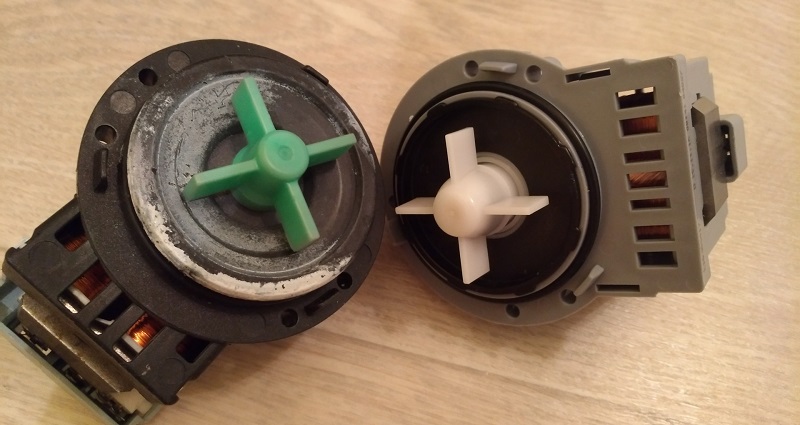
Instructions on what to do depend on the nature of the malfunction. You can check the pump's functionality, repair it, and clean the drainage system yourself at home. If the problem lies with the control board, attempting to repair it yourself is dangerous – it's best not to risk your washing machine and contact a service center immediately. Fortunately, control board failures are rare. More often, the cause is a simple blockage or a faulty pump. In this case, you can fix the E03 error yourself.
Indirect signs of pump failure
To clear the E03 error from the display and resume washing, you need to check the washing machine's drainage system. Diagnostics won't take much time or effort. It's best to start by removing the debris filter and cleaning its seat. Here's how:
When you unscrew the drain filter, water will flow out of the machine!
- disconnect the washing machine from the utilities;
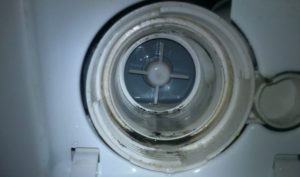
- Using a flat-head screwdriver, unfasten the false panel located in the lower right corner of the case;
- tilt the washing machine back;
- we find the drainage filter, or rather, its black round plug;
- we place a basin under the cork;
- grab the protrusion on the plug and slowly unscrew the filter counterclockwise;
- We wait until all the water remaining in the machine leaves the tank, and then remove the filter completely.
Now we begin inspection and cleaning. First, we flush the filter and the newly cleared hole to remove accumulated debris and scale. Next, shine a flashlight into the mounting area and locate the impeller—the blades mounted on the pump. Reach into the impeller with a long, thin object and try to unscrew the element. If the impeller is stuck, moves with excessive strain, or is unusually loose, then cleaning and inspection of the pump is essential.
Removing and thoroughly inspecting the pump
If the pump impeller doesn't rotate or slips off the shaft, the problem is either a defect or a blockage. To determine the cause, remove the pump and inspect it. The drainage system isn't easily accessible through the debris filter opening; you'll need to peer inside through the bottom.
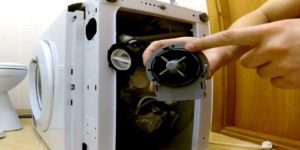 So, to access the pump on a Whirlpool washing machine, you need to remove the drip tray. Some models don't have such a panel, but many modern machines not only have a bottom panel but also an integrated Aquastop system. In this case, first carefully disconnect the wires from the float switch and then unscrew the bottom cover. Then follow these instructions:
- we lay a rolled-up carpet or a pile of things along the right wall of the building;
- we lower the washing machine onto its right side (it is not possible on the left side - the water remaining in the powder dispenser may get onto the control board);
- We act extremely carefully so as not to damage the machine;
- We look under the bottom of the Whirlpool and find a pump attached to a snail.
Typically, cleaning the screw of any hair or dirt that's stuck to it is enough. Sometimes, it's not that simple—the screw breaks or the fastener that holds it in place becomes loose. In the latter case, repairs are limited to tightening; in the former, replacement is recommended. Trying to secure the blades with tape or electrical tape will not fix the damage; it will only delay the problem. We immediately check the pump with a multimeter. Connect the probes, start the drain, and measure the voltage. If the pump doesn't drain at 220V, the element needs to be replaced.
Replacing the drain pump
Sometimes the fault code can't be cleared without replacing the pump. This procedure is also simple. Simply purchase a similar pump and begin repairs.
- Remove the wiring from the old pump.
- Unscrew the retaining bolts.
- Remove the pump by turning it counterclockwise.
- Fix the new pump into the “socket”.
- Secure the part with bolts and connect the wires.
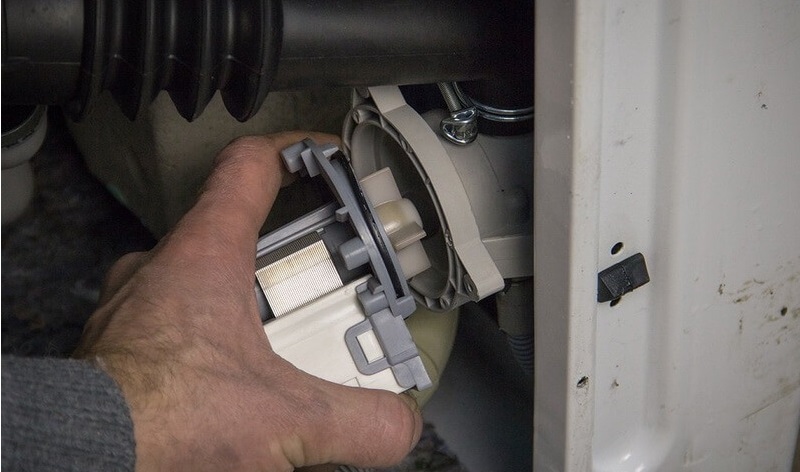
The rest is straightforward: return the Whirlpool washing machine to its upright position, insert the filter with the false panel, and connect it to the power supply. Be sure to run a test wash and evaluate the results.
Interesting:


Readers' comments
Headings
Washing machine repair




For buyers




For users


Dishwasher




Add a comment