
Error E2 in Haier washing machine
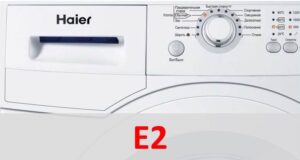 Modern washing machines have a self-diagnostic system that can accurately detect any malfunction, which is why there are so many error codes. The E2 error in Haier washing machines is considered one of the most common, though far from the most serious. It alerts the user that the door is unlocked and has been unable to lock for the past 20 seconds. Sometimes this can be fixed by simply opening the door manually and then closing it again. However, if this doesn't help, diagnostics will be necessary.
The lock stopped working properly.
If you are unable to resolve the E2 error code so easily, you need to listen to the sounds the door makes. When the mechanical lock works and you clearly hear the first click, but not the second, then the problem is in the hatch locking device. The UBL (Unit Locking Device) is a component responsible for the auxiliary locking mechanism, providing additional security. This mandatory security feature prevents the door from being accidentally opened during the cycle. Therefore, without this electronic unit, a Haier washing machine will refuse to start a program.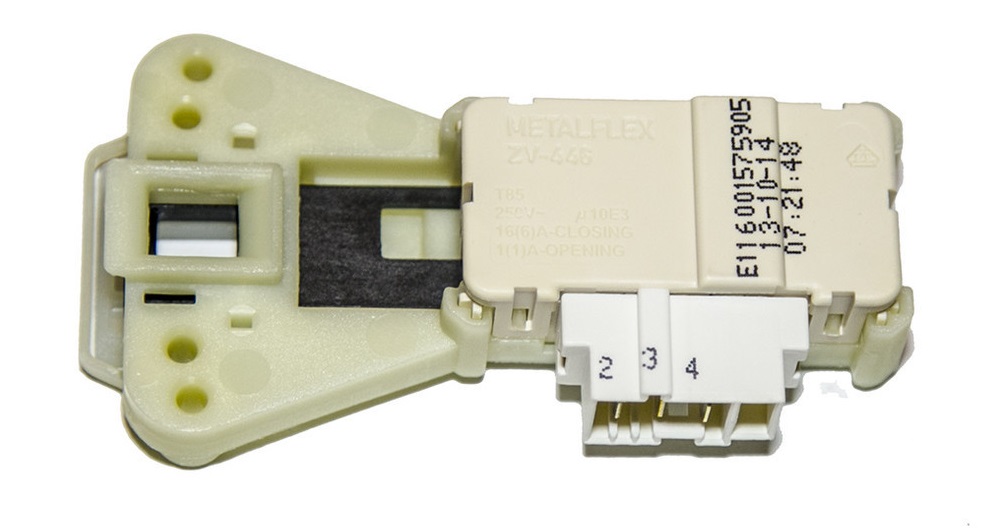
If the door lock fails to operate for some reason, the display will continuously display the E2 error code. What exactly could cause this?
- Unit wear. Due to prolonged use, the bimetallic plates of the locking system wear down and lose electrical conductivity. Repair in this situation is impossible – only complete replacement of the element is possible.
- Clogged door lock. The lock may not work due to a simple blockage. This could be hair, fur, thread, or other debris trapped inside the device. In this case, you can disassemble the part yourself and remove all debris.
- Control board malfunction. The control module is the "brain" of the entire Haier washing machine. Therefore, if something is wrong with it, the door lock simply doesn't receive commands from it. This could be due to burnt-out traces on the board, semiconductors, firmware, or a one-time failure. We recommend trying a restart of the "home assistant," and if that doesn't help, initiate a full check of the control module.
You should not attempt to repair or diagnose the control board yourself, as without the necessary experience and knowledge there is a high risk of further damaging the component.
The first two causes of malfunction are easy to check and fix at home. For the third, you'll need to call a service center technician, who not only has the specialized training but also the necessary equipment. It's also worth keeping in mind that damaging the door locking system isn't a big deal, as it's inexpensive. However, the control module, in some cases, can cost as much as a new washing machine, so experimenting with it is definitely not recommended.
Lock test and replacement
Don't rush to buy a new hatch locking device, because sometimes replacement is not necessary. First of all, you need to check its serviceability, for which you will need to remove the part from its seat and evaluate it with a multimeter. What to do for this?
- Disconnect the machine from the power supply and water supply.
- Open the door. If the problem occurs when the door is mechanically closed, you'll need to unscrew the top cover, tilt the washing machine backward, reach into the locking mechanism, and use a screwdriver to push the latch. You can also do this from below by removing the bottom of the washing machine.
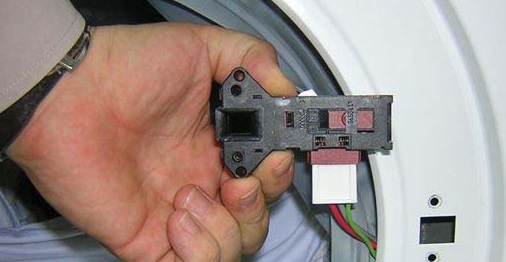
- Loosen the outer clamp on the hatch cuff, then tuck it in.
- Find the lock, remove the screws that hold it in place, and then remove the lock itself.
- Disconnect the wiring from the door lock.
It is advisable to take a photo of the correct connection of the wires so that you have an example at hand later.
- Remove the hatch locking device.
Once the part is removed, you can begin testing. First, consult the Haier user manual to understand the locking device's electronic circuit diagram. Next, take a standard multimeter, switch it to resistance measurement mode, connect the probes to the "neutral" and "live" terminals, and read the display. The device is working properly when the display shows a three-digit number; otherwise, it will need to be replaced. Additionally, it's worth checking the grounding with the common terminal—if the device shows "1" or "0," the locking device is OK.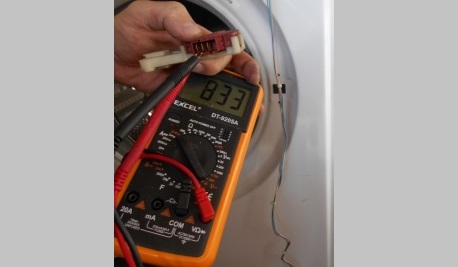
Do not attempt to repair the hatch locking device. Its parts are considered disposable, and the UBL itself is very inexpensive, so it is much more effective and faster to simply replace it. Take the faulty part to the store as an example, or simply write down your washing machine's serial number so the store assistant can find the right part for you. Follow our instructions in reverse order for replacement, remembering to take safety precautions.
Interesting:


Readers' comments
Headings
Washing machine repair




For buyers




For users


Dishwasher




Add a comment