
Error F06 in an Ariston washing machine
 Modern washing machines are equipped with intelligent controls called Fuzzy Logic. Hotpoint Ariston uses machines in the Dialogic series. They are equipped with various sensors that allow you to select a program based on the weight of the laundry, water hardness, soil level, and other parameters. These machines also feature a self-diagnostic system that alerts you to any malfunctions. Let's look at this system using the F06 code as an example and determine the causes.
Explanation and reasons
As we've already noted, error F06 is specific to Dialogic washing machines. It informs the user that the keys on the keypad are faulty, causing the programs to malfunction. Indeed, this washing machine has an unusual design, or more specifically, its controls. The keyboard with buttons is hidden behind the handle; to access the buttons, you need to press the center of this handle. There are 9 buttons on the keyboard, including spin and quick wash.
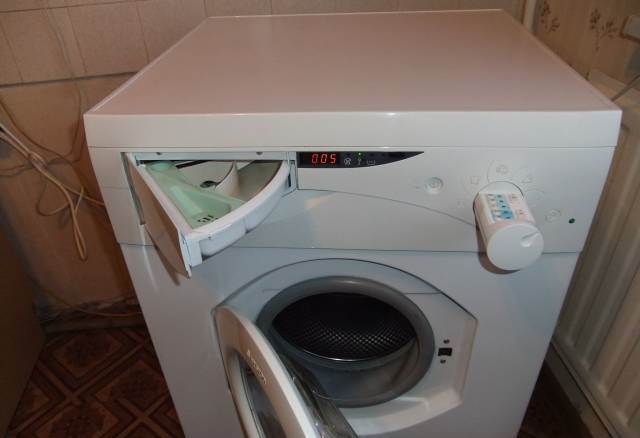
The reason for the F 06 error may be:
- broken buttons;
- faulty electrical wiring between the control board and the controller;
- faulty electronic module
Electrical check
Error code F with the numerical code 06 suggests a fault in the electronic module, the control panel board, or somewhere in the circuit between these two components. Therefore, the first thing we need to do is remove the control panel of this brand of washing machine.
- First, unscrew the two screws located just under the top cover on the back of the washing machine. They hold the top cover in place. Then, slide the cover back slightly, then lift it up and set it aside.
- Now we go around the front of the washing machine and remove the detergent drawer.
- At the top ends of the front panel, in the corners, we find two self-tapping screws that also need to be unscrewed.
- Next, we unscrew the screws that are located around the powder receptacle niche.
While the powder receptacle is in the niche, the screws around it cannot be unscrewed, but if you remove it, everything can be done quickly and conveniently.
- Now all we have to do is pull the panel up a little and towards ourselves, and it should come off. However, you need to be careful here so as not to damage the delicate plastic fasteners.
After removing the front panel, we'll see a huge bundle of wires running from the circuit board to the pull-out button section, and a couple of wires to the "Power" button. This washing machine has a unique design, and, frankly, it's inconvenient, especially when it's necessary to test the contacts of all the buttons and their power supply wiring. But let's not get too philosophical; let's get down to business.
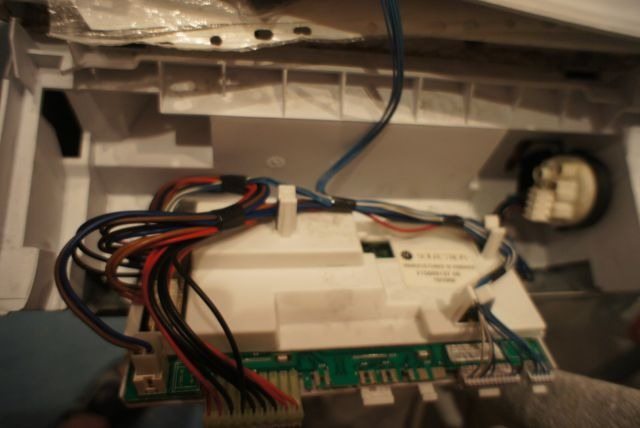
First, let's inspect each wire and each contact on the control panel button. A visual inspection will give us a first impression. If there are any signs of burning or melting on the wiring or contacts, we'll definitely notice them. After a visual inspection, take a multimeter and begin checking each contact on all the buttons one by one, noting any that aren't working. Next, we check all the wires leading to the button contacts one by one. This is a meticulous job, but it won't take as long as you might think.
Professionals advise checking each contact and each wire several times to rule out errors, because if you miss a faulty segment, you'll have to start all over again.
We'll mark any broken wires, if any. After the inspection is complete, we'll need to remove the faulty button contacts from their slots, order replacements, and replace the old ones. Then, connect the wires to them according to the diagram. If you can't find the diagram or are having trouble reading it, simply take a photo of the wire locations first, and then, using the photo as a guide, reconnect everything as before.
If you haven't found any faulty components after checking the contacts and wiring, you should check the control module. It's quite possible that the electrical connections from the control module to the control panel and buttons are not at fault. The electronic module is most likely at fault, and this needs to be checked! Other faults with this machine can be found in the article. Ariston washing machine repair.
What to do with the electronic module?
An electronic module is a component that's quite difficult to repair. First, you need the necessary tools, second, skill and knowledge in the field, and third, you'll need "donor" components—that is, the elements that need to be resoldered. First, you need to locate these components on the board by testing each one in turn. In 99% of cases, this job is entrusted to a specialist, which we recommend you do as well.
The module in the Hotpoint Ariston washing machine is located in the lower left part of the machine closer to the back wall.
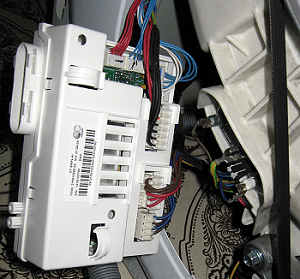
There have been cases where the board wasn't repaired, but rather damaged, due to ignorance of many nuances. Replacing this component also has its own peculiarities. The issue here isn't how to remove the electronic module itself, but whether it's programmed. If there's no software, it needs to be installed. In technician terms, this means "flashing" the board.
So, the F06 error isn't as simple as it might seem when reading its decoding. To fix it yourself, you need to know many nuances. If you have nothing to risk and are learning how to repair, go for it—the road is mastered by the one who walks it!
Interesting:

Readers' comments
Headings
Washing machine repair




For buyers




For users


Dishwasher




Add a comment