
Error F07 on an Ariston washing machine
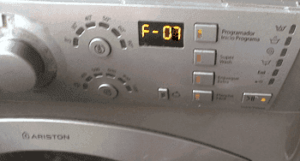 Modern home appliances allow homeowners to avoid actively participating in the washing process. They simply load the laundry into the drum, select the desired mode, and press the start button. A Hotpoint Ariston automatic washing machine will do the rest. However, sometimes a malfunction occurs during the washing process, and after a certain time, instead of clean laundry, you see an unfinished program and the error code F07 or F7 displayed. What does this code mean, and how serious is the problem? What should you do in this case?
How does the code manifest itself and what does it mean?
This error can manifest itself in various ways. Immediately after starting the required wash cycle, the machine will not fill the drum with water, but will immediately display a code on the electronic display. After 2-5 minutes, the machine will begin filling with water but immediately drain it. After 10-30 minutes, the machine may perform its programmed actions as normal, but will not begin rinsing.
Very rarely, this malfunction may appear on an Ariston washing machine after the "home helper" has been filling and draining water for a long time at the beginning of the process. It happens that programs where washing occurs in cold water work perfectly, and the error appears only when it is necessary to heat the water to a certain temperatureIf your washing machine doesn't have an electronic display, it will also report the F07/F7 error.
- On older machines equipped with power and door lock indicators, a series of 7 rapid flashes of the power light will be observed, with a 5 to 10 second pause between each flash. Additionally, the program selector knob will click and spin.
- Machines that are slightly more modern than previous models and have indicators that show the washing cycles in stages (we're talking about AVL, AVTL, AVSL, and other models). They will alert you to a malfunction by flashing three additional function buttons located on the bottom (these will be named differently in each model: in some, "Easy Iron" and "Quick Wash," while in others, they'll be "Super Wash" or "Extra Rinse"). At the same time, the "Key" indicator, indicating that the door is closed, will rapidly flash.
- In Hotpoint Ariston Low-End series machines, three lights located at the bottom of the washing machine will simultaneously flash in the cycle progression row (the "Door Locked," "Cycle End," and "Drain" indicators). All additional function lights on the control panel may also indicate an error.
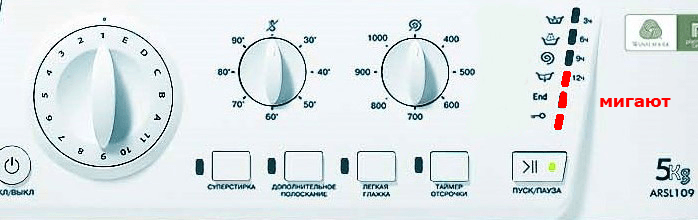
- Hotpoint Ariston Aqualtis models that are not equipped with a display may indicate a malfunction by the three lowest temperature indicators (the “No Heat”, 30 degrees and 40 degrees lights) flickering.
What does this code mean? The F07/F7 code indicates a problem with the sensor that monitors the water level, or a fault in the heating element circuit. It often appears when the machine detects that the heater is not fully submerged.
If you notice that your washing machine displays this error, it is best to refrain from using it until the damage is repaired. This will help prevent more serious problems with the appliance.
Let's try to reset it
Like any washing machine, Ariston machines can experience a temporary malfunction in their electronic system. This can be caused by increased voltage, magnetic storms, contact with other electrical appliances, and so on. Therefore, first try to correct the problem yourself by resetting the F07 or F7 error code and seeing if it reappears. If the machine continues to display the error, it's not a temporary malfunction, but a more serious issue.
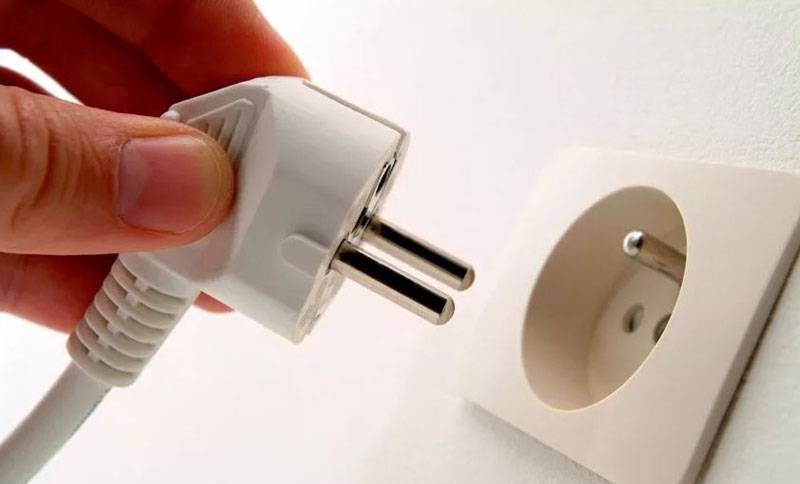
How do you reset the error? Unplug the Ariston machine, wait 15-20 minutes, then plug it back in and start the machine. If these steps help and the error no longer appears, the machine can continue to operate without repair. However, if the error code reoccurs, an urgent diagnostic is required.
What are we going to check?
You should start by checking the connection between the J3 pressure switch connector and the main electrical module. In some cases, wires become loose or even burn out due to power surges. If this is the cause, soldering or replacing the faulty wires may be necessary.
Afterwards, inspect the pressure switch for any defects. If any are found, the damaged part must be replaced. Test the heating element using a multimeter. When the heater is fully operational, at a power of 1800 watts it will produce a current resistance of 25 ohms. If the heating element fails this test, it will have to be repaired or completely replaced.
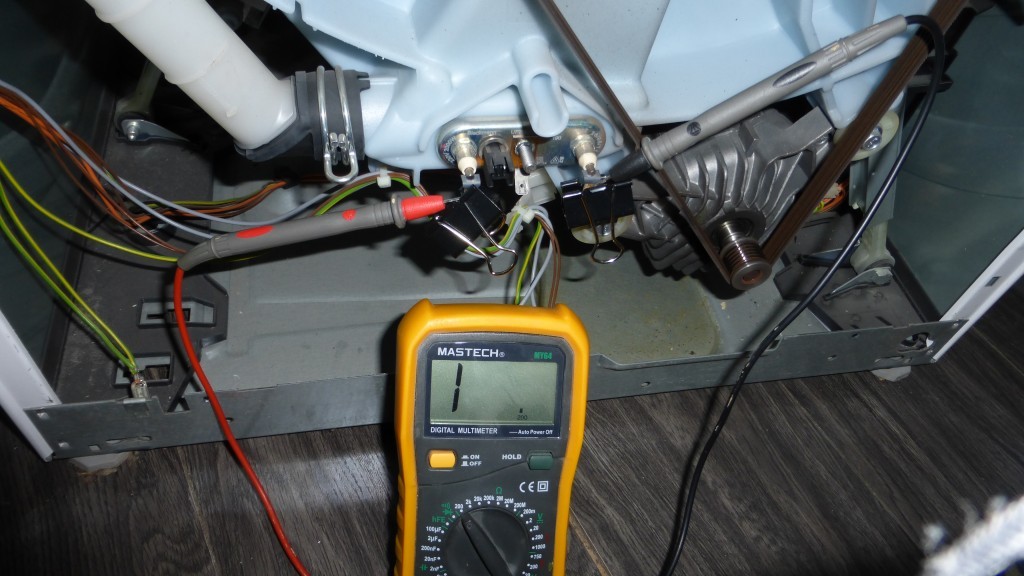
It's also a good idea to inspect the wiring for loose contacts in the CM1 electrical module connector. Diagnose the heater relay using the controller. If necessary, replace the electrical module. Often, the problem stems from a faulty heating element, so we'll cover in more detail how to fix this by replacing the heater.
Changing the heater
Here's one method for replacing the heating element on an Ariston washing machine yourself. Heating element failure can occur in two ways: a broken circuit or a current leak into the housing. In both cases, the faulty element must be replaced with a new, working one.
To replace the heating element, you need clear access to the rear wall of the machine. You'll see a small plug in the base of the washing machine. Unscrew the mounting screws and remove the wall covering the opening in the machine. The resulting opening will give you access to the heating element, which is located at the top, on the right.
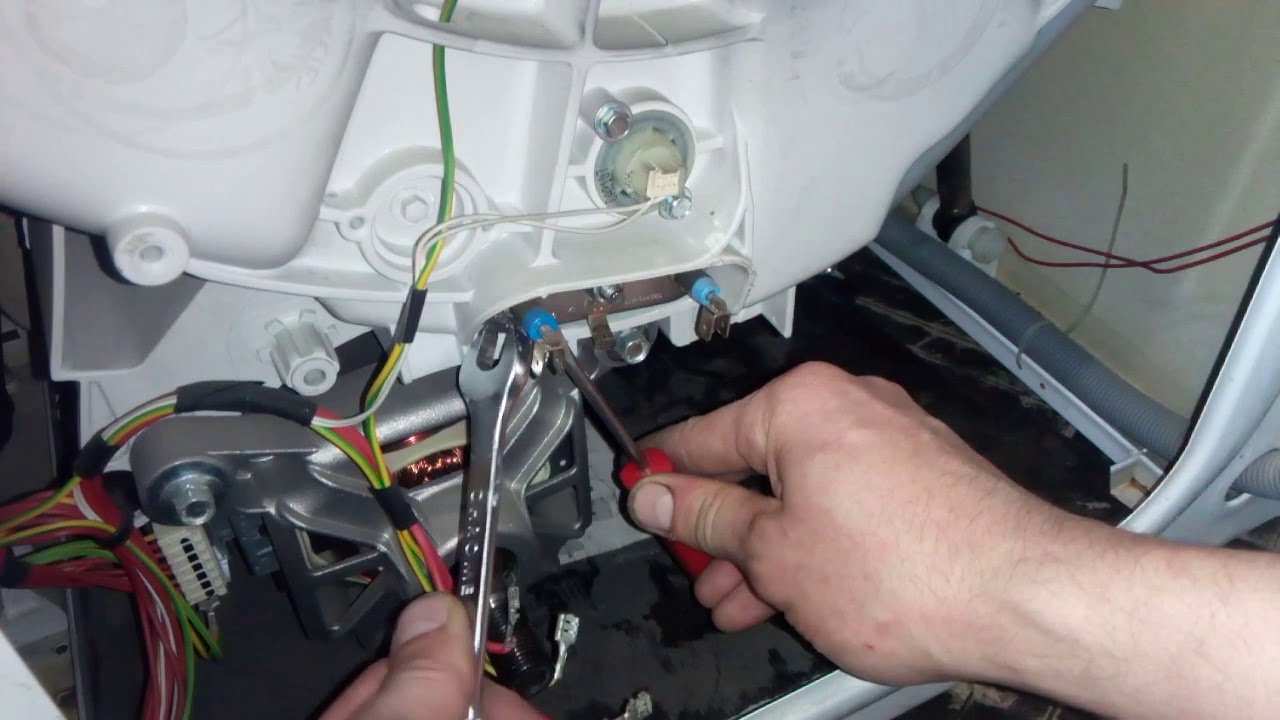
Using your smartphone camera, capture the correct wiring connections. On the side, you can see the power contacts—neutral and live—colored red and blue, respectively. In the center is the housing contact; this cable has a yellow-green tint. Please note that next to the case contact and the power wire there is a temperature sensor, which is a plastic connector equipped with a special latch. All wiring going to the heater must be carefully disconnected.
The nut located in the center of the heating element needs to be loosened. It tightens the rubber seal, which ensures a complete seal. There's no need to completely tighten the nut; simply loosen it and push it inward along with the tension bolt. This will loosen the seal, allowing you to remove the heating element from the washing machine.
Sometimes, the heating element can be difficult to remove the first time because the rubber seal is blocking it. Use a flat-head screwdriver and, using a circular prying motion, carefully remove the heating element from the tank.
After removing the heating element, you'll likely notice a chalky white coating on it. This layer impairs heat transfer, causing the part to overheat and the circuit to break. When replacing the heater, remove the temperature sensor from the faulty element and attach it to the new one.
To ensure smooth and easy installation of the new heating element, lubricate its gasket with liquid laundry detergent. When installing the existing element, be sure to ensure that the edge of the element engages with the fitting in the tank. To do this, insert the heating element into the tank and press firmly until it is fully seated. Then, secure the element by tightening the tension nut. Reconnect all existing wires and contacts as previously shown.
Before installing the plug cover, check the heater for leaks by filling the tank with water without starting a wash cycle. If the connection is leaking liquid or air, tighten the tension nut more tightly. Once the washing machine is functioning properly, reassemble the Ariston machine.
Interesting:
Readers' comments
Headings
Washing machine repair




For buyers




For users


Dishwasher




Add a comment