
My Indesit washing machine displays error code F10.
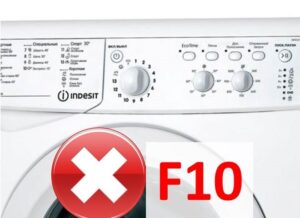 The F10 error message appears on the display of an Indesit washing machine when the pressure switch is malfunctioning. More precisely, the control board stops recording information from the level sensor and, for safety reasons, shuts down the entire system. If the model doesn't have a display, the malfunction will be indicated by a corresponding indicator: the "Extra Rinse," "Speed," and "Lock" lights will flash, and sometimes the "Delayed Wash" and "Quick" lights will also flash. In any case, the procedure is the same: diagnose the pressure switch and repair it if necessary. We'll discuss exactly what to do and in what order.
What are the functions of a pressure switch?
If the control board of an Indesit washing machine loses connection with the pressure switch, washing becomes impossible. In this situation, the electronic unit stops receiving information about the fullness of the drum, increasing the risk of leakage and disrupting water drainage. For safety reasons, the running program is terminated and the self-diagnostic system is activated.
Error F10 on Indesit washing machines appears when the pressure switch or control board is faulty!
So, the main function of the pressure switch is to control the water intake, informing the circuit board about the drum's fullness and the need to fill and drain. The drum fills to a certain level during each program, depending on the settings. This information is transmitted to the sensor, which, thanks to its special design, maintains the required level. The pressure switch on an Indesit washing machine looks like a plastic "washer." Inside are a switch and a membrane, and on the outside, a hose and wiring are connected to the sensor. The operating principle is simple: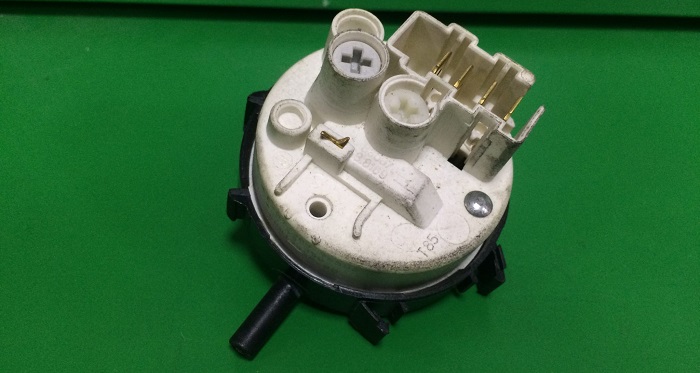
- air passes through the hose under high pressure;
- under pressure the membrane "bends";
- the switch closes;
- The board understands that there is enough water in the tank.
If your Indesit displays the F10 code, it means the circuit has been damaged—the pressure switch has stopped sending signals to the board. There are only two possible causes: a faulty sensor or a broken module. To determine the culprit, a comprehensive diagnostic of the machine, starting with the level relay, is necessary.
Let's find and check the element
Most often, the F10 message appears on the display due to the pressure switch. To confirm this, you need to diagnose the sensor. This is easy:
- disconnect Indesit from communications;
- unscrew the top cover;
- near the side wall of the housing we find a “washer” – a level relay;
- we disconnect the tube lowered into the tank from the sensor;
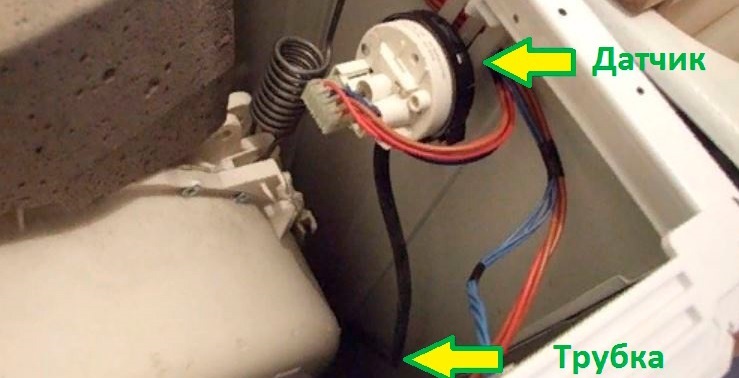
- we place a tube of the same size as the hose onto the fitting;
- We blow out the hose.
If the pressure switch clicks several times in response to air flow, the mechanism is functioning properly. "Silence" means the device is broken. In the latter case, diagnostics can be completed and repairs can begin. The second stage of inspection is visual. Inspect the tube for blockages and damage. Dust and cracks will interfere with the sensor's operation and cause an error. F10. The third step is to test the relay with a multimeter: connect the tester to the ohmmeter setting and connect the probes to the pressure switch contacts. Normally, the resistance value should change. If the reading remains the same, the conclusion is clear: the sensor is faulty and needs to be replaced or adjusted.
Is it possible to adjust the sensor?
There are two ways to fix the F10 error on an Indesit: by adjusting it or replacing it. The first option is cheaper—you don't need to buy a new relay; adjusting the old one is enough. The key is knowing how much water the machine requires for each wash cycle. To adjust the sensor, tighten one to three screws.
The Indesit pressure switch can be repaired by adjusting the relay by tightening 1 to 3 screws.
Correcting the error by adjusting it yourself is difficult. Firstly, information on the required volumes isn't always available, requiring a service call. Secondly, this procedure is very time-consuming. It's easier and cheaper to replace the relay.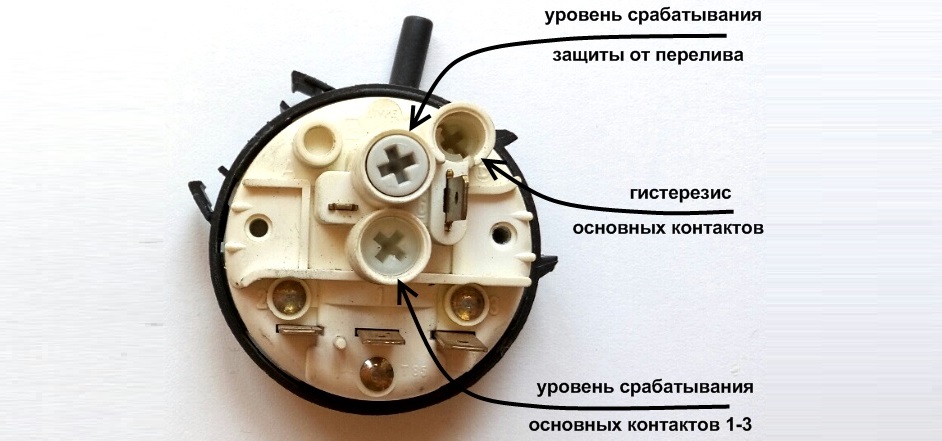
How to replace a part?
DIY repairs typically involve replacing the pressure switch. Removing the old sensor and installing a new one is easy—you can do it yourself without the help of a professional. The main thing is to follow the instructions and remember safety precautions.
A new pressure switch is selected in accordance with the serial number of the Indesit washing machine.
The first thing you need to do is select a replacement analogue. All you need to do is tell the seller the serial number of your existing Indesit washing machine or bring the old relay to the store. A new pressure switch isn't expensive—around $10–$20. Once you've purchased the new sensor, we'll begin replacing it. Here's the instruction: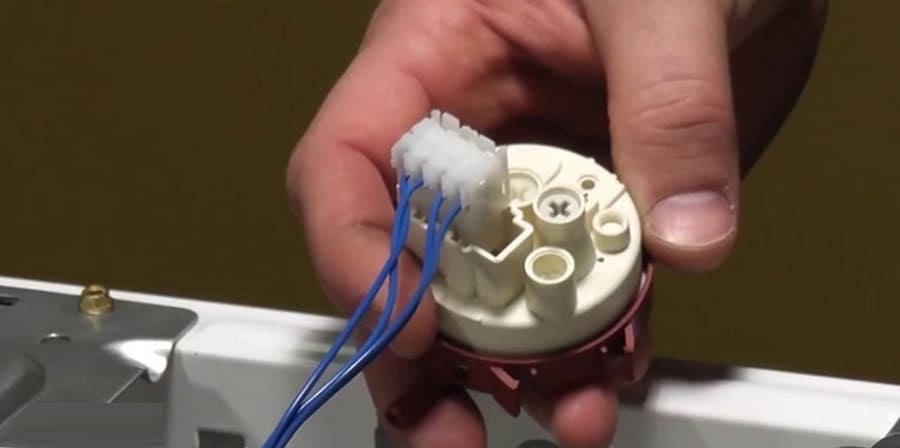
- take a photo of the old wiring;
- disconnect the hoses and wires from the old relay;
- loosen the retaining screw;
- remove the relay;
- install a new sensor in the grooves;
- secure with a bolt, connect the wiring and hose.
Afterwards, we return the Indesit to its original state: screw on the lid and connect it to the power supply. Next, run a test wash and check the display. If the F10 error persists, the problem is more serious and you should contact a service center.
Interesting:


1 reader comment
Add a comment
Headings
Washing machine repair




For buyers




For users


Dishwasher




Thank you!!!