
LC error on a Samsung dishwasher
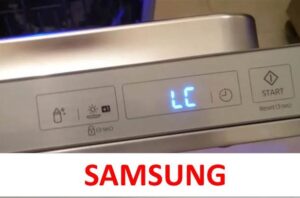 Modern Samsung dishwashers feature a number of error codes designed to alert the user to a common problem. For example, these include the LC, LE, and oC errors, or, for models without a display, the lights next to the "Intensive Wash," "Economy Wash," and "Hygiene" modes. All of these errors indicate that water has entered the dishwasher tray and needs to be removed immediately. This doesn't always indicate a leak, but it's usually the most common cause.
When there is no leak
First of all, it is necessary to consider the common cause of the LC error, which occurs due to a defect on the part of the equipment manufacturer. The point is that in some dishwashers Samsung, the leak protection sensor short-circuits from time to time, which is why the appliance displays the indicated error code. Thus, the equipment will persistently report a leak that did not exist.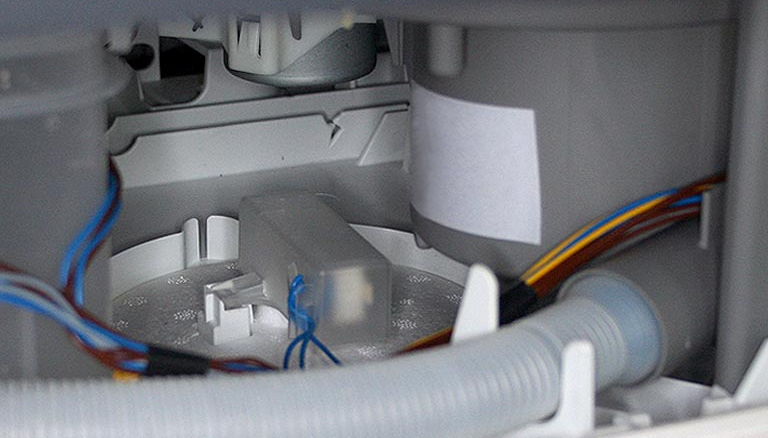
Fortunately, resetting the error and fixing this problem is very simple. Simply disconnect the machine from all power sources, tilt it back and forth a few times, and then reconnect it to the water supply and power outlet. After these simple steps, the LC error should disappear.
You can also try disconnecting and reconnecting the drain hose, raising it slightly higher. This simple step can solve the problem for a long time.
Where does the water in the dishwasher tray come from?
What if the previous steps didn't work because water actually penetrated the Samsung dishwasher tray? In this case, you need to find the cause of the leak, which could take a long time if you don't know all the possible leaking locations.
- Damaged pipes.
- Circulation block.
- Washing chamber.
- Drain pump.
The components described may have failed due to heavy use, or may have become heavily clogged with food debris, bones, napkins, and other foreign objects. In any case, it's essential to systematically examine all the components listed, moving from the most basic to the most complex.
We find and fix the leak
First, you should check the components that don't require disassembling the Samsung dishwasher. The LC error is most often resolved by cleaning the debris filter.
- Open the car door.
- Remove the dish baskets.
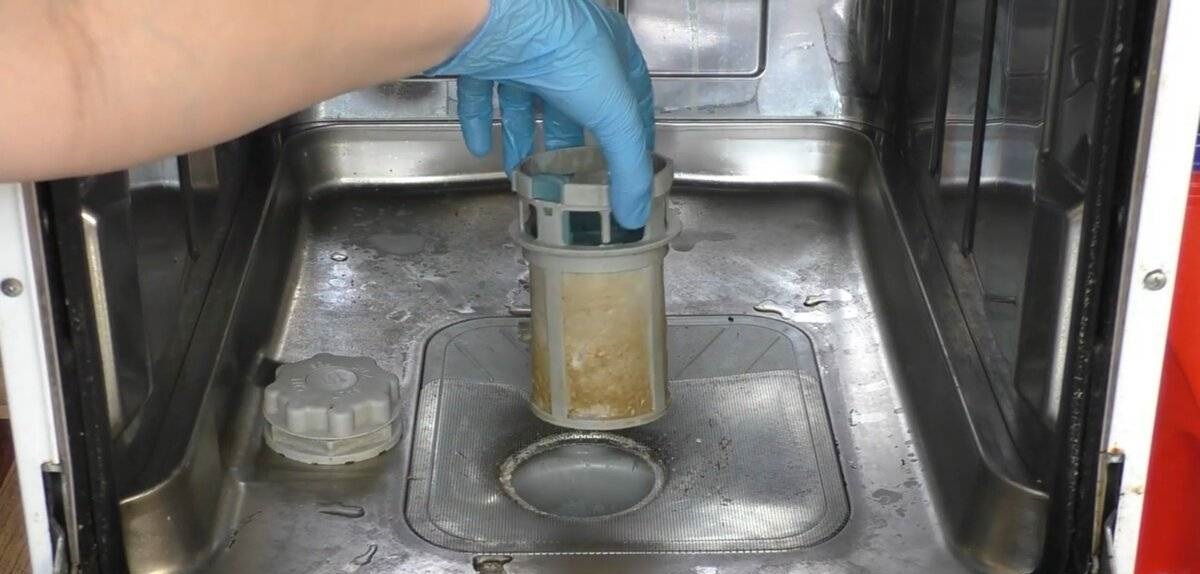
- Remove the lower sprinkler arm.
- Remove the trash filter and the grate that is installed nearby.
- Rinse the parts thoroughly under running hot tap water.
If the element is damaged due to ingrained dirt that cannot be removed by hand, you can soak the part in a citric acid solution for an hour.
Once the filter element is clean, you can disassemble your Samsung dishwasher, draining all the waste liquid first. To do this, disconnect your dishwasher from the power supply and pull it out slightly to allow easy access to the entire machine.
Next, remove the side panels of the dishwasher to clearly view the key internal components. Be sure to cover the floors with rags or old towels to prevent accidental spills. Then, place a large container underneath, and tilt the dishwasher firmly on its side to drain all the water.
Once the water drains, carefully inspect the inside of your Samsung dishwasher. Carefully inspect the hoses and the connections to the tray components. Also, remove the drain pump to test it with a standard multimeter and check for blockages. The pump also needs to be disassembled to inspect the rubber seal, which may have become deformed and leaking water.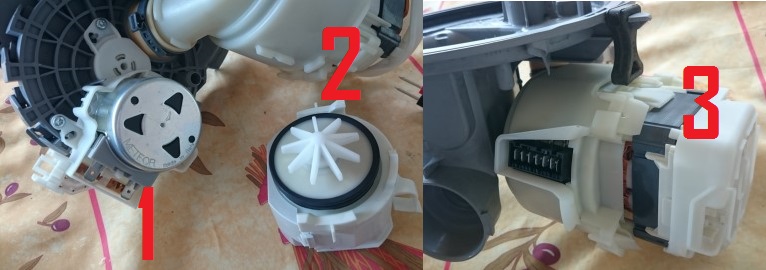
If, after all these checks, the cause of the LC error remains unidentified, take a basin or bucket of water, remove the debris filter, and pour water into the hole where you previously removed the filter element. Carefully examine the bottom of the tray to determine where the excessive dripping begins.
Never attempt to repair a faulty component by gluing it or otherwise manipulating it. This likely won't fix the leak, so it's best to simply buy a new component. Even if the problem is a loose clamp, it's more effective to replace it with a new one rather than tighten it. This will restore your Samsung dishwasher's functionality for years to come, and will save you from having to disassemble it again shortly afterward.
Interesting:


Readers' comments
Headings
Washing machine repair




For buyers




For users


Dishwasher




Add a comment