
Indesit dishwasher error codes without display
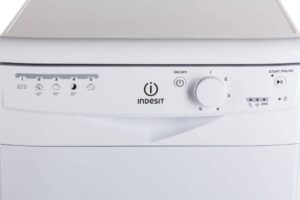 Today, almost every dishwasher has a display to show important information, but some budget-friendly models still use indicators to inform users. Errors in dishwashers without displays can be difficult to understand without a detailed manual. Let's take a closer look at the error codes that can appear on Indesit appliances.
The codes are indicated by lights.
The most important thing to remember for owners of Indesit dishwashers without a display is that their "home helpers" report malfunctions not with a series of letters and numbers, but with active indicators. Here are the main errors associated with dishwashers without a display:
- AL 01 – the error code for machines with four programs will appear as the first LED, and for machines with six programs, the third LED. The malfunction is caused by a shorted water leak sensor. Either the unit has become depressurized or a false alarm has occurred. In either case, for convenience, remove the side panel of your "home assistant" and inspect the tray. If there is water, drain it, then locate and fix the leak. If there is no water, check the water level sensor, which may have failed and begun transmitting false information.
- AL 02 – Depending on the number of modes, the second or fourth LED will light. This alerts the user that there is no water in the tank, which is usually caused by a faulty inlet valve or control module in the Indesit dishwasher. The valve can easily be checked with a standard multimeter and then replaced with a new one, but it's best not to touch the control board yourself, as this component can only be checked and repaired by a service center technician.
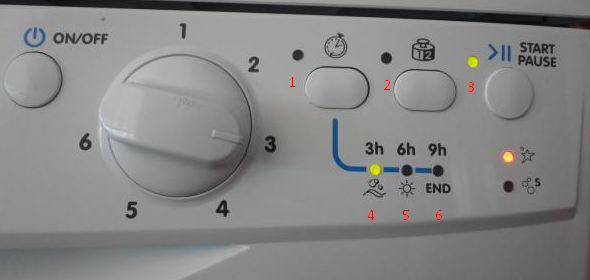
- AL 03 – For appliances with four programs, the first two lights will illuminate, while for appliances with six programs, the third and fourth lights will illuminate. This indicates that wastewater is not draining, which could be caused by the drain pump or a clogged waste filter. Inspect the filter for blockages and check the connection between the pump and the dishwasher's control module. The problem could be damage to the system's "brain" or a system failure due to the board's firmware. You should also check the pump and hose for blockages, and test the pump with a standard multimeter.
Do not attempt to repair the pump if it is faulty – it can only be replaced with a new part.
- AL 04 – Indesit appliances without a display will indicate this error with the third or fifth indicator. The fault in this case lies in the thermistor, which should be checked along with its wiring and then replaced if damaged.
- AL 05 – the equivalent of this error code is the first and third LED, or the third and fifth LED. This error is related to problems with either the circulation pump or the water level sensor. It's necessary to gradually blow out the water and check the pressure switch with a multimeter, then test the pump with a tester. Damaged components should be replaced.
- AL 06 – this error is indicated by the second and third LEDs, or the fourth and fifth. In this case, you should pay attention to the inlet valve, which may have stopped working due to shorted contacts or problems with the Indesit dishwasher's control module. While the contact block and wiring can be checked and replaced yourself, professional repairs will be required to repair the circuit board.
- AL 08 – the error code appears as the fourth or sixth light. It alerts the user to a thermistor failure, which should be checked with a multimeter.
- AL 09 – in this case, four LEDs will light up simultaneously, indicating a problem with the control board firmware. Only a repair technician can help in this situation.
- AL 10 – with this fault, lights 2 through 4, or 4 through 6, will flash. This indicates a problem with the water heating system, which is controlled by the heating element.
- AL 99 – This error cannot be detected in equipment without a display. It indicates a problem with the control unit, a defective cord, outlet, or electrical network.
Working with equipment that has a display is much easier, but even without one, you can decipher error codes if you have a reminder at hand.
Features of self-diagnosis of BIT100 and DIWA
Finally, let's look at the error messages displayed on the BIT100 and DIWA control boards, which can differ slightly, causing confusion for homeowners. The specified units are located in the equipment Indesit series D 41/42, DC 27, DI 45/450/460, IDE 100/1000/1005/44/45, IDL 40/410/411/42/420, IDL 557, and IDL 70/7021/710. Basically, the error codes with the specified boards repeat the fault signals with the DEA 601/602/700 control modules, but there are two exceptions.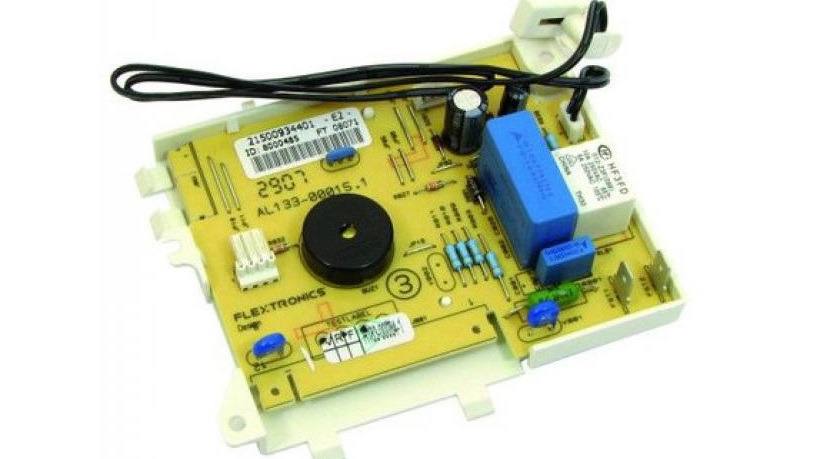
- Control panels that have six lights instead of four use all six indicators, numbering them from left to right.
- The boards have different sets of error codes.
For example, the AL12 code indicates a communication problem between the control board and the display board. On a machine with four LEDs, the third and fourth LEDs will be illuminated, but on a machine with six LEDs, the third and fourth LEDs will also be illuminated. However, the differences are generally minimal, making it very easy to decipher dishwasher error codes, even those without a display.
Interesting:

Readers' comments
Headings
Washing machine repair




For buyers




For users


Dishwasher




Add a comment