
How do I turn off the timer on a washing machine?
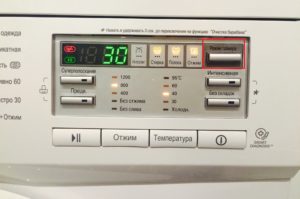 Modern washing machines allow homeowners to keep track of the washing time by displaying the remaining minutes of the cycle. Typically, the machine counts down from the moment it starts, stopping only when it displays "00:00." However, the timer often becomes inaccurate or doesn't display, and the machine itself often stops working properly. To fix the problem and continue washing, you'll need to disable the timer, repair it, or replace it. We'll explain in detail below how and when to do this.
How does a timer work?
The operating principle of the timer and its design do not depend on the type of loading and brand. And expensive washing machines from LG, Samsung, and more budget ones Indesit and Candy, both front-loading machines and vertical semi-automatic machines are equipped with an identical time indicator. The standard meter consists of:
- synchromotor;
- gearbox;
- contacts;
- gears.
No less important is the plastic shell, which has special grooves that allow the motor to function, and with it the rest of the timer elements.
The principle of their operation is similar to a clock mechanism, only connected via contacts to the machine control system.
The type of indicator installed depends on the wiring. It can be:
- Hybrid. It's an improved mechanical version, making it more reliable and durable.
- Electronic. It's versatile, allowing you to run multiple programs simultaneously, set a delayed start, pre-wash, or extra rinse. However, it's highly vulnerable and can be damaged by power surges or system failures.
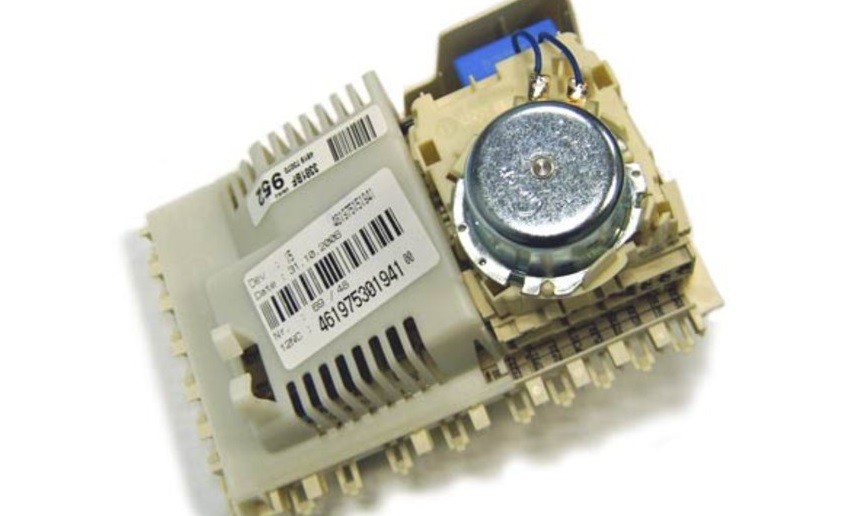
You can find out what type of timer is installed on your washing machine in the user manual. However, in most cases, there's no need to consult the manual—almost all modern models are equipped with electronic indicators. So, if your washing machine has a delayed start or was manufactured after 2014, you're dealing with a multifunctional device.
Disabling a serviceable element
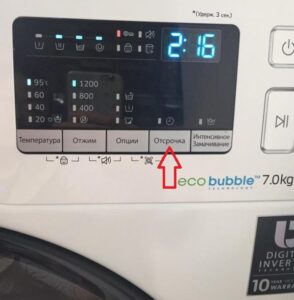
The first step is to disable the timer, which is the same for most washing machines. You don't need to disassemble the machine to do this: simply hold down the "Start/Cancel" button until all the lights on the control panel blink. The machine will then reset its settings, including the wash time.
For machines equipped with a delayed start function, a single "reset" will not help. The system will save the data and display the previous minutes again after restart. To cancel the set timer, hold down the "Start/Cancel" button again.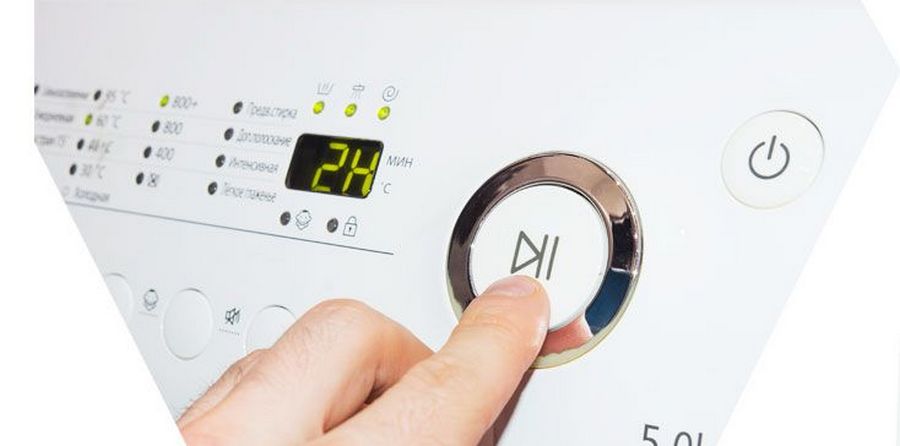
There is one exception: Hotpoint-Ariston washing machines. These units have a special button on the dashboard, marked with a dial. Pressing it one to four times allows you to set the desired delay time, and pressing it a fifth time deactivates the timer.
Here, to turn off the clock, simply press the “hour” key 5 times.
What if the element fails?
The need to remove the time from the display arises when the machine suddenly stops. A faulty timer will immediately force the washing machine to stop, as without a countdown the system will not be able to control the cycle and perform the necessary tasks. The indicator doesn't just fail for no reason; there are serious reasons for it.
- Power surges. Sudden fluctuations can damage the washing machine's software, which in turn can cause glitches. The only solution is to reinstall the software.
- Mechanical damage. Rough handling and impacts to the housing can all affect the timer's operation.
- Moisture ingress. Metal gears, when wet, rust and stop working. They will need to be replaced or cleaned.
- Excessive heating of the heating element. A faulty heating element can reach excessively high temperatures, leading to overheating of the control module, short circuit, fire, or melting of the plastic components of the timer.
Before investigating the cause, it's important to promptly detect the timer malfunction. You can't miss the timer—any washing machine, whether LG, Candy, or Samsung, will automatically stop working. However, you can diagnose a timer malfunction by the following signs:
- the washing machine does not start, although there are no problems with the electrical network;
- the running cycle stops and is not activated when any of the available modes are selected;
- the display shows a completely incorrect time (for example, “99:99”);
- All dashboard lights are on or flashing.
Trying to restart the machine is futile—you need to determine the cause of the malfunction and fix it. If the problem is with the timer, you'll need to repair it or replace it with a new one. You can do this yourself or have it repaired by a professional.
How to fix the problem?
DIY repairs are possible, although they can be quite challenging. First, you need to disable the timer, remove it, and purchase a similar part. It's best to choose a genuine part to ensure the correct size and quality. Next, follow these steps:
- download software suitable for the timer;
- install the program on your computer and check;
- we install the indicator into the machine;
- connect the washing machine to the PC;
- We flash the system.
The timer isn't an additional feature, but rather the primary one that underpins the entire machine's operation. If it malfunctions, the machine won't start, so there's no point in delaying repairs.
Interesting:



Readers' comments
Headings
Washing machine repair




For buyers




For users


Dishwasher




Add a comment