
How do I turn off the beep sound on a Siemens washing machine?
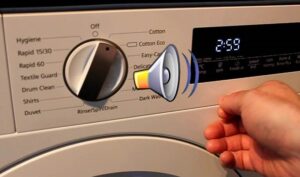 Siemens washing machines often make noises that may be off-putting to particularly discerning users. After a wash cycle, the machine emits an annoying beeping sound about 10 times at minute-long intervals, clearly audible even through a closed door. Some owners get so irritated that, in a fit of anger, they even damage the machine with a sharp object they happen to have nearby. We'll show you how to turn off the sound on a Siemens washing machine without damaging the appliance.
Disabling instructions
Technical documentation often lacks direct instructions on how to turn off the annoying signal without disassembling the appliance. However, this doesn't mean it can't be eliminated this way. Let's take the Siemens washing machine model WD 14 H 441 OE as an example and try to disable the signal step by step.
- Turn the machine control to the “Off” or “0” position and hold it in this position for 5 seconds.
- Set the selector to the first program (“Cotton”) by turning it to the right one step + hold down the temperature control button.
- Scroll the programmer one step further, setting the second mode, and release the temperature button.
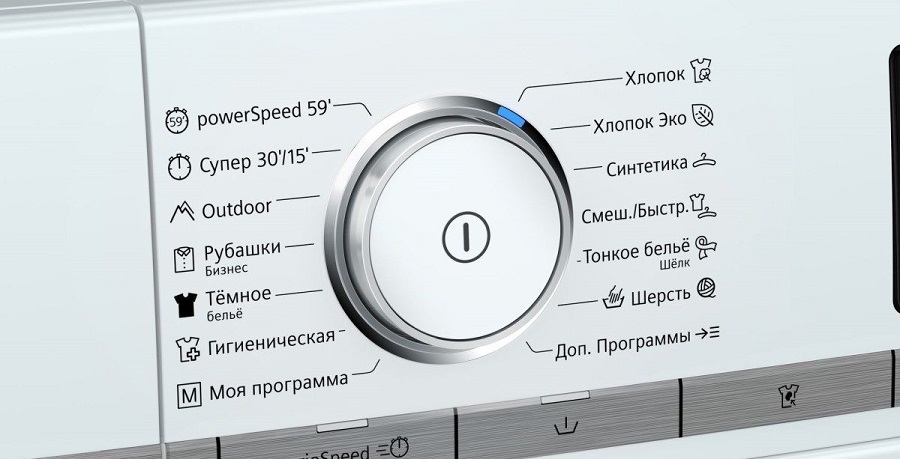
- Now click on the timer and select the volume level.
- The sound is adjusted by the program selector and can have a value from 0 to 4 - you need to select zero.
- Press the timer again and return the control to the “Off” position.
Important! The temperature key may cause problems during setup. It should be pressed especially gently, so that the display cycles through the temperature values (from 90 degrees to the asterisk).
Sometimes, while adjusting the sound, the typewriter keys may freeze and become unresponsive. In this case, return the volume control to its original position and start the process over. Turning off the volume control is necessary to remember the settings.
Mechanical speaker mute
This method only works on modern Siemens models. On older washing machines, you can only disable the keypad sound. However, the machine will still play the default melody after the cycle is complete. External speakers can be easily neutralized by taping them or covering them with sound-absorbing material. However, in the washing machine Siemens The speaker is located in the control module. To get rid of the annoying sound, you will have to partially disassemble the washing machine.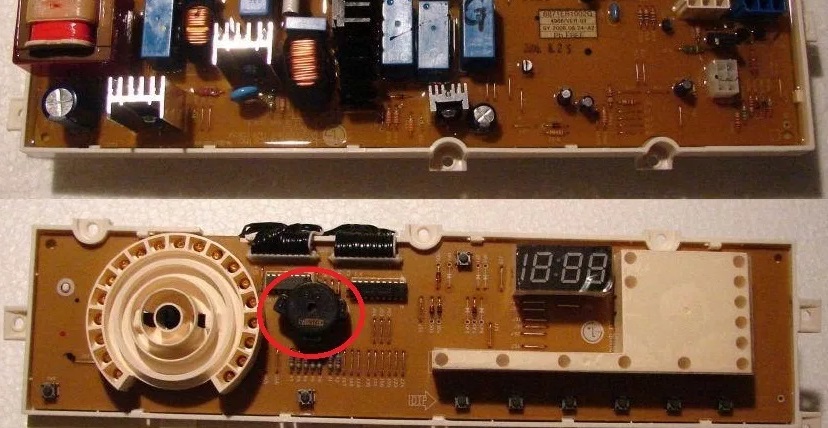
Start with simple steps: unplug the appliance and disconnect the drain and water hoses. Turn the appliance so that the back is facing you to access the desired area. Unscrew the bolts securing the top panel. Access the front of the washer and remove the detergent dispenser. To do this, locate and unscrew the two bolts in the recessed area. Another fastener is located in the top left corner. Now carefully remove the electronic control unit.
Turn the panel over and remove the screws securing the circuit board to the unit. Carefully turn the circuit diagram over so that the front side faces you. Be careful not to damage the delicate wiring connecting the machine components and its electronics.
Inspect the circuit board for a speaker. It's usually located near the toggle switch. Use a soldering iron to disconnect the speaker from the circuit. If you're worried about damaging important components, simply coat the speaker with a layer of epoxy resin. This will mute the ringtone without damaging the circuit board.
Interesting:


1 reader comment
Add a comment
Headings
Washing machine repair




For buyers




For users


Dishwasher




Place the volume control on the dial and use the RPM button to adjust the volume by ear. That's it.