
Delayed start on a Bosch washing machine
 Sometimes users want to start the wash cycle after a certain amount of time, rather than immediately. This is what the Bosch washing machine's delayed start option is for. Let's figure out how to set the timer and how long the delay can be. We'll also explain what other programs and features are available in these German-made machines.
How does program deferment work?
The delayed wash option is available on almost all modern washing machines. On washing machines Bosch allows you to select a cycle start time with a delay of 1 to 24 hours. For many users, this add-on is very convenient.
How does the delay start function work? The user can load items into the drum, add detergent, select the desired program, and set the time after which the machine will start washing. For example, if the laundry needs to be clean by the morning or by the time you get home in the evening.
Thanks to the “Delayed Start” option, washing will begin at a time convenient for the user.
For example, you go to bed at 11:00 PM and wake up at 7:00 AM. If you start the machine in the evening, the damp laundry will sit in the drum for an extra 6-7 hours. Therefore, it's best to prepare the washing machine for use and set a delay start time of, say, 6 hours. This way, the washing machine will have finished the cycle by the time you wake up.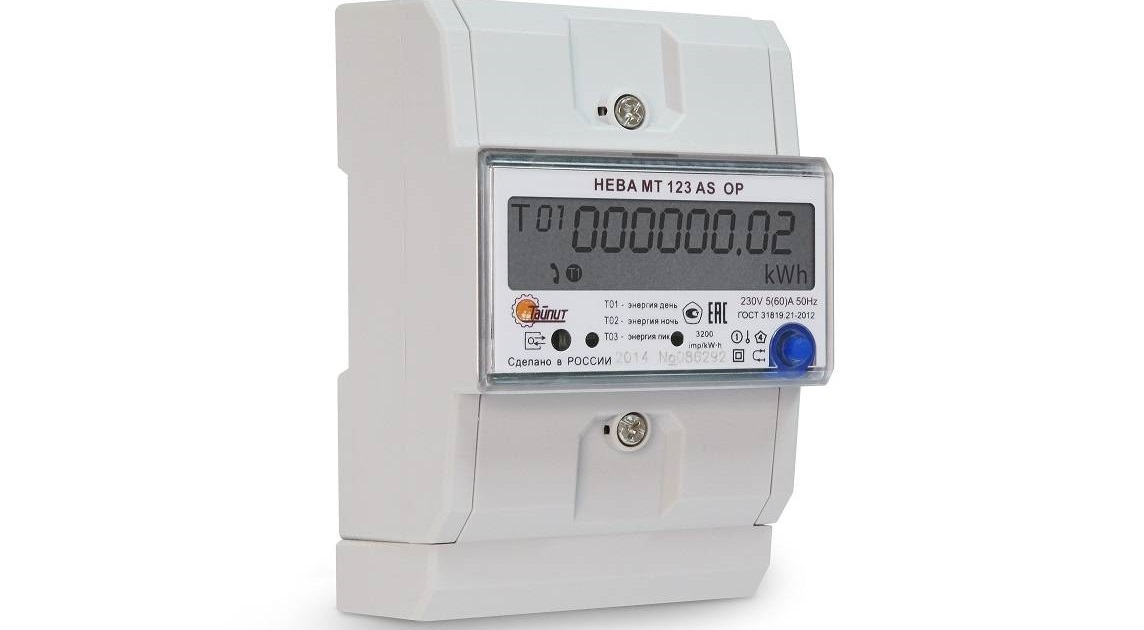
Many people use dual-rate electricity meters. Doing laundry at night is significantly cheaper. The "Delayed Start" option can also help here.
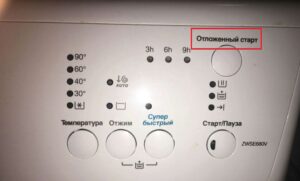
Delayed washing is very convenient, but not everyone uses it, often because they don't know how to activate it. A dedicated button on the control panel initiates the delayed wash. The time is also set using the same button. Full instructions on how to activate the function are included in the machine's manual.
Before starting the option, load your items into the machine and add detergent. Next, select the desired program and adjust the cycle settings if necessary. Then press the delay button and set the amount of time you want to delay the wash.
For example, you turn on your washing machine at 8:00 AM and want your laundry ready by 7:00 PM. The program runs for 2 hours, so the cycle should start at 5:00 PM. The delay time will then be 9 hours—you set it using the dedicated button. Then press "Start," and the machine will begin the countdown.
If you've set a delay and need to turn it off, it's very simple. Simply press the On/Off button, and when the control panel lights go out, unplug the power cord. The cycle settings will be reset.
Programs and their duration
To set the delay time correctly, you need to know how long the selected washing program lasts. Each washing machine has a set of modes Bosch has its own; a detailed description of the algorithms for a specific model can be found in the instructions. The user manual also provides approximate cycle times.
Before starting the washing machine, every user should find out what items are suitable for each program. This includes how hot the water should be, and what spin speed the clothes should be spun at. Let's look at the settings for the main modes.
- Cotton. This cycle is for white cotton items with normal to heavy soiling. This cycle supports the maximum load capacity for the model. Water temperature ranges from 20 to 90°C, with a default setting of 60°C. Compatible with all additional options. The cycle lasts approximately two hours.
The duration of the program will depend on the selected washing temperature, additional options enabled, and spin intensity.
- Cotton Eco. A similar cycle to the previous one, but with reduced energy consumption. For durable cotton or linen textiles. Temperature can be set to 40°C or 60°C. Cycle duration can vary from 2:05 to 3:30 hours. Spin speed is maximum, but can be reduced if necessary.
- Rapid/Mixed. The water in the drum is heated to 40°C. Suitable for various cotton and synthetic items. For lightly soiled laundry only. The default cycle duration is 30 minutes. The drum is half full.
- Synthetics. This cycle is for easy-care items. It can be used to wash cotton, synthetic, blended, and melange fabrics. Temperatures can be set from 20°C to 60°C. Cycle times range from 1:50 to 2:05 hours.
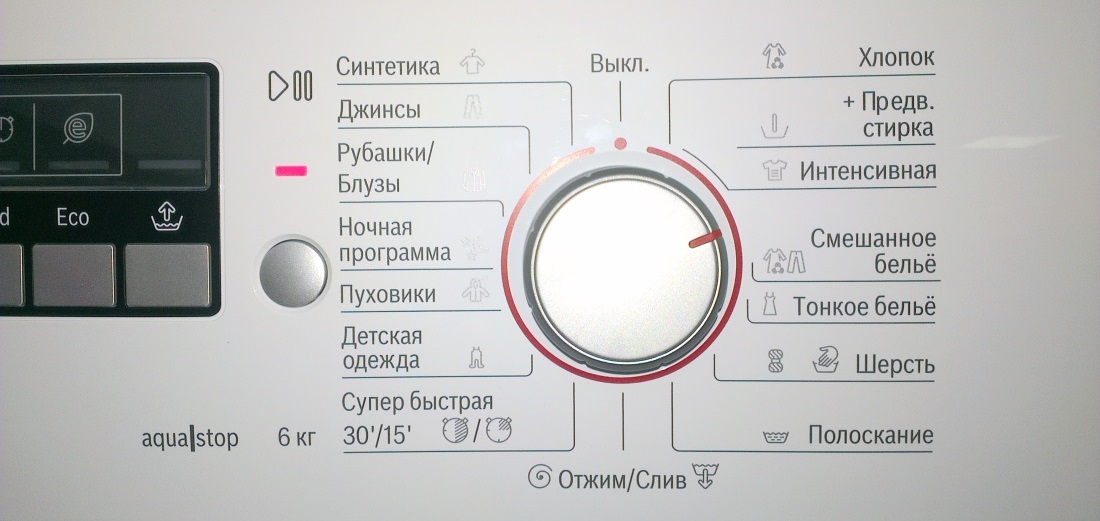
- Delicates. This program is for delicate items that can be washed automatically. The drum can accommodate lace, curtains, and other items. Water is heated to 30°C or 40°C. There is no spinning between rinse cycles. The cycle lasts 45 minutes.
- Wool/Silk. For delicate items suitable for machine washing. Load the drum with satin, silk, wool, synthetic items, blouses, shawls, etc. The water temperature in the drum is 30°C. The cycle lasts 35 minutes.
- Wool. A separate program for wool or wool-blend items. This is an especially gentle cycle that prevents shrinkage. A special wool washing gel is required. The program lasts 35 minutes, and the water in the drum heats up to 40°C.
Additional options can be added to the basic modes. These will help improve washing quality and achieve maximum results. These features include:
- Stain removal. This feature increases the main cycle time by 15 minutes. Helps remove old, ingrained stains. Suitable for use with active oxygen-based stain removers and bleaches.
- Easy ironing. Provides gentle washing with high efficiency. To prevent creasing, the spin cycle is low.
- Intensive wash. For cleaning heavily soiled laundry. Increases the cycle temperature by 4°C. Not compatible with rapid or delicate cycles.
- Water Plus: More water is drawn into the drum for a more gentle wash.
- Rinse Plus. This feature is used to completely remove detergent from fabric fibers. This feature is used for washing baby clothes or clothes for allergy sufferers. The cycle time is extended by 15 minutes.
To add an add-on to the main cycle, press the corresponding button on the control panel. Only after adjusting all settings can the delay timer be set. The machine will begin working after the set time.
Interesting:

Readers' comments
Headings
Washing machine repair




For buyers




For users


Dishwasher




Add a comment