
Resetting an Indesit Dishwasher
 A frozen dishwasher is a common occurrence and may not be due to a malfunction. Sometimes, it can be caused by a minor system error that can be fixed with a simple restart. Today, we'll tell you how to reset an Indesit dishwasher and what to do if this doesn't resolve the issue.
Let's perform a factory reset
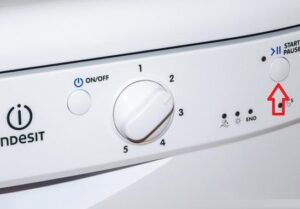
Resetting your Indesit home assistant is a simple process, controlled by just one button. To do this, you need to use the key responsible for starting the program, which is located on the control panel of the household appliance, and is most often called “Start-Reset”.
The word "Reset" is not always found on the panel, as sometimes the button is called "Start-Pause".
Next, hold down the button you found for about 5 seconds, after which the machine will begin to reset. You'll hear one long beep and two short beeps to indicate that the reset process has begun.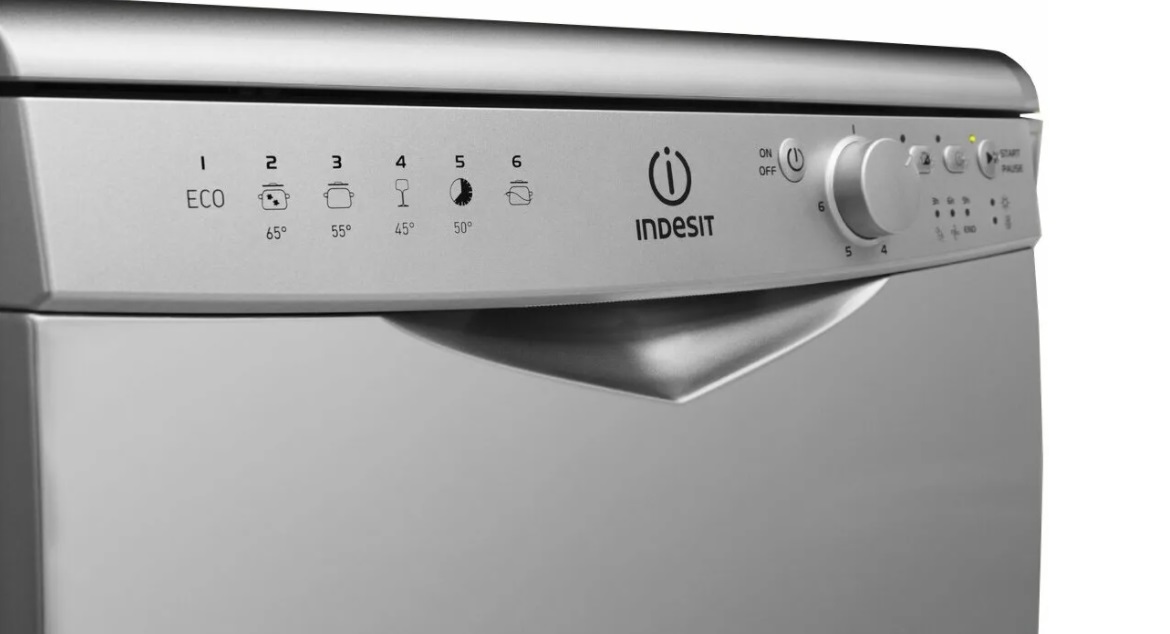
If you have an older Indesit dishwasher that doesn't have a similar reset button, you'll need to locate the power button and program selector knob. Then, move the knob to the neutral position and press the "Power" button. After this, you can restart the appliance. A successful restart means the appliance has been successfully reset.
Restarting didn't help
If you followed the tips in the previous section but your dishwasher still doesn't work properly, the appliance is faulty. In this case, you'll need to run diagnostics to determine the problem and whether you can fix it yourself. To prevent this from happening, remember to take preventative measures, observe safety precautions, and adhere to all operating rules, including those related to the proper installation and configuration of household appliances.
When you regularly follow all safety precautions and properly maintain your dishwasher, but it still starts malfunctioning, there's clearly something wrong with the appliance. There are many common dishwasher problems, but we'll highlight the most common ones.
- The appliance has stopped turning on. First, check the power and water supply. The circuit may have been broken after a short circuit, caused by the circuit breaker. Another option in this situation is to unplug the power cord for a minute, then plug it back in and turn on the appliance.
- Water has appeared under the dishwasher. This can occur due to damage to the inlet or drain hoses, a malfunctioning lower spray arm, or if the water level has been exceeded. It's also possible that the dishwasher is tilted, as it should always be level.
- The dishwasher isn't cleaning dishes properly. The spray arms may be clogged with food and grease. The fix is simple: clean the spray arms yourself.

- The water has stopped heating, so all dishes are washed in cold water. If this happens, check the water heating element and the control board, which may be malfunctioning.
- Noise occurs during washing. This is a sign of wear in the pump, or another sign that the machine was installed incorrectly.
- Dishes dry poorly or not at all. This usually happens when the utensils are stacked too close together.
We've covered the main problems that can arise with your Indesit dishwasher. Carefully maintain your dishwasher after each cycle, use only high-quality detergents, and if it breaks down, return to this page and follow our troubleshooting instructions.
Interesting:


1 reader comment
Add a comment
Headings
Washing machine repair




For buyers




For users


Dishwasher




Thank you so much, kind person!
What would I do without you!