
Resetting a Bosch Washing Machine
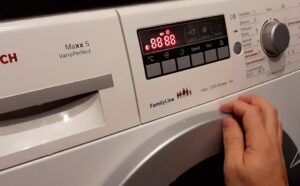 Bosch automatic machines don't have a reset option. However, German washing machines have a similar function called "Reset Settings." This allows you to restart the machine if it freezes. Let's look at how to properly reset a Bosch washing machine. We'll explain how to do this safely and describe reset options for different washing machine series.
Resetting the Bosch washing machine settings
Resetting your washing machine is actually quite simple. You just need to follow the instructions. Each series of washing machines Bosch has its own reboot algorithm.
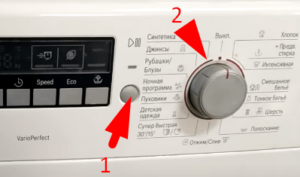
To reset a Bosch Classic series automatic washing machine, you must:
- press the "Start/Pause" button;
- Turn the program selector to the neutral position “Off”;
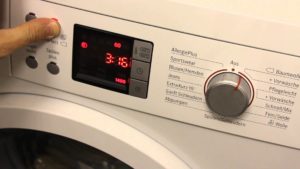
- While holding down the “Start/Pause” button, turn the programmer to the left by 2 points.
After this, the door lock will be activated, and the display will show information about the running program. Washing machines without a display will notify you of the reset by flashing the indicators on the dashboard.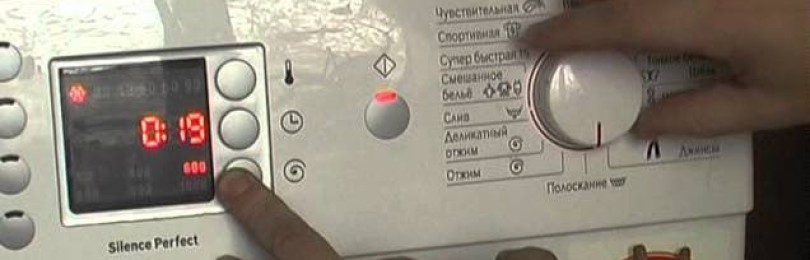
To reset Bosch Maxx 5 machines, follow these steps:
- make sure that the hatch door is tightly closed (if not, you need to slam the door until it clicks);
- turn the selector to the “Off” position;
- hold down the button with the spiral symbol (which is used to adjust the number of revolutions during spinning) and at the same time turn the programmer to the “Drain” mode;
- after 5-6 seconds stop pressing the “Spin” button;
- set the programmer to the “Express wash” position (fifteen-minute cycle);
- After 2 seconds, turn the programmer to the initial “Off” position.
To confirm the error has been cleared, the display will show the cycle time. If this doesn't happen, repeat the steps, strictly following the instructions.
The program switching knob may only be turned from right to left, that is, counterclockwise.
Another Bosch washing machine series is the Logixx 8. On these machines, resetting program settings is done as follows:
- turn the programmer to the “Spin” position;
- wait until the machine beeps, and then hold down the “Functions” button for 4-5 seconds; it is located on the left, above the display;
- While holding the button, scroll the programmer to the “Drain” position;
- Release the Function key and set the selector to the Off position.
If your Bosch Logixx 8 series washing machine doesn't have a "Functions" button, use the spin speed adjustment button to reset the machine. This will reset the machine, and you can try the desired program again.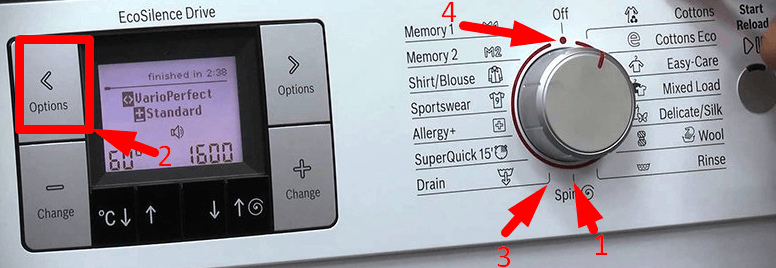
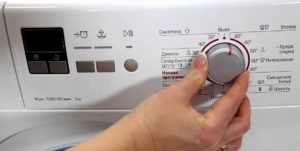
To reset the settings on Bosch Serie 6 machines, follow these steps:
- set the program selection knob to the “Off” position;
- press the “Start/Pause” button and at the same time turn the programmer one position to the left (after this the machine should enter the service menu and lock the hatch);
- release the Start/Pause button;
- move the programmer to the “Off” position.
Information on how to reset the system settings on a Bosch automatic washing machine is provided in the equipment manual.
To check if the reset was successful, activate any wash cycle. If the machine starts the program, the reset worked. If the machine freezes again, this indicates a problem with the system.
Is a restart always required?
When they see that their washing machine is frozen, many people, without thinking, immediately disconnect the appliance from the power supply. Restarting the washing machine by pulling the power cord out of the socket is only allowed in extreme cases, if the machine does not respond to any user commands. This emergency reboot method is not safe for the equipment.
Why shouldn't you reset your washing machine by unplugging it? Firstly, it's impossible to completely reset the settings this way. When the power is restored, the machine will resume its previously set mode.
Secondly, spontaneously disconnecting the machine from the power supply can damage the control board. Repairing the main control module is a very painstaking and expensive undertaking.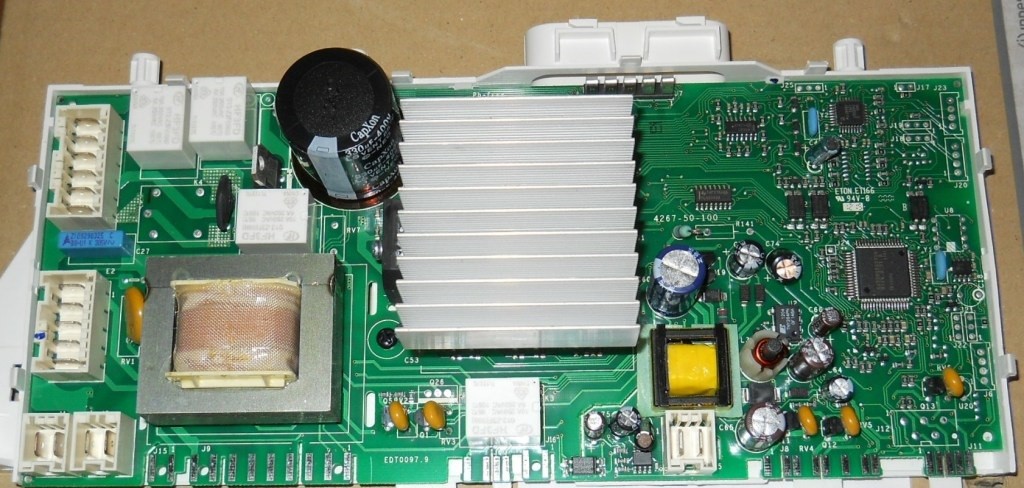
Not all washing machine freezes are caused by serious malfunctions. Therefore, before calling a specialist for diagnostics, you can try to determine the cause yourself.
First, check the running wash program. Often, the drain or spin cycle is missing due to the cycle settings. For example, when starting a delicate cycle, these steps are simply not included. This leaves the user with the impression that the machine hasn't finished its cycle. In this situation, it's sufficient to:
- turn on the washing machine using the “Start” button;
- use the programmer to select the “Drain and Spin” mode;
- activate the cycle.
A common cause of freezing is overload. If you load too many items into the drum, the washing machine can freeze at any time. The machine will notify you of the error by flashing the indicator light or displaying a corresponding error code.
To restore the machine to working order, you need to:
- drain the water from the system by unscrewing the debris filter;
- wait until the door unlocks;
- remove items from the drum;
- Divide the laundry into batches that do not exceed the maximum load weight and restart the cycle.
Sometimes a washing machine freezes due to a software error. If rebooting doesn't help, you'll need help from a service center specialist. Trying to repair the control board yourself without sufficient knowledge and experience is not recommended. You could only make the situation worse.
Interesting:

Readers' comments
Headings
Washing machine repair




For buyers




For users


Dishwasher




Add a comment