
Resetting a Candy Washing Machine
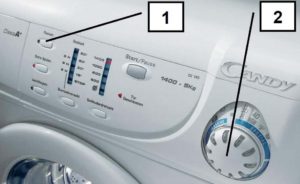 Restarting your Candy washing machine promptly can help resolve a number of errors that occur during short-term malfunctions unrelated to a breakdown. For example, during the main wash cycle or before the spin cycle, the appliance may freeze and show no signs of life until restarted. Sometimes errors appear on the screen, even though the machine is functioning properly. Let's look at the steps needed to properly restart your Candy washing machine so it can work again.
Description of the restart procedure
Before resorting to a full reset, make sure other (less drastic) measures have had no effect. If the machine freezes during any stage of the wash cycle, try resetting the settings and restarting the process from the beginning. Here's how:
- click on the “Start” button and hold it for 10 seconds (the program should stop immediately);
- In older models, you also need to lower the selector switch to the neutral position.
If the reset is successful, the lights on the control panel will turn green and then immediately go out. If the lights don't turn on, the reset process was performed incorrectly, or the washing machine is faulty. If the above steps don't help, try a complete reset.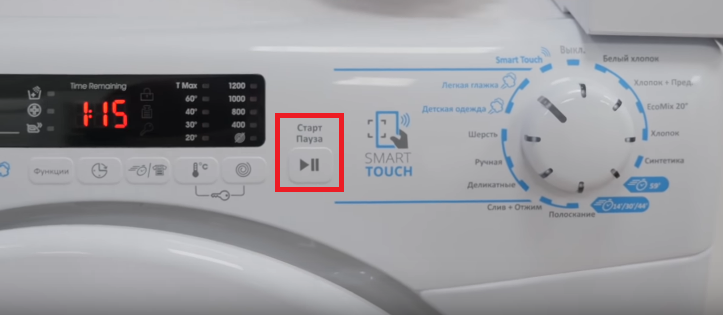
- Place the special knob for setting washing programs in the neutral position.
- Press the Stop/Start button for 5 seconds.
- Disconnect the machine from the power supply and leave it in this position for 20 minutes.
- Plug the power cord into the socket, turn on the device and start a new wash.
Sometimes Candy washing machines don't respond to buttons or knobs. In this case, you should immediately unplug the machine. It is important to understand that such measures may lead to failure of the control unit.
How to get rid of liquid?
Sometimes, a washing machine user forgets something important, such as car keys, a passport, or a smartphone, in their pockets. If this item isn't retrieved immediately, it won't be recoverable. In this situation, the machine doesn't require a reboot. Simply stop the program, drain the water, and unlock the door.
All manipulations must be performed very quickly. The sooner the item is removed from the drum, the better its chance of survival. Procedure: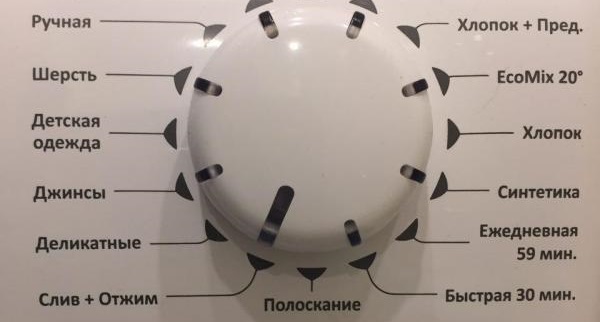
- stop the washing mode by pressing the “Stop” button;
- move the programmer handle to the neutral position;
- start the water drain mode;
- wait until the liquid is completely gone.
Important! When draining the water, do not spin the machine under any circumstances, even at minimum speed.
Once all the water has drained, the door will unlock. If the water doesn't drain as described above, you can drain it through the waste filter. Place some rags under the washing machine, place a container to collect the water, and open the valve in the lower right front corner.
Interesting:



Readers' comments
Headings
Washing machine repair




For buyers




For users


Dishwasher




Add a comment