
Resetting a Samsung washing machine
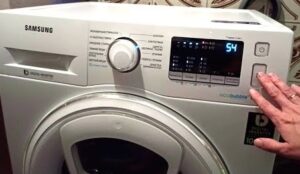 It's not uncommon for Samsung washing machine users to need to reset the program and reboot the machine. The reasons for this can vary – some may remember they didn't put all their clothes in the drum or forget to check the contents of their pockets, while others may realize they made a mistake when selecting a cycle. If you encounter this problem, you should stop the machine, reset the programs, and reboot your Samsung washing machine.
Stopping the program and restarting the CM
Before restarting a Samsung washing machine, it must be stopped correctly, even if the device is frozen. Why? A sudden power outage or other emergency may damage the control module, resulting in costly repairs. Below is a brief guide on how to perform a safe reset.
- The “Start” key is pressed and held for 4 seconds.
- Next, the indicators located on the control panel should be activated - they will light up green and then go out.
- The washing process should stop.
- In older models of washing machines, it is necessary to set the selector to the neutral position.
If all steps are performed correctly, the machine will appear to "quiet." You can observe the lights flickering on and off. The absence of such signs indicates a malfunction, and the system is signaling an error. This means you'll need to reset the unit. Follow these steps carefully: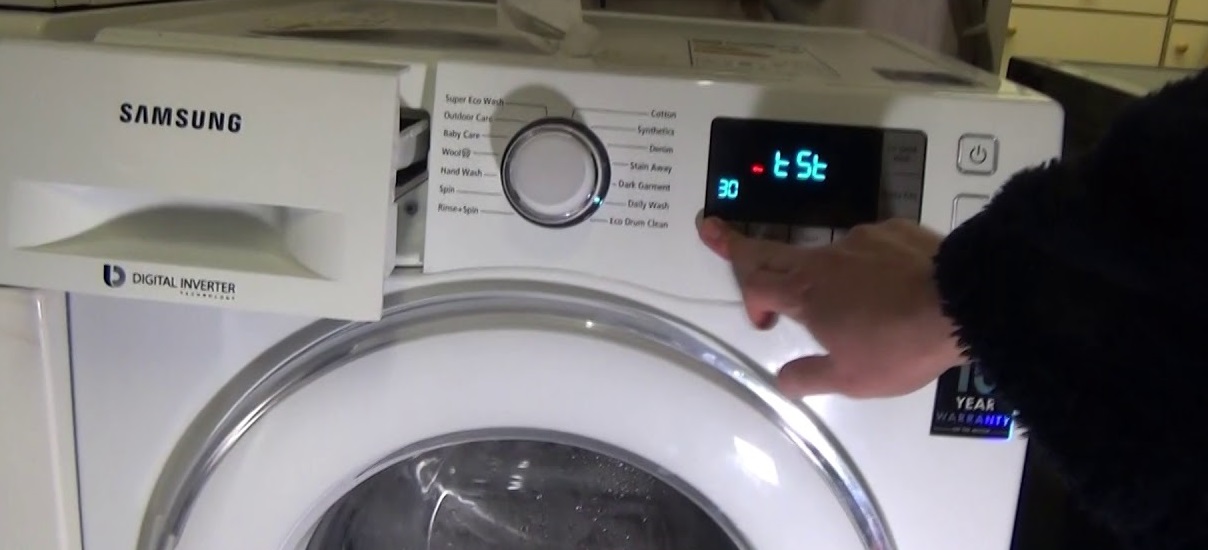
- The selector is set to the first position.
- Then press and hold the “Stop/Start” button for 5 seconds.
- The device is disconnected from the power supply.
- After a few minutes, it is reconnected to the power supply and the washing mode is turned on.
- If the equipment does not work after pressing the button, you must immediately remove the plug from the socket.
Please note! Suddenly cutting off power to the machine can damage the electronic systems!
A restart is required due to an error code.
Over the years, the washing machine's operating instructions are often lost. But what should you do if you need to fix a problem quickly? Below is a list of common problems that Samsung washing machine owners often encounter.
1E. Indicates a malfunction related to the pressure switch. The causes of the malfunction may vary: a chipped or damaged level switch tube; a disconnected, clogged, or pinched tube; a faulty level switch or control module; or damaged pressure switch connections or wires.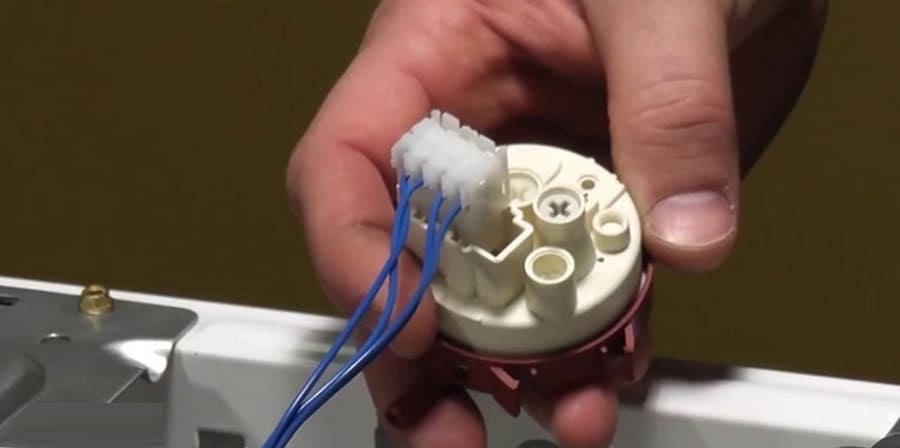
3E. Indicates a damaged motor winding or faulty tachometer or electric motor contacts. This problem can also occur if the electric motor seizes due to a foreign object getting into it.
3E1. Indicates an overloaded fuel tank, preventing the engine from operating properly. The cause could also be faulty engine contacts or a broken tachometer.
3E2. Indicates a weak tachogenerator signal. This may be due to loose contacts or a faulty tachogenerator.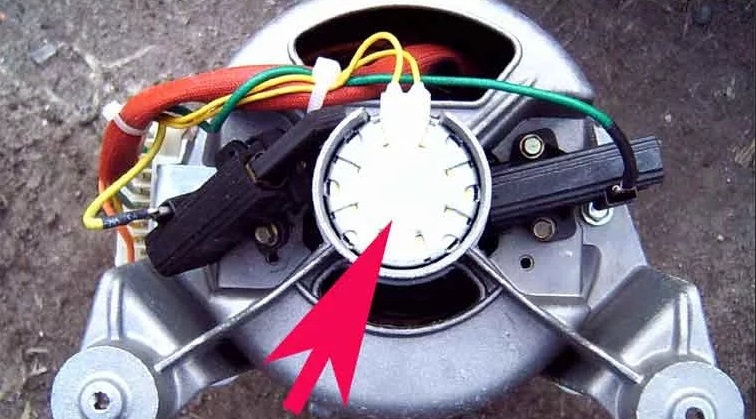
3E3. The cause lies in poor module contacts or misalignment of the electric motor components. It's also possible that the tachometer sensor is transmitting incorrect signals.
3E4. The problem lies in a faulty electric motor circuit, a faulty motor itself, a faulty tachogenerator, or a damaged contact.
4E. The hoses are connected incorrectly (cold and hot water supplies are reversed). There is no water supply. Possible causes: the hose is disconnected from the dispenser, it is leaking or kinked, the inlet valve is loose, or a foreign object has entered it.
4E1. During drying mode, the water delivered is excessively hot (over 70°C). It's also possible that the hot and cold water supply hoses are reversed.
4E2. In delicate wash programs, the water temperature in the inlet exceeds the established standards (over 50°C).
5E. Indicates problems with water drainage. The drain pump impeller may be damaged, the drain hose may be clogged, or debris may be in the drain line. This may also indicate poor contact with the drain pump or malfunction of certain components.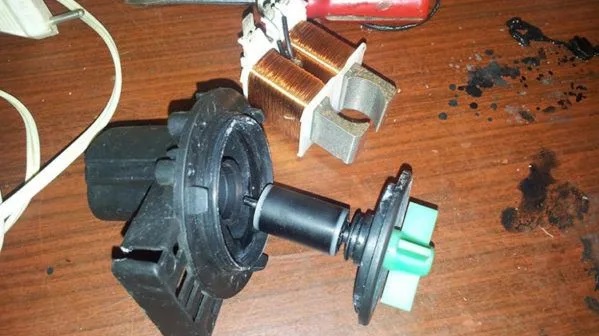
8E. Indicates problems with the electric motor. It's likely that the tachometer sensor is faulty, causing the drum to rotate incorrectly. The motor contacts may be damaged, or the control circuits may be malfunctioning.
- Indicates errors in the communication system. There is a disruption in the exchange of information between the control and display modules. Check the connections for proper operation and ensure the connectors are securely connected. Replace the modules if necessary.
- High temperature. The temperature exceeds 55°C, but the machine does not drain. This problem occurs if the selected wash cycle requires water to reach temperatures above 55°C. In this case, drain the water before the drain. It's also possible that the temperature sensor is malfunctioning or that there are improper connections between various components.
- This indicates a problem with the ventilation system. The wiring may be damaged, preventing the fan from turning on. The capacitor connector may have fallen off, or the starting capacitor may be broken. In this case, it won't be possible to find the problem with a multimeter, so the most effective solution is to replace the capacitor. Additionally, the fan may not start if its bearings are not lubricated or if the blades are jammed.
OE (OF). Indicates a water overflow. This may be caused by a clogged pressure switch (level switch) tube. It may also be caused by foreign objects getting into the fill valve or a faulty pressure switch (level sensor).
- Excessively high temperature level (this problem is typical only for washer-dryers). This code may appear as a result of a malfunction of the dryer heating element circuit, a breakdown of the temperature sensor, or a failure of the connectors or circuits of this sensor.
- This indicates an imbalance. The laundry has become tangled. Simply rearranging it is sufficient.
Once you've identified the cause of the problem, you can perform the repair yourself. Knowing the error code for each fault makes it easy to figure out what to do to get your washing machine back in working order.
Interesting:
Readers' comments
Headings
Washing machine repair




For buyers




For users


Dishwasher




Add a comment