
Resetting the dryer
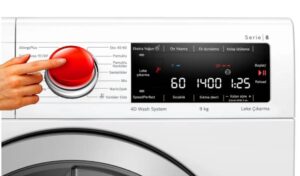 Dryers sometimes freeze while running. This can happen, for example, due to a slight power surge. A system failure can also occur, preventing the machine from functioning properly. Restarting the device can help.
Let's figure out how to reset your dryer properly. We'll explain what might cause your "home helper" to freeze up, and explain how to avoid such problems.
Equipment restart procedure
Not everyone knows how to properly reset a dryer. To reset errors that have accumulated during the operation of the device, it is not enough to simply disconnect the “home assistant” from the network. To completely reboot the equipment, you will need to follow a specific sequence of actions.
How to reboot SM to completely reset the settings:
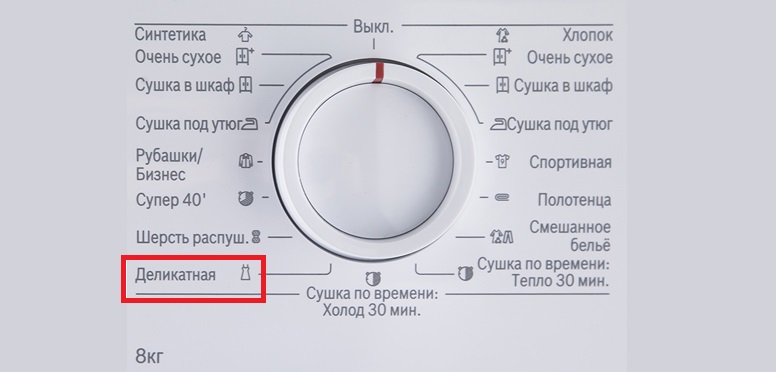
- switch to delicate drying mode;
- turn on the dryer;
- press and hold the “Cancel” button (until all the indicators on the control panel light up);
- press the “Cancel” button again (the dryer will go into test mode);
- turn off the machine.
The correct procedure for resetting a specific dryer is described in the equipment manual.
There are many manufacturers and models, so it's best to consult the instructions for your specific machine. The steps may vary. The user manual describes the reset process step by step.
Errors occur due to dust
Let's say a reboot doesn't help. This means the problem isn't a temporary glitch. If the dryer continues to behave abnormally after a full reboot, a diagnostic will be required.
You can begin troubleshooting yourself, without the help of a technician. The check progresses from simple to more complex. The first thing to check is the heat exchanger. This element must be cleaned regularly. If you neglect this, the machine will not dry clothes properly.
Dust and debris accumulate in the heat exchanger, which disrupts air circulation in the system. This element should be cleaned monthly. If the dryer is used daily, then more often—every two weeks. Otherwise, the machine will simply stop drying clothes.
It is recommended to clean the heat exchanger at least once a month, ideally after every ten drying cycles.
Cleaning the element is easy. The procedure is as follows:
- Disconnect the dryer from the power supply by unplugging the power cord;
- wait 15-20 minutes for the machine to cool down;
- Cover the floor around the dryer with dry rags;
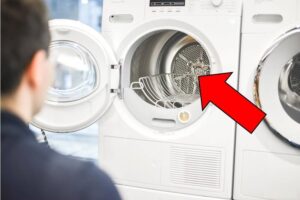
- find the hatch behind which the heat exchanger is “hidden” (on the front panel of the dryer, under the hatch);
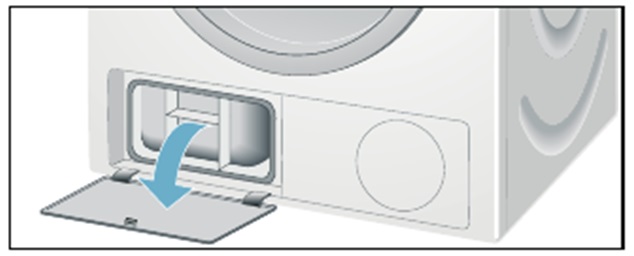
- open the hatch, turn the locking levers so that they face each other;
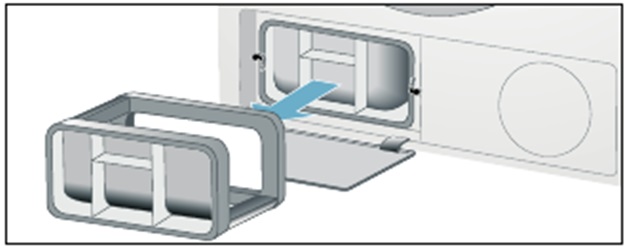
- remove the top cover of the heat exchanger;
- remove the element completely from the machine;
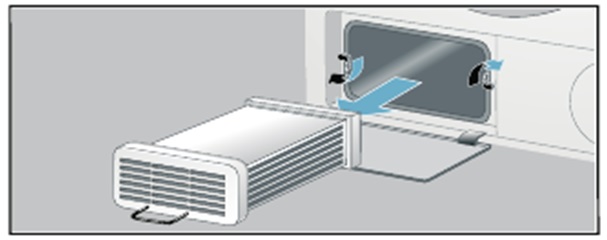
- Rinse the heat exchanger in warm water, removing dust and debris with a soft sponge.
Clean not only the heat exchanger itself but also its seal. Avoid scrubbing with harsh sponges, as this can damage the components. When finished, don't wait for the part to dry; simply shake off any water droplets and reinstall it in the machine.
Installation is the reverse process. Replace the heat exchanger, cover it with the protective cover, turn the locking levers, and close the access hatch. Cleaning the element is simple and takes no more than 10 minutes. Therefore, don't neglect this procedure.
Problems causing equipment to freeze
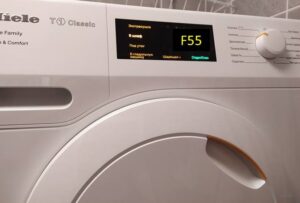
It's frustrating when your dryer freezes mid-cycle and refuses to continue the cycle. In such cases, modern devices display a fault code on the screen. You can decipher the error using the equipment manual. This will give you an understanding of what exactly is wrong.
If for some reason the dryer doesn't display an error code, you'll have to proceed "blindly." This means the "brain" missed the malfunction. Diagnostics progress from simple to more complex.
After the heat exchanger, the temperature sensor is checked. It monitors the "weather" in the working chamber, ensuring the heating element reaches the required temperature. If the thermostat is damaged, the laundry will remain damp and have a musty smell.
The thermostat can also work the other way, causing the heating element to heat up to abnormal temperatures. This can cause things to burn in the oven. In either case, the thermostat will need to be replaced, which can be done independently or by a service center.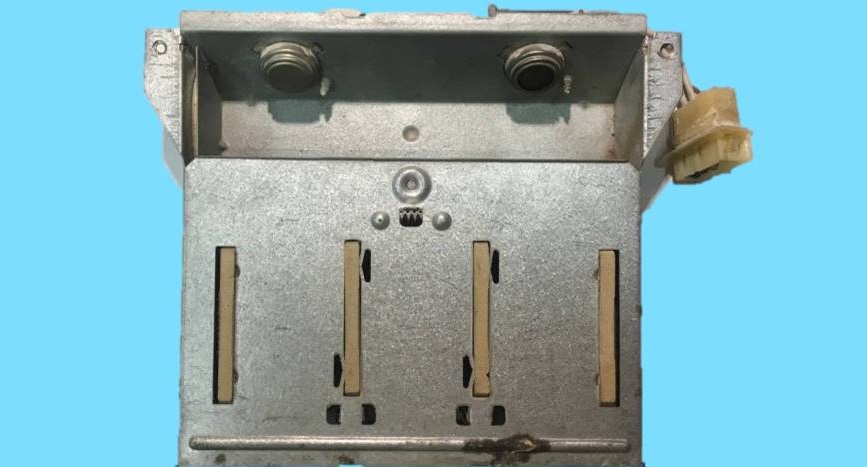
Another possible cause is a faulty heating element. This element heats the air in the system. If this element is damaged, proper drying becomes impossible.
What can cause premature wear of the heating element:
- by running several drying cycles in a row (manufacturers recommend taking a break of 40-60 minutes between programs so that the heating element does not experience increased load);
- untimely cleaning of the lint filter and heat exchanger;
- sharp voltage surges in the electrical network;
- moisture getting onto the surface of the heating element;
- a broken temperature sensor (in this case, the control module will supply excess voltage to the heating element, reducing the service life of the heater).
To prevent heating element failure, it's important to follow the basic operating instructions. Power surges pose a threat not only to the heating element but also to the dryer's electronic module. Therefore, it's recommended to connect the dryer through a voltage stabilizer and an uninterruptible power supply.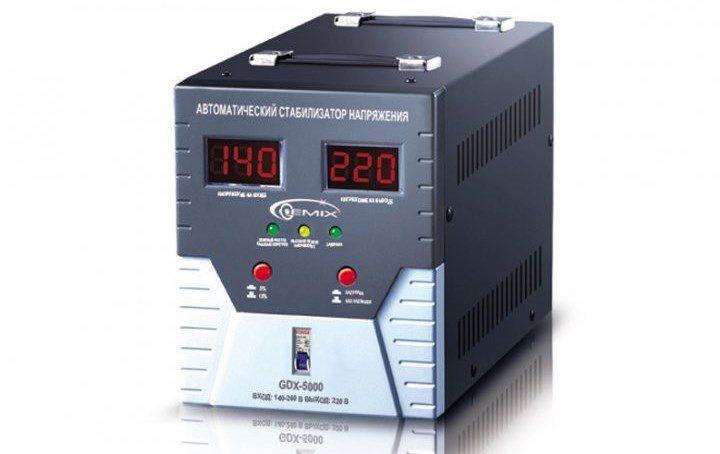
Why is this important? While the heating element is inexpensive and can be replaced independently, repairing the control module will be quite expensive. Therefore, it's best to protect your home's electronics from power surges right away.
The dryer will freeze if the control module is damaged. The electronic unit controls all the components. It may simply not generate heat. Then, your "home helper" won't be able to dry your clothes.
Repairing the control module is not an easy task. In this case, you'll need the help of service center specialists. They'll run diagnostics and reconfigure the system. Messing with the electronics yourself without sufficient experience and knowledge is not recommended. This could only make the situation worse, and a complete replacement will be very expensive.
Interesting:
Readers' comments
Headings
Washing machine repair




For buyers




For users


Dishwasher




Add a comment