How to connect to an LG washing machine via phone?
Washing machine manufacturers continue to steadily improve their products. Recently, for example, you can connect your LG washing machine to your phone for on-site smart diagnostics, without leaving your home or calling a technician. Find out how to connect it correctly and whether it's really that simple.
Linking the phone and the car
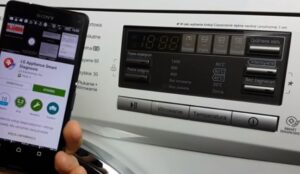
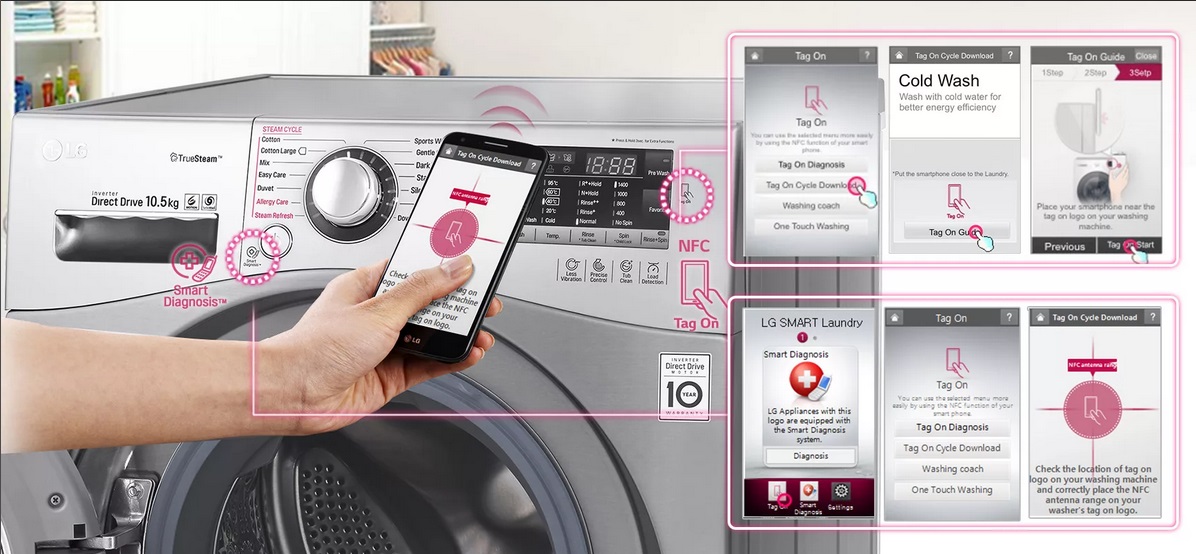
The feature that connects your washing machine to your mobile phone is called Smart Diagnosis, but not all LG washing machines have it yet. To find out if yours has this feature, check the manual. If it says your machine has a wireless module, it means you can connect to your mobile phone through it. To do this, download the Laundry&DW app from the Play Market or App Store, depending on whether you have an Android or iPhone.
You can also find the app to download in another way. On the control panel, look for the phone icon labeled "TAG ON." If you hold your phone close to this icon, you'll automatically be prompted to download the app. After installation, you'll need to enter the model name and code.
Please note: The app is fully translated into Russian, but diagnostic results will be displayed in English.
To check the quality of the connection, try to ensure parallel access to the washing machine and to the mobile phone.
Methods of diagnostics
There are two ways to perform remote diagnostics. The first is to directly connect to the washing machine via a mobile phone using the smart diagnostics app. The second is to call the call center if the app is not available or cannot be launched. The service center number is indicated in the warranty card for the LG washing machine.
We call the operator and inform him about the need to carry out diagnostics using the remote system.
The call center employee will dictate a specific sequence of numbers that you will need to enter on the control panel.
Place your phone's microphone near the diagnostic icon on the washing machine's control panel. Customer support will receive a sound signal and, after analyzing it, will be able to accurately determine the problem and its cause.
Important! When speaking with the operator, make sure the washing machine is turned on, unlocked, and connected to the power supply. Also, do not touch any buttons other than those instructed by the operator, as this may interfere with the diagnostic results.
For those who want to check using a mobile phone, the procedure is as follows:
connect the washing machine to the power supply;
switch your mobile phone from a mobile network to Wi-Fi;
Download and install the app. If you already have it, launch it and perform the actions dictated by the system.
You'll need to start a wash cycle, selecting the program and temperature specified by the app. For one minute, the app will diagnose all components of the washing machine and send notifications about any detected (or absent) issues and troubleshooting steps to the owner's mobile phone. The closer you place the gadget to the washing machine, the more accurate the readings will be. The best option is to place it next to the power button.
Remember, once you've started the washing machine, don't change anything or press any other buttons. Wait until the diagnostics are complete. It's also worth remembering that smart diagnostics are only available if the washing machine is working. If the machine fails to start, only a technician can determine the cause during an in-person inspection.

 Washing machine manufacturers continue to steadily improve their products. Recently, for example, you can connect your LG washing machine to your phone for on-site smart diagnostics, without leaving your home or calling a technician. Find out how to connect it correctly and whether it's really that simple.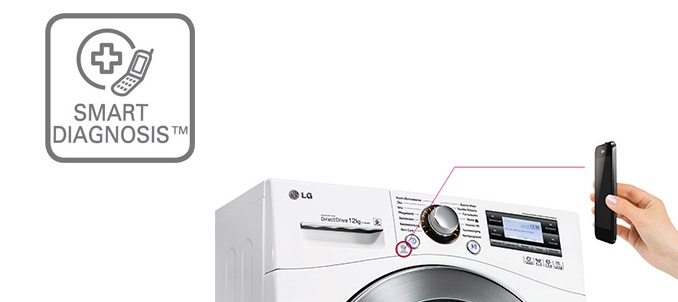















Add a comment