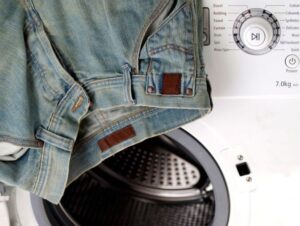
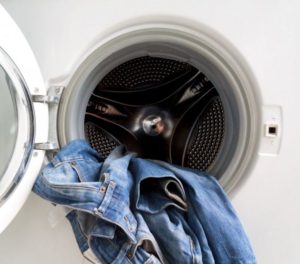
In this day and age, a flash drive is essential, especially if you work in an office. Everyone has at least one memory card, and it's no surprise that it's tucked away in your pocket along with other small items. Imagine throwing your favorite jeans in the wash without checking the pockets, washing a flash drive containing "a year of painstaking work" in the form of text documents, images, and videos. What a disappointment! Your first thought might be how to recover data from the memory card, at least partially, but is it worth giving in to despair prematurely? Let's take a closer look.
Urgent actions
There's an old and wise saying, "Don't put all your eggs in one basket," which in our case can be interpreted as "Don't store all your data on one storage device." Indeed, no matter how reliable a storage device is, accidents happen, so after updating information on a flash drive, you should make a backup copy, saving it to your computer's hard drive or another flash drive.
While backing up data on a flash drive can be done in a few minutes, restoring data from it is a long and painstaking process, with no 100% guarantee of a positive result.
All this is well and good, but we only remember this simple wisdom when something happens to the memory card. And now, the flash drive is washed, and what to do is unclear. Experts advise a series of urgent measures that will, with a high degree of probability, help save not only valuable data but also the flash drive itself from damage.
During washing in the washing machine, the flash drive was flooded with hot and soapy water, it was dangling inside the drum, subjected to shock loads. Therefore, the first thing you should do is disassemble its casing (we make an exception for waterproof drives with a non-disassemblable casing). Do not try to connect a memory card to test it under any circumstances, it is dangerous!
Pour some alcohol into a suitable container and dip the memory card into this liquid.
After soaking the device in alcohol, we rub it with an old toothbrush, being careful not to damage the semiconductor elements located on the small board.
Take a regular hair dryer and begin drying the flash drive. This must be done carefully to prevent the contacts from oxidizing during use and causing a short circuit, which would certainly destroy the memory card, possibly along with the computer.
After drying the flash drive, you can test it by inserting it into your computer. If it's been properly dried, it will continue to work as if it hadn't been washed.
Will the data be saved or not?
In approximately 80% of cases, the flash drive will work and the data stored on it will be intact. Enthusiasts even conducted an experiment to determine this. They washed 10 flash drives, not protected by a waterproof case, in the washing machine along with cotton sheets. They weren't particularly careful, setting the wash cycle to 90 degrees.0C, double rinse and spin. In addition, poured in the usual dose of washing powder and poured fabric softener.
The conditions for a regular memory card are simply monstrous: boiling water, and a bunch of chemicals, not to mention shock loads.
After washing, or more accurately boiling, the flash drives were removed, disassembled, washed in alcohol, and scrubbed with a toothbrush. Finally, they were dried with a hair dryer. The result? Frankly, it was quite surprising – 8 out of 10 flash drives worked as if nothing had happened. We were unable to read data from only two drives, but this, it turns out, isn't critical. If desired, the information can be recovered, and you can do it yourself.
How to recover lost data?
Even if you have basic computer skills, you can still try to recover data stored on a flash drive yourself. To do this, you'll need to download specialized software, run the appropriate programs, and save the files to your computer's hard drive.
We will now give examples of programs that will help you with this, and tell you how to use these programs. But you must remember that by using these programs, you take responsibility for the result. If the files stored on the flash drive are so important, is it worth the risk? Perhaps it's better to trust a specialist? Don't look for easy ways? Then read the rest of this article.
So, to recover information from a washed memory card, you need to download some software, which is easily found online. What are these programs?
Recuva;
R-studio;
Easy Recovery.
What happens if we use one of them, for example, a program called Recuva? Here's what we need to do.
Find and download this program and install it on your computer.
Once you launch the program, the wizard will immediately suggest the types of files that can be recovered.
If you want to recover all your data, check the box next to "All files." Will this mean the program will take longer to recover? Of course, but for the sake of your valuable data, it's worth the wait.
Next, we'll need to specify where the files we need to recover were stored. We'll specify the entire flash drive.
Check the box next to “Enable in-depth analysis” and click the “Start” button.
We are patient and wait until the program finishes collecting data.
Once the list of files available for recovery appears, check the boxes next to the ones you need and click the “Recover” button located in the lower right corner of the window.
Now we just need to specify where the files will be saved (the computer's hard drive) from the damaged memory card and wait until the program performs the necessary actions.
Well, that's it, let's evaluate the results of the file recovery program. Some documents (especially text ones) may only be partially recovered, but that's difficult to do anything about. Better than nothing!
So, what happens if you wash a flash drive in the washing machine with other clothes? Unless you remember to plug it into a USB port while it's wet to check its functionality, it's nothing special. Most often, after drying, the memory card works as if nothing happened. But if you're unlucky and your data is lost, you can try to recover it using specialized software. Good luck!

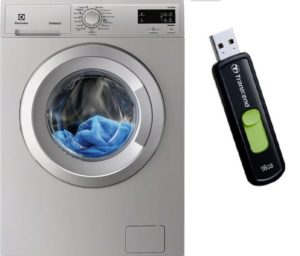 In this day and age, a flash drive is essential, especially if you work in an office. Everyone has at least one memory card, and it's no surprise that it's tucked away in your pocket along with other small items. Imagine throwing your favorite jeans in the wash without checking the pockets, washing a flash drive containing "a year of painstaking work" in the form of text documents, images, and videos. What a disappointment! Your first thought might be how to recover data from the memory card, at least partially, but is it worth giving in to despair prematurely? Let's take a closer look.
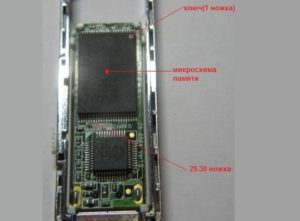 subjected to shock loads. Therefore, the first thing you should do is disassemble its casing (we make an exception for waterproof drives with a non-disassemblable casing). Do not try to connect a memory card to test it under any circumstances, it is dangerous!
 Even if you have basic computer skills, you can still try to recover data stored on a flash drive yourself. To do this, you'll need to download specialized software, run the appropriate programs, and save the files to your computer's hard drive.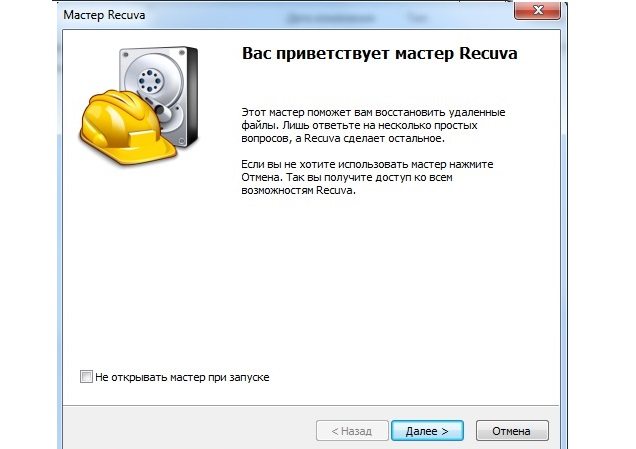


















Great! Thanks! It helped.