
The sound on my LG washing machine has disappeared.
 Almost all washing machines have a feature that allows you to turn off or on the basic end-of-cycle signal. Some washing machines can also turn the signal off or on automatically, but the user can override this feature if desired. The problem is that there's no dedicated button on the control panel for this, so if the sound on your LG washing machine has disappeared, you'll need to resort to a little trick to restore it.
LG washing machines from 10-15 years ago
Old washing machines were well-made: they were durable, low-maintenance, easy to operate, and had a very distinctive, loud, and persistent beep. Sometimes the notorious melody can get annoying, but few people know that with a certain trick, you can easily turn the beep on and off whenever you like.
- Turn on the washing machine and select absolutely any washing program.
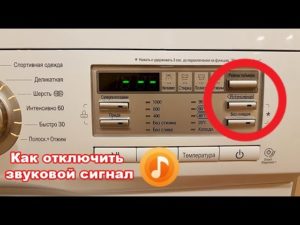
- While pressing the “Start” button, also press the “Temperature” and “Rinse” buttons and hold all three buttons for a few seconds.
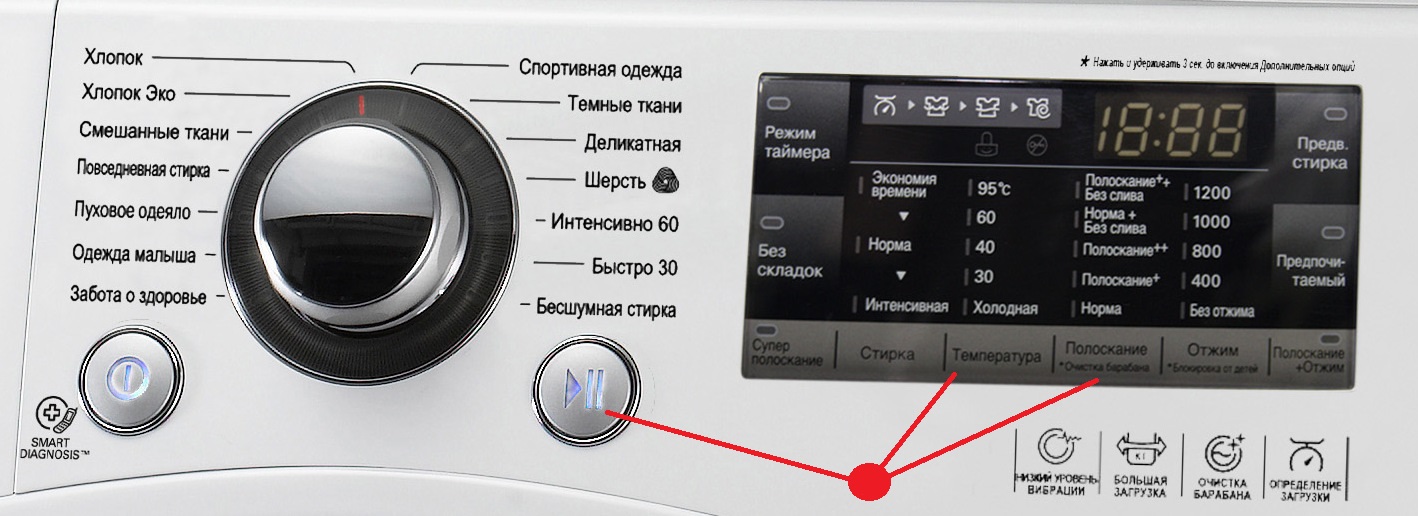
To check if the combination worked, stop the washing machine, restart it, and start the wash cycle again. At the end of the wash cycle, the beep will appear or disappear depending on what you intended and what was happening before.
All LG washing machines manufactured 10-15 years ago respond to this combination without fail. You can safely use it if the washing machine is silent, and you can be confident in its effectiveness. But here's what to do if the problem applies to LG washing machines manufactured more recently.
Looking for the "magic" button
There are some washing machines that have a very well-designed way to turn the beep on or off. This is accomplished by pressing a single button. Moreover, you can do this at absolutely any time, regardless of whether your washing machine is currently working or turned off. List of models where the sound on/off switch works exactly like this: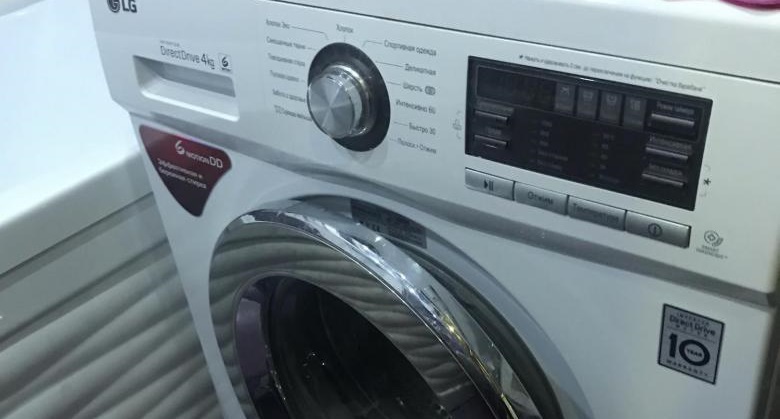
- F(E/M) series 1096SD, 1296SD, 1096ND, 1296ND, 10B8SD, 80(10/12)B8MD, 80(10/12)B8ND, 10B9SD, 12B9SD, 80B9LD, 10B9LD and 12B9LD with numbers 1-9;
- M1222ND with numbers 1-9;
- F1096(1296)WD with numbers 1-9.
Now all that's left to figure out is which button on all these washing machines turns the beep on or off. It's the "Timer Mode" button. Press and hold it for about 3-5 seconds, and you'll see the results in no time.
Combination in new cars
Later LG washing machines don't support this method. The electronic module has a different algorithm for turning the washing machine on or off. In addition to the "Timer" button, you must also press the "No Wrinkle" button for exactly 3 seconds. Otherwise, nothing will work. LG washing machine models that support this method:
- series F(E/M) 1096SD, 1296SD, 80B8ND, 10B8ND, 12B8ND, 1096ND, 1296ND, 10B9SD, 12B9SD, 10B8SD, 80B9LD, 10B9LD, 12B9LD, 80B8MD, 10B8MD, 12B8MD with numbers from 1 to 9;
- M1222ND with numbers from 1 to 9;
- F series 1096WD, 1296WD with numbers from 1 to 9.
Important! Finding out the series, name, and serial number of your specific washing machine is very easy. This information is written on the first pages or even on the title page of the manual. If you don't have the user manual, you can find the corresponding mark on the washing machine body.
If the horn stops working, the hardest part is finding out the full model number. Once that's done, the rest is simple. Pressing and holding keys 1, 2, or 3 for a few minutes isn't difficult at all.
Interesting:

15 reader comments
Add a comment
Headings
Washing machine repair




For buyers




For users


Dishwasher




Thank you! It helped!
Thank you, everything worked out!
Thank you, I was able to turn on the sound on the washing machine.
Yes, everything worked out. Excellent article.
Thanks a lot
Hello. I have an LG F2H9HS2W washing machine. Nothing works. Please help.
Hello. I have the same machine. Nothing helps. Have you found a solution?
I need to open it up! My speaker leg broke!
LG F2T9GW9P. Doesn't help.
Simultaneously press and hold for 3 seconds “Rinse” + “Intensive”.
Thank you, it worked.
Hooray! I fixed the washing machine myself by pressing three buttons :) Thank you so much! I'll go and impress my husband with my skills)))
It worked! Thank you)
Thanks, I've searched through several websites and only here are all the methods)))
Thanks, that helped. Recently, the sound became very quiet, as if it had disappeared, but if you listen closely, you can hear it. Now everything is as before.