
How to flash a washing machine
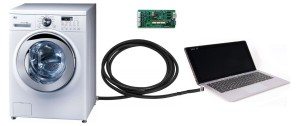 If testing your washing machine's control board reveals problems with program execution, or electronic systems malfunctioning, causing the washing machine to stop working, updating the firmware may help. For non-professional DIY repairs, checking and replacing the firmware is a last resort. You should first confirm that the problem lies with the firmware before risking updating it yourself. Let's look at how firmware is updated using Indesit washing machines as an example.
Preparing for firmware: where to start?
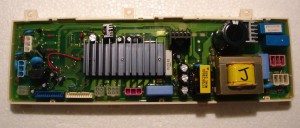
Common folks assume that flashing a washing machine requires connecting the control board to a computer via a special cable and installing a special program. In reality, it's not that simple. To flash an Indesit washing machine, you'll need the following parts.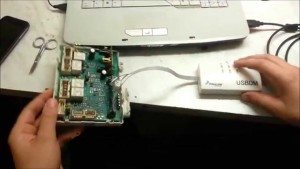
- Control board of the washing machine being flashed.
- A computer with an LPT, COM or USB port, depending on the programmer used.
- Homemade or branded programmer.
So, we connect the computer to the programmer, and the programmer to the board being programmed. You need to start by assembling or purchasing a programmer. Experts recommend purchasing a branded USB programmer for the following reasons:
- the branded programmer has already been tested and will definitely work;
- it is easier to find software for it than for home-made equipment;
- it is easier to connect it to the computer and the board;
- It costs no more than the parts you will use to solder your programmer.
Please note! The average cost of simple branded programmers is around $1.50. They're certainly not suitable for years of trouble-free operation, but they're perfectly adequate for a one-time firmware update. Professional programmers will cost significantly more.
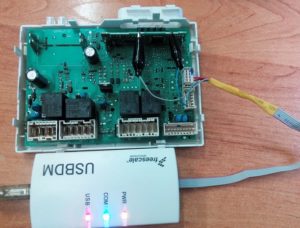
After purchasing the programmer, you'll need to download the firmware for your specific washing machine model, download the drivers for the programmer, install everything on your computer, and verify that the software is working properly. Next, you'll need to properly connect the programmer to the appropriate connector on one end and to the six-channel output of the control board on the other. Make sure the devices are recognized and synchronized before you begin.
We buy a programmer and download the firmware.
Expensive brand-name programmers are widely advertised and can be found at any retailer that specializes in washing machine parts. If you don't mind shelling out $15–$35 for such a programmer, then don't bother. However, if you're looking for a simpler and cheaper device for a one-time firmware update, online stores are your best bet. You can buy a decent Chinese USB programmer, the Usbasp USBISP 3.3 V/5 V AVR, online.
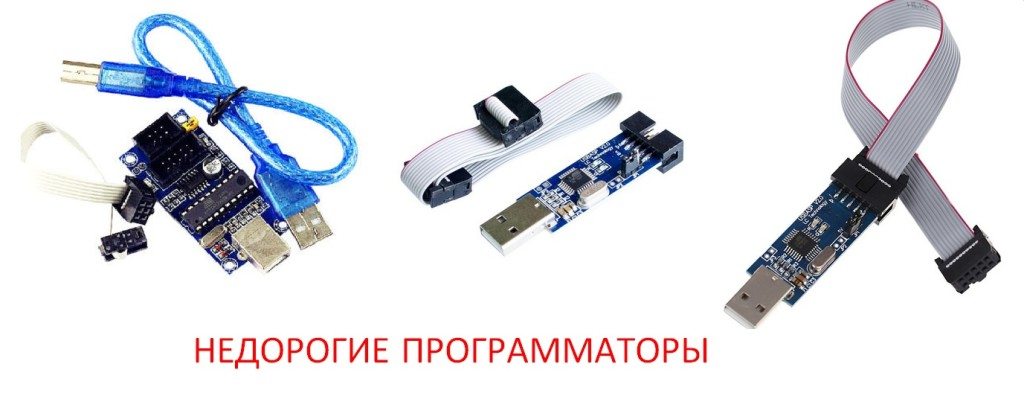 This programmer works just as well as a professional one, but it's simpler. It doesn't have a protective case, complex LED status indicators, buttons, or other bells and whistles, but in our opinion, it's not worth the extra cost. The USBASP USBISP 3.3 V/5 V AVR will cost you around $1.46. If you plan to install software and make firmware for Windows 7, then it is better to buy USB ISP USB ASP ATMEGA8 ATMEGA128It's designed specifically for Windows 7 and works well with it. It costs about $1.20.
Here's another list of inexpensive and quite suitable household programmers:
- USB IPS USB APS AMTEL AVR51 – price $2.61.
- USB10P AVR JTAG ICE 2.0 ATMEGA 3.3 B 0.5A – price $6.40.
- USB IPS AMTEL AVR ATMega ATTiny51 – price $4.
Drivers for these programmers are often available for download directly from the online store's website, but if you can't find them there, you can definitely find them on specialized tech websites—it's not difficult. It's also quite easy to download firmware for specific Indesit washing machine models. These firmware versions are usually listed for free on specialized websites. Simply enter the make and model of your Indesit washing machine into a search engine, add the keyword "download firmware," and you'll get results.
Please note! A database of control board firmware for specific washing machine models is located on the website of the electronics manufacturer for these machines.
Connecting devices and flashing firmware
Now that we've sorted out the software and programmer, let's move on to connecting the devices. Take the control board we removed from the washing machine and place it on the table next to the computer. Then take the programmer and connect it to the computer's USB port on one end and to the six-channel connector on the control board on the other.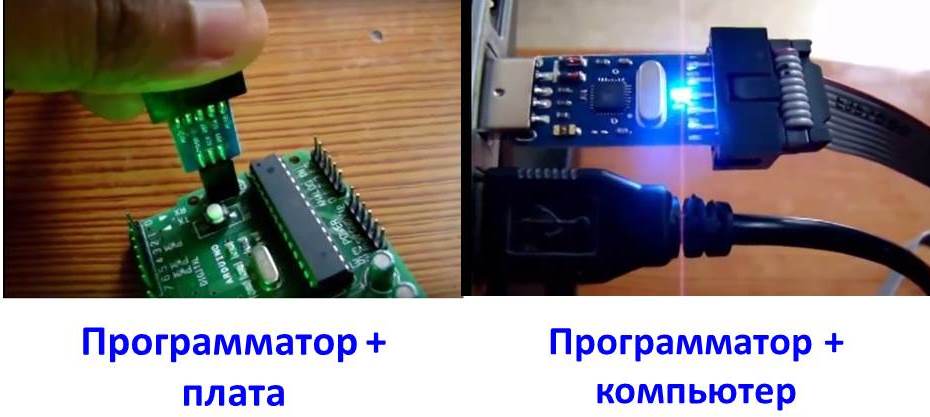
Install the original program and drivers on the programmer, and then make sure the computer correctly recognizes the connected USB device. To do this, go to the "Control Panel" tab on your computer and select "Device Manager." Then, do the following:
- open the original programmer program;
- The “USBDM” tab should display the name of the connected programmer – this means that the program has recognized it correctly;
- open the “Target” tab, there, in the “Device Selection” section, we see the number of the connected module - this means that the control board has been recognized;
- In the “Target” tab at the top there is a “Load Hex Files” button, click it and load the previously downloaded firmware file;
- After this, in the same tab, click the “Program Flash” button and wait until the program flashes the board.
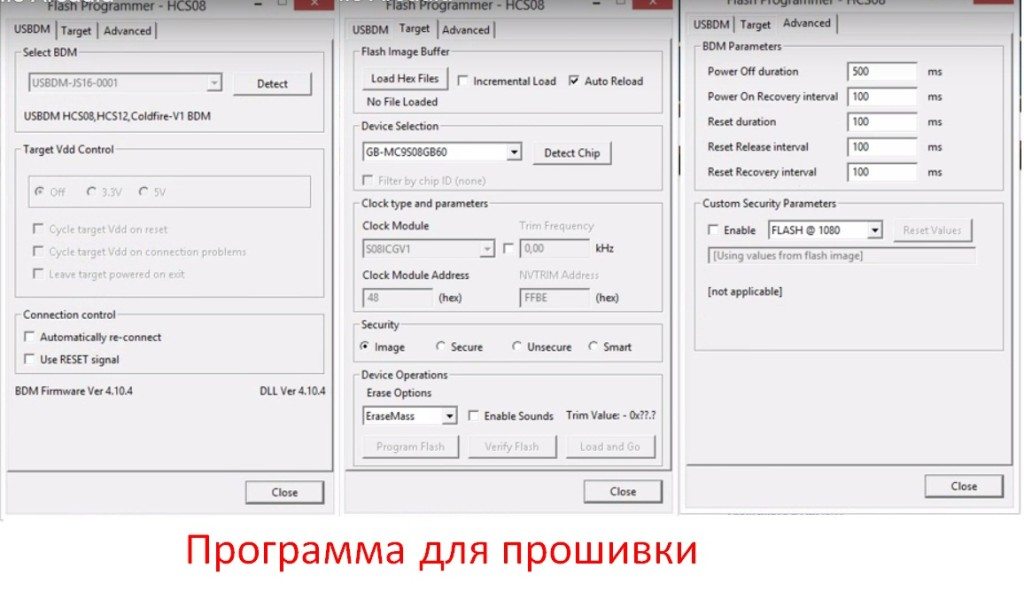
Important! If the program doesn't return any errors during operation, the firmware update has completed successfully.
If the programmer does not recognize the control board, it is possible that one of its semiconductor elements has failed. You need to arm yourself with a multimeter and carefully check the semi-conductors and other elements for faults, you may have to repair the control boardIf the chips on the control board have burned out, only a specialist can replace them, and not even just any specialist. In the worst case, the entire control board will have to be replaced, which is a very expensive undertaking.
To summarize, flashing a washing machine's control board is quite a complicated process. You need to remove the control board, buy a suitable programmer, find and install the software, and then flash it correctly. It's entirely possible to do this yourself, but the main thing is to know for sure whether the board needs flashing. After all, the cause of your washing machine's failure could be completely different.
Interesting:

38 reader comments
Add a comment
Headings
Washing machine repair




For buyers




For users


Dishwasher




Thanks so much for the information! I called a mechanic to fix my car, and with your help, I'll be able to figure out what they're pulling my leg about.
Hi, can you help me? I need firmware updates for all Indesit and Ariston models.
The lip is not stupid))).
There is a database, but naturally not everything. There are too many of them, and the database is updated every time. What firmware exactly do I need?
Indesit and Ariston are flashed with a special key online from the server.
Very interesting article, thank you!
Hello, can you please tell me if I can purchase firmware for my Beko 6610 dishwasher from you?
Thanks for the article! I'll try it out.
The nameplate came out, which one exactly?
Hello. I have a Volid RS485 USB programmer. Will it work for flashing?
Is it okay that the programmer should be USBDM and not USBASP?
I need firmware for my car, I want to try flashing it myself. Bosch maxx5 wlx20363oe/23.
It is flashed last, what repair did you perform?
Hello! I need the WISL 102 (CSI) firmware, code: 215009152.03 micro Ver9.21.0.
Hello. Is it possible to find firmware for a Gaggenau GI230-160 dishwasher, also known as a Bosch dishwasher? The control unit is Siemens.
Hello, I need firmware for a BEKO washing machine.
Can you help me with the firmware file for the Beko DFS 5830 PPM?
Hello, please help me find firmware for my Imesa RC40 washing machine.
Hello. Is it possible to change the machine's operating parameters? I need to adjust the drum speed.
I also need to change the settings. I'm fed up with the quick wash, it takes an hour and a half. How can I do this? Surely it's possible?
I have a problem! After the final spin, water fills the machine. I set the dry cycle to 3 minutes, and it takes 3 minutes to fill. After that, it doesn't spin or drain until I turn the handle forward. Does anyone know what's causing this?
Indesit nwsb5851, which programmer is suitable?
Good afternoon. I need firmware for VMSL 501 B (s/n: 610203763*24957150100) (87957150100) code: 21501264602, SW: 250019.
Hello. I can't figure out how to connect the USB ASP programmer to the BOSH WlX 20160 OE board.
I can't find the firmware for my LG WD-10164N. Where can I download it?
Good day! Help with flashing the Atlant 70c1010-18 processor module r5f21357.
Is it possible to transfer a program from an LG washing machine to the programmer?
What nonsense? What does USBASP have to do with it? It won't flash any washing machine!
Can anyone flash the Atlant AT003-01 5719BF control module? For a fee, of course.
You really need a USBDM programmer. And that can only flash AVR chips. Like Candy, definitely not Indesit.
USBdm is needed for flashing INDESI ARISTON chips from RENESAS, USBISP is more suitable for AVR Atmega chips, the chips are different and there is no universal programmer for them.
Hello everyone! Machine Candy GO3E 210 2DC07 3100428411410103.
Is there any chance to find the firmware files for the main board?
Is there any firmware for the Hotpoint-Ariston ARSL 103?
Cjde;21501022905
S/N1345602339
SW:010413
Pcb:1345401889
Good afternoon. Is there firmware available for the Beko WRE 75P2 XWW?
The start button on my Bosch Max 5 washing machine is blinking. I tried running the self-diagnostics, but none of the buttons work except the blinking one. What should I do?
Hello, could you please tell me how to reprogram the board (brains) for an Ardo washing machine?
Is it possible to change the machine's load capacity using firmware? For example, if it's supposed to wash no more than 6 kg, we change the firmware to 8 kg or more?
The 6 kg figure on the drum is an abstract number. The load capacity directly depends on the drum capacity.