
How to unlock a Samsung Eco Bubble washing machine
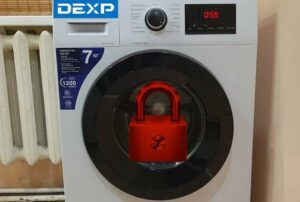
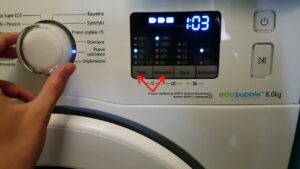 Modern washing machines are becoming increasingly sophisticated and innovative, sometimes confusing. It's quite common for homeowners to accidentally activate the child safety lock and lock the washing machine. While it's fairly easy to turn on and off, if you're unaware it's active, you won't be able to activate your "home assistant," which can be a source of concern for the appliance's functionality. In this mode, the control panel won't even work, displaying only a lock icon. Let's take a detailed look at how to unlock the Samsung Eco Bubble, as well as other warnings the control panel of your home appliance might indicate.
Unlocking scheme
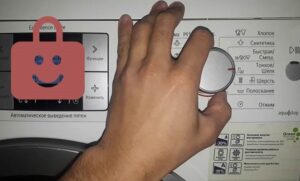
There's no single rule for disabling the child lock, as different Samsung Eco Bubble washing machine models have different control panels. However, this isn't a reason to despair, as the South Korean giant has made the controls intuitive enough to navigate even without the manual. When the child lock symbol lights up on the control panel, look for the lock symbol connecting two buttons with a bracket – pressing these two buttons should unlock the washing machine.
To activate or deactivate the unit, it is usually necessary not only to press the buttons simultaneously, but also to hold them for several seconds until a beep is heard.
Sometimes Eco Bubble models are unlocked by pressing the "Temperature" and "Spin" buttons. This combination can also work with the "Rinse," "Plus," "Minus," and other buttons, so it's always a good idea to keep the user manual handy.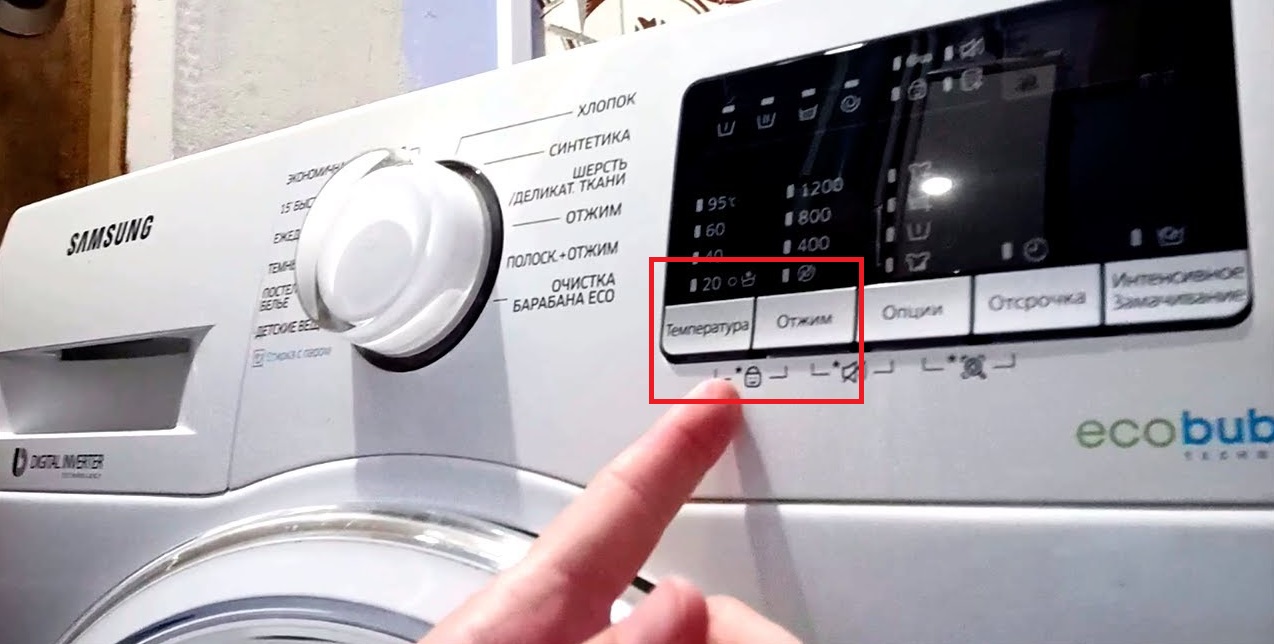
Control panel symbols
Just because you've figured out the child lock doesn't mean the rest of the control panel is free of memory. Washing machines often don't list function names, relying on a variety of icons that are difficult to decipher without a cheat sheet. Here are the most common values that can be useful in various situations.
- A basin with the Roman numeral I. This symbol indicates the pre-wash mode. If the indicator light is on, the mode is active.
- A basin with the Roman numeral II. This is the main wash cycle. The symbol usually lights up when one of the cycles starts, or when the rinse or spin cycle is running separately.
- A basin filled with water and laundry. This is the rinse cycle indicator. The indicator will light when the washing machine has finished washing and is about to begin rinsing. It's at this point that clean water containing fabric softener, added to the machine beforehand, enters the drum.
- Spiral. This icon indicates the spin mode, which is activated last in the cycle. Therefore, the icon will only light up once the rinse cycle is complete and the spin cycle begins. If the indicator doesn't light up after the rinse cycle, the spin cycle was disabled when the wash cycle was set.
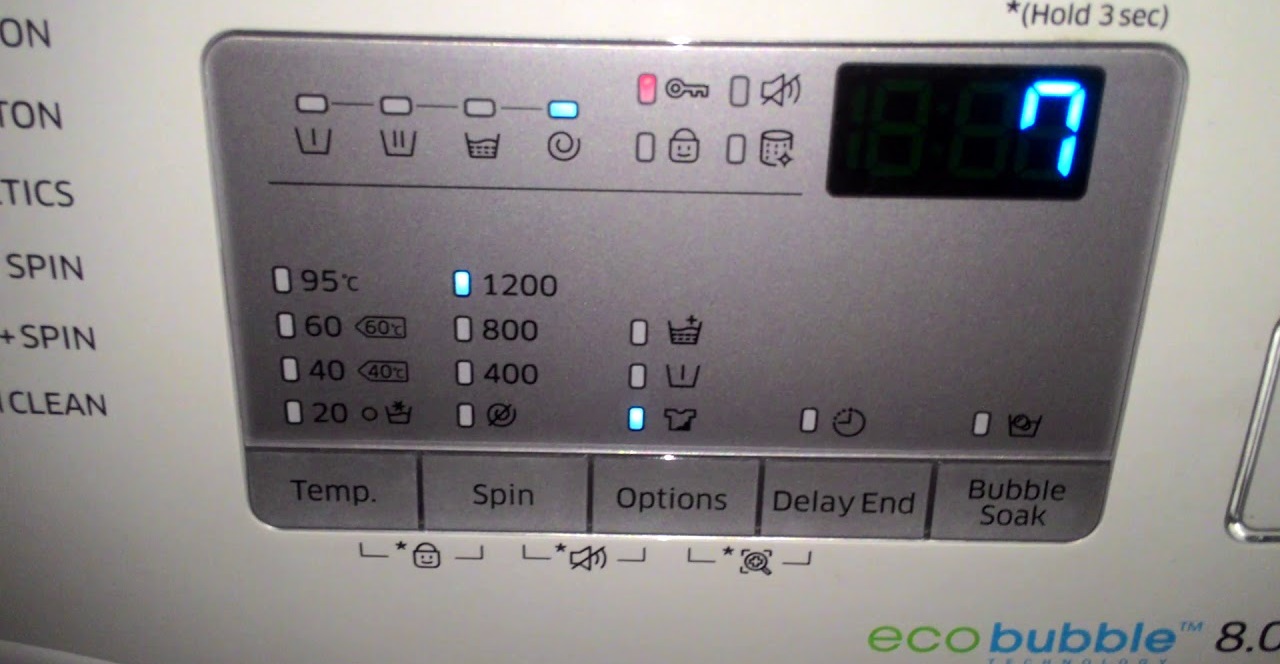
That's all the standard washing machine symbols can offer. However, in addition to the wash cycle stages, the control panel of Samsung appliances features many more icons indicating additional modes and features that enhance the standard wash cycle.
- Bubble T-shirt. This is the series' key feature—the EcoBubble mode, which activates a foam-liquid generator. This oxygenates the liquid, turning household chemicals into bubbles, penetrating clothing faster and dissolving stains better. This feature is essential for the dirtiest items;
- Iron. Activate the easy ironing mode to minimize creases and wrinkles in the drum, making them much easier to iron later;
- A basin with the Roman numeral I. We've already mentioned this icon, which is necessary for pre-wash. If you activate this mode, don't forget to add detergent to the extra compartment of the detergent drawer;
- A T-shirt with a stain. This is one of the most useful additional modes – intensive wash. This mode helps remove the most difficult stains, ingrained dirt, and other things that can't be removed with a standard wash cycle.
Please note that activating additional modes may affect the program execution time; for example, intensive washing lengthens the working cycle by almost two times.
- A basin of water. The soak function helps remove stubborn stains that require a short soak first.
If your washing machine has a drying function, there will be an additional control panel with buttons on the dashboard. The more expensive the machine, the more drying options it will have.
Finally, the last group of icons includes additional options. All of these were created by manufacturers to make life easier for the user:
- The clock. This is one of the most intuitive symbols on washing machines, representing the delayed start mode. If you need your clothes washed before you get home from work, the weekend, or when you wake up in the morning, you can delay the start for a short or long time;
- Drum with Fire. This is a useful self-cleaning feature for the interior of the "centrifuge," allowing you to professionally clean your washing machine. Conveniently, when the drum becomes clogged, an indicator light will light up, letting you know it's time to start the self-cleaning process to remove dirt and prevent mold.
- The speaker with a crossed-out line. This allows you to mute the sound so that the washing machine runs without any beeps that could distract or wake your child. The key combination for activating the mode will vary in different washing machines, so if your device has this function, you will find the rules for activating the option in the instructions;
- Key. The icon informs the user that the door is tightly closed and locked.
In addition, the control panel often displays the washing time, water temperature, drum rotation speed during spinning, as well as information about the current stage of the work cycle.
You can keep track of how much time your washing machine has left to run, as the display should show this information. If something happens to the machine that stops it from running, an error code will appear on the display, allowing you to determine the cause.
Interesting:


Readers' comments
Headings
Washing machine repair




For buyers




For users


Dishwasher




Add a comment