
How to use the timer mode on an LG washing machine?
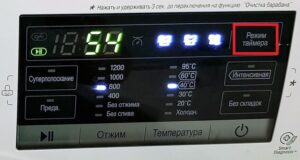 On LG washing machines, you'll find a button marked with a dial. It's easy to guess that this button activates the timer mode, but not everyone knows how to use this function. It's a good idea to learn how to use the timer mode, as it was invented and continues to be built into washing machines for a reason. Let's find out.
Let's use this mode
The timer mode is designed to delay the start of a wash cycle. Is this really possible with just one button? It turns out, yes, the key is to turn it on and set the timer correctly. The steps are quite simple.
- We turn on the washing machine.
- We select the desired washing program, pour powder into the dispenser, and load dirty laundry into the washing machine drum.
- Now press the clock button and select the desired delay time by pressing the same button. One press delays the wash cycle by 3 hours, so you can delay it by multiples of 3 hours.
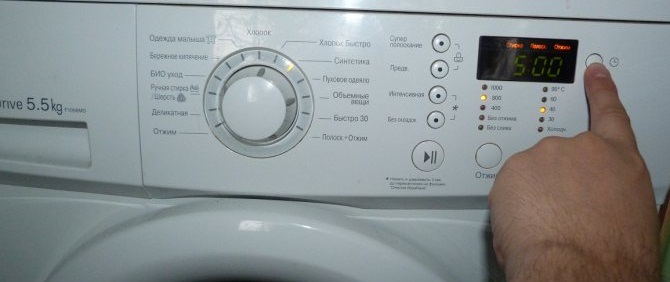
- The delay is started by pressing the Start/Stop key.
- To turn off the timer function, press the Power button once.
Note: You don't have to delay the entire wash cycle; you can delay just one stage, such as spin, prewash, or rinse.
Description of the mode, its usefulness
As the name suggests, the timer mode allows you to delay the washing cycle. Once the timer is up, the machine will automatically start the cycle, requiring no further user action. In most models, it is possible to delay washing for up to 9 hours (9, 6 or 3 hours), and in some modern models - even up to 19 hours. For example, you can set a snooze time before bed, and then hang out your laundry in the morning in a quiet environment. This feature is very easy to use:
- Place the laundry in the machine drum.
- Add washing powder and other detergents you use.
- Select a washing program.
- Set the timer for a convenient time.
Important! The operating instructions state that the timer does not indicate the time remaining until the start of a cycle or washing stage, but rather the time remaining until it ends.
Accordingly, if you set the timer for washing for 9 hours at 10:00 PM, then at 7:00 AM the washed laundry will already be waiting to be removed from the drum and hung out to dry.
If there is no display on the LG model
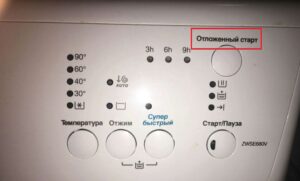
If your LG washing machine has a display, the delay time is shown on the screen. However, some models only have buttons and LED lights on the control panel. How do you control the timer in these cases? It's very simple.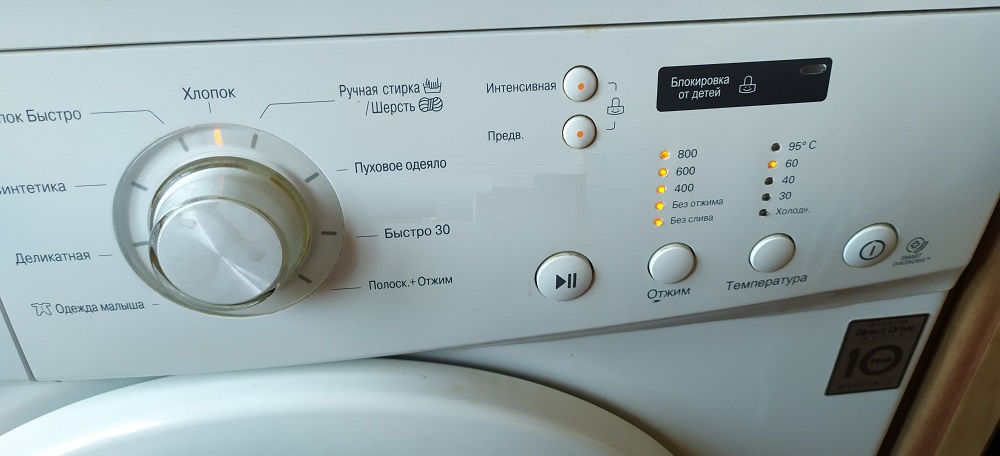
The timer is controlled by several lights. Each light displays the corresponding delay time and symbols representing the various wash cycle stages. So, if you set the timer for 9 hours, the light labeled 9 will be lit; after 3 hours, the light labeled 6 will be lit, and so on. Once the program starts, the lights will flash depending on the wash cycle stage currently active.
If the washing machine has a display, each stage is indicated by an indicator. If there is no display, all three lights turn green when turned on. Once all wash parameters have been set, all lights turn off except the one indicating the selected stage. The "Start/Pause" button activates the timer function.
Interesting:




Readers' comments
Headings
Washing machine repair




For buyers




For users


Dishwasher




Add a comment