
Timer mode in the LG washing machine
 Sometimes you have a lot of dirty laundry piled up, but you can't start the wash right now. To help you out of this situation, your LG washing machine has a timer feature. Using it, you can load the laundry into the drum, add the appropriate detergent, and go about your day. The washing machine will automatically start and stop at the right time. In this article, we'll explore the usefulness of this feature and how to set the timer correctly.
How does this mode work?
LG washing machines feature a timer mode to delay the start of the wash cycle, rather than immediately. It allows you to delay the operation for 3 to 9 hours, and in some modern models, even up to 19 hours. It's very convenient: just load the laundry in the evening, set the desired time, and go to bed. In the morning, the washing machine will turn on, wash according to the set program, and all you have to do after breakfast is hang the clean clothes to dry. This mode is very easy to use.
- You load the drum.
- You fill the compartments with detergents.
- You set the desired program.
- You turn on the timer for the time you want to delay the wash.
For example, suppose you load laundry at 11:00 PM in the evening and it needs to be clean by 8:00 AM. A simple calculation shows that it will take at least 9 hours to complete the job on time. According to the operating instructions, the timer shows the end time of the wash (stage). Therefore, we turn on the function at 9 o'clock, and at 8 am we take clean things out of the drum.
How to set a timer?
The snooze feature is a convenient feature, but the key is to know how to set it correctly. Otherwise, it'll just be an unnecessary add-on you never use and don't even understand why you need it. The algorithm is as follows:
- turn on the "power" button;
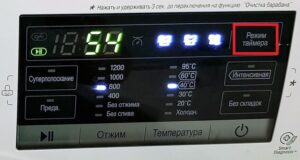
- select the timer mode (dial symbol), press the required time;
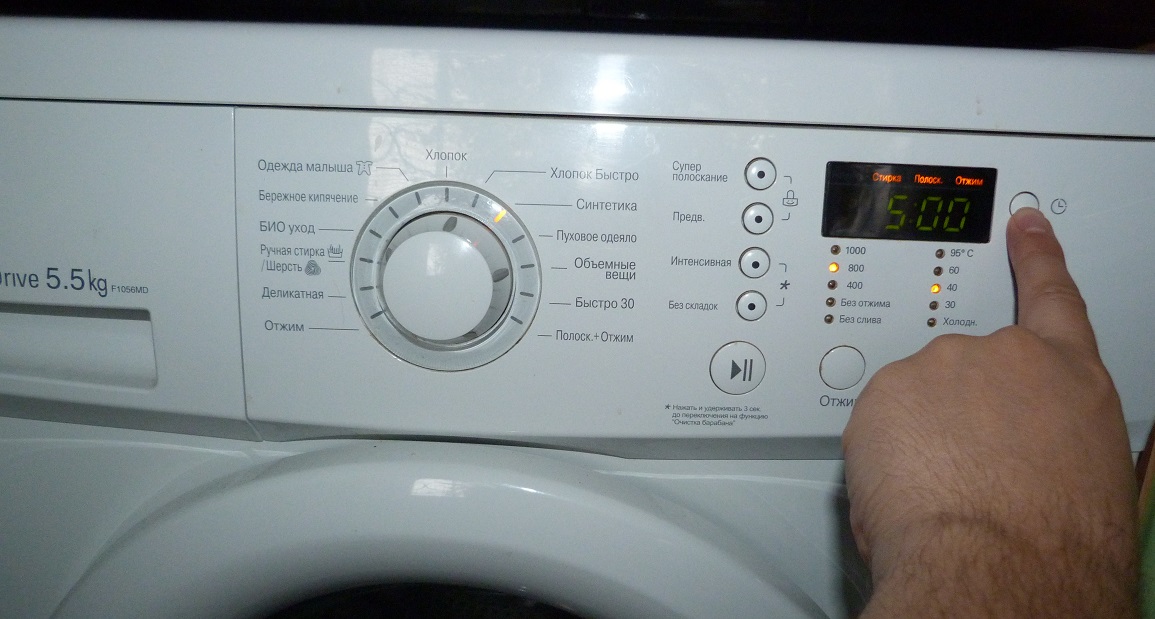
- one press corresponds to a 3-hour delay, so if you need to start washing in 9 hours, press three times, and in 6 hours, press twice;
- start the timer using the Start/Pause button;
To turn off the timer, simply press the "Power" button again.
Important! Delay values can be set for the entire cycle or for specific stages, such as spin, rinse, or drain only.
Display on machines without a display
In LG washing machines with a display, the delay timer is displayed on the screen, but in models without one, things are a little different. The control panel of these washing machines features a scale with lights that allows you to monitor the timer and programs. The delay time is indicated by numbers next to each light, and the washing processes (stages) are indicated by symbols. After the timer is set, the light next to the selected time begins to flash. If a 9-hour delay is set, the light next to the number nine will initially flash, after 6 hours the light above the number six will flash, and after another 3 hours the light next to the number three will flash. Immediately upon starting the program, the light next to each stage glows solid green.
In LG models with a display, each cycle is indicated on the screen by corresponding indicators. In washing machines without a display, three lights begin to flash when turned on. After selecting the desired wash cycle, the one indicating the current cycle remains lit. The program can be started or stopped using the "Start/Pause" button.
Interesting:



Readers' comments
Headings
Washing machine repair




For buyers




For users


Dishwasher




Add a comment