
Self-diagnosis of the Atlant washing machine
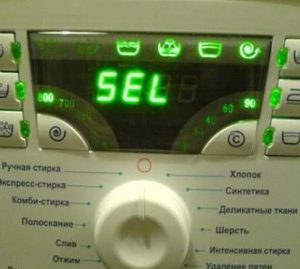 The Atlant washing machine's self-diagnostic system is a great help to modern users. Now, there's no need to go through all the components and parts if the machine starts up with problems – the control board automatically records all faults and displays the error code. All that's left to do is decipher the code and perform the appropriate repairs. You can also initiate the diagnostics yourself. We'll explain how to activate test mode and what codes the machine uses to report faults.
Main codes
The Atlant washing machine, like many modern automatic machines, is able to detect discrepancies between the unit's operation and the specified algorithm. The board detects the error and notifies the user by displaying an error code on the screen or by triggering a signal indication. In any case, it's important to note the signal from the washing machine and correctly decipher it. There's no need to guess – all the symbols are explained in the user manual. Typically, one of the following errors appears.
- F2 appears on the display or the third LED from the left on the dashboard flickers. The cycle stops when the error appears. This is due to a problem with the pressure switch, which is unable to detect the water level being drawn in, so the board stops operating for safety reasons. To diagnose the problem yourself, remove the top cover and test the sensor with a multimeter and blow out the fitting.
- F3 (on machines without a display, the third and fourth lights from the left are lit). A typical malfunction of Atlant washing machines is a faulty heater, thermistor, or a loss of connection with the heating element. For a more comprehensive diagnosis, you'll need to remove the rear panel, remove the drive belt, and test the heating element for proper operation.
- F4 or the second left light illuminated indicates a malfunctioning drain system, meaning the pump is unable to pump wastewater out of the tank. This error can be caused by a broken pump, a blocked impeller, a clogged hose, or a clogged waste filter.
The appearance of the F4 error on Atlant washing machines indicates problems with drainage!
- F5 (second and fourth indicators from the left blinking). Indicates a problem with the water intake. Check the water supply, inlet hose, inlet valve, mesh filter, and pressure switch.
- F6 (if there is no screen, the second and third lights will be on). This error indicates a faulty electric motor. Most likely, the motor relay is broken, the brushes are worn out, the fins are peeling off, or the winding is burnt out. For a more detailed diagnosis, you need to remove the motor by removing the rear panel of the machine.
- F7 (or simultaneous blinking of the second, third, and fourth LEDs). Meaning: power supply problems. Suspected faults include the power cord, interference filter, and control board.
- F8, or if there's no display, the first indicator on the left. This means the washing machine is overflowing water into the drum. To troubleshoot, check the fill valve and pressure switch.
The errors described are the most common on Atlant washing machines, so it's best to learn them to quickly respond to the system alert if a problem occurs. However, in addition to the "basic" codes, it's also advisable to familiarize yourself with the additional codes. These will be discussed below.
Additional system elements
Once activated, diagnostic mode may display other error codes, ranging from F9 to "Sel" and "None." But even these are easy to resolve if you know what the codes mean. The following explanation will help: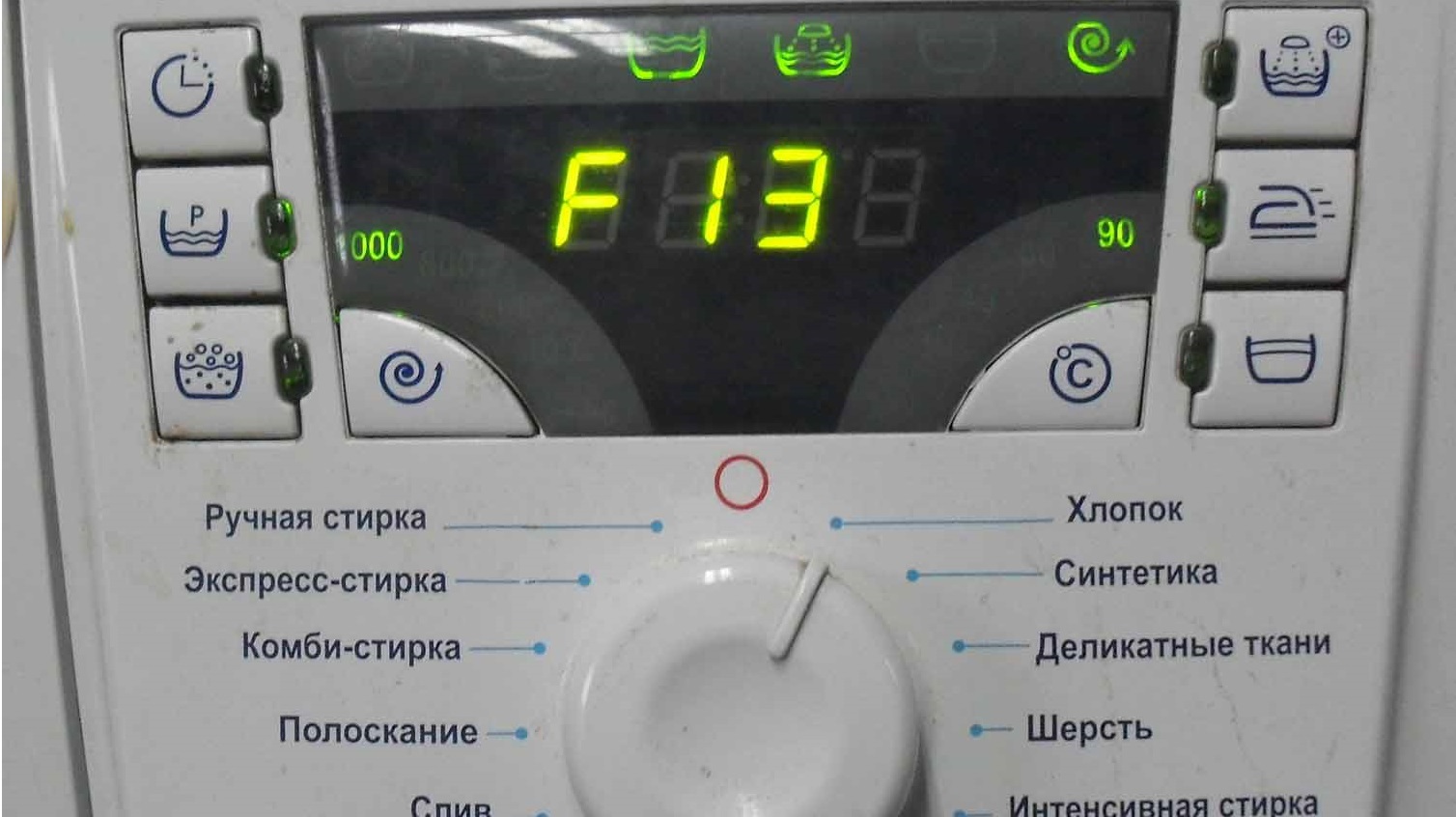
- “Sel” (if the machine is not equipped with a display, all indicators will go out) – the program switch is out of order;
- “None” (or all instrument panel LEDs will be on) – excessive foaming;
- F9 (the first and fourth lights will light up) – the tachogenerator (Hall sensor) is broken;
- F10, “Door” or simultaneous switching on of the first, third and fourth LEDs – the hatch locking device (HLD) does not work;
- F12 or blinking of the first and second indicators – the triac on the board responsible for communication with the electric motor has burned out;
If the display shows error F15, then the self-diagnostic system has detected a leak!
- F13 or the first, second and fourth indicators light up simultaneously – problems with the control board;
- F14, and if there is no display, then the first and second indicators are triggered - there is a problem with the software of the electronic unit;
- F15 – water leak detected.
Upon detecting a malfunction, the Atlant washing machine stops operation, prompting the user to resolve the issue themselves by performing an extensive diagnostic and any necessary repairs. If the machine is still under warranty, note the displayed code, unplug the machine, and call a specialist. In case of errors F13, F14 and "Sel" it is better to immediately contact professionals, as there is a suspicion of a breakdown of the control board.
Running the test
Instead of waiting for diagnostic mode to start automatically, you can initiate the test yourself. This approach allows you to periodically perform preventative checks without escalating the problem into a serious malfunction. To initiate the self-test, follow these instructions:
- connect Atlant to the network;
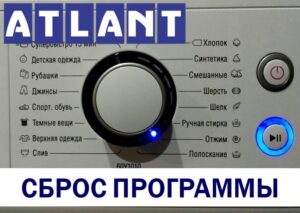
- check that the programmer is in position “0”;
- press and hold the Start/Pause button;
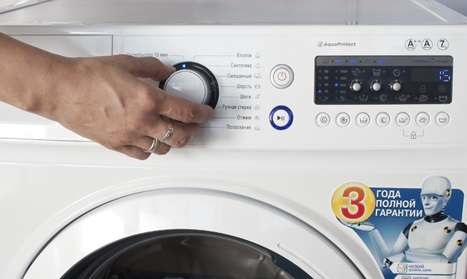
- turn the selector clockwise to the middle (usually to the “Sports shoes” program);
- wait until you hear a beep and the numbers “5” and “7” appear on the display;
- After the sound signal, release the “Start” button and turn the selector to the first division (usually this is the “Cotton” mode).
You can run self-diagnostics on Atlant yourself!
If everything is done correctly, the display will show "8888," and all the dashboard indicators will begin to flash periodically. This means the test mode has been activated, and the check has begun. The diagnostic duration depends on many factors and typically takes at least 15 minutes.
Evaluating the test results is easy. If three beeps are heard at the end of the test, the system has not detected any problems – everything is working fine. Otherwise, the machine will remain silent and display the error code on the screen. Knowing the code will help you quickly determine the cause of the malfunction and fix the problem. If you have any questions or concerns, it's best to contact a service center.
Interesting:


4 reader comments
Add a comment
Headings
Washing machine repair




For buyers




For users


Dishwasher




And if the car doesn’t have a display, does the test run in the same way?
How to run diagnostics on the Atlanta 75c1214?
How to run diagnostics on Atlanta 60y1010?
How to find out the number of washes (mileage)?