
How to reset a program on an LG washing machine?
 LG produces functional and self-contained appliances. Electronic components perform their functions without intervention, leaving you free to relax. Despite high-quality control systems, it's not a good idea to ignore your washing machine. Sometimes, you may need to reset your LG washing machine. This can't be done without human intervention. It's important to know how to properly pause the machine to avoid damaging it. We'll explain how to carefully shut down your washing machine and its cycles.
Stopping and canceling the program
Some LG washing machine users resort to drastic measures to stop the machine, such as turning off the power button. Others take an even more drastic approach, unplugging the power cord to stop the machine. Neither method is recommended. A sudden power outage can damage the washing machine's electronic components, leading to costly repairs. It's best to follow the manufacturer's instructions.
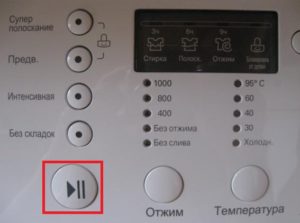
- While the machine is running, press the "Start/Stop" button. Operation will pause, but power will remain supplied to the control board.
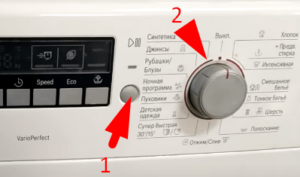
- If you need a different wash cycle, select it and press "Start/Stop." To completely reset the program, use the selector to select "Spin."
- Select "No Spin." The number "1" will appear on the screen, indicating the water has drained and the machine has turned off.
- After 3 minutes, all the water will drain and the machine will unlock the door.
- Take out the laundry.
Important! If you turn off the power to the washing machine with water in the drum, you risk flooding your apartment and the neighbors below.
Sometimes the washing machine may freeze mid-program and stop responding. In this case, you'll need to turn off the power. Afterward, wait 10 minutes for the settings to return to their default values. Then, turn the washing machine back on and repeat the program.
The panel is blocked by CL error
Some LG washing machine users regularly encounter the "CL" error code. It locks all buttons, including the power switch. So, when the error occurs, the only solution is to unplug the power cord.
In fact, the "CL" code isn't an error or a defect. It alerts the user that the washing machine has activated the Child Lock mode. This allows you to restrict access to controls to prevent children from turning the washing machine off at an inopportune moment or changing the program. If you are experiencing this issue, you may have accidentally pressed a key combination that triggered Protected Mode.In this case, it is impossible to interact with the equipment in any way.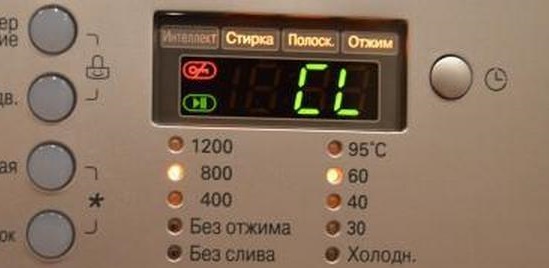
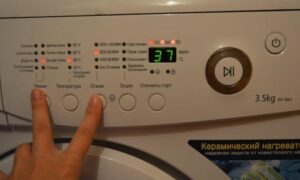
The "CL" mode is deactivated quite simply. Simply press the two buttons marked with a lock icon simultaneously: prewash and super rinse. Pressing them simultaneously for three seconds deactivates the child lock mode. You can then operate the machine as before.
Although a washing machine can operate independently, it should not be left completely unattended. Otherwise, if an emergency occurs, it will be impossible to resolve the consequences in time.
Interesting:


Readers' comments
Headings
Washing machine repair




For buyers




For users


Dishwasher




Add a comment