
Resetting the program on an Atlant washing machine
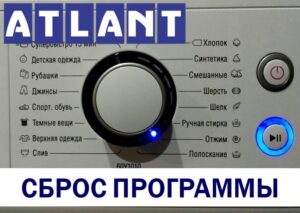 What should I do if my Atlant washing machine freezes during a wash cycle? It's possible to reset the program. Machines have a special "Reset Settings" option that can be used to stop a cycle if the machine starts to operate incorrectly.
We'll explain in more detail how to reset the program on an Atlant washing machine. What should you do if there's water left in the drum and it won't drain? How can you decipher the error code displayed on the display? What errors are stored in the memory of Belarusian machines?
We cancel the specified algorithm
The easiest way to reset the program on any washing machine is to perform a system reset. However, this method is only recommended if the machine is frozen and unresponsive. In other situations, there are other options.
A power-off affects the electronics as a whole, so it should not be used frequently.
A crash reset is simple: simply unplug the power cord. This is a last resort and should only be used if the washing machine is completely frozen. If the machine responds to commands, it's best to perform a safe cycle reset. Here's how:
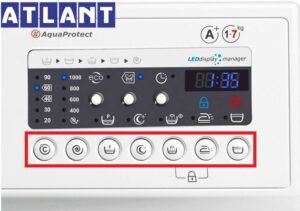
- Find the button on the washing machine dashboard marked with a basin symbol with the letter “P” (pre-wash option);
- Press and hold this key for three seconds;
- After this, the running program will be reset, and the machine will be ready to launch a new algorithm.
If there's no prewash button, find the "Start/Pause" button. Then, press and hold it for three seconds. This will reset the frozen program.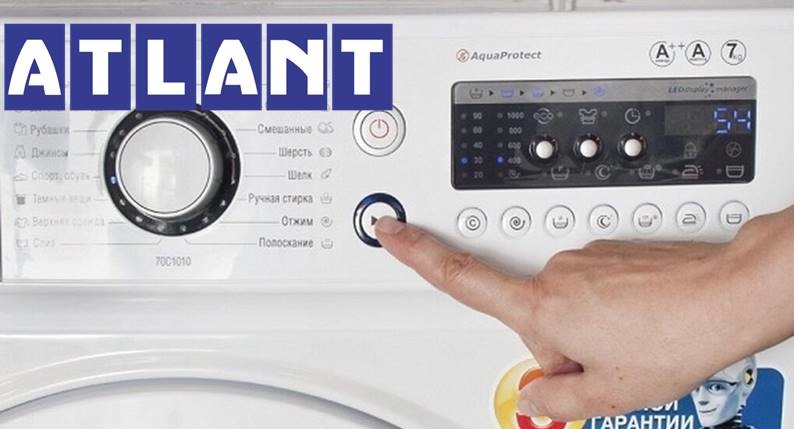
How do I know if the mode restart was successful? During the reset process, the Atlant washing machine will go silent, and all indicators on the dashboard will light up and then go out. If the machine remains silent after pressing the button and the LEDs are not lit, this means the reset was unsuccessful. A proper reset may help.
A safe reset of the Atlant washing machine is performed as follows:
- Turn the program selector to the first position;
- press and hold the “Start/Pause” button for 5-7 seconds;
- unplug the washing machine's power cord from the socket;
- wait 15-20 minutes;
- Plug the machine into the power supply and run a test wash.
When the machine stops responding to user commands at all, such as pressing buttons or turning the dial, the only solution is an emergency reset. All that remains is to unplug the washing machine. This is a last resort. It's important to remember that a sudden shutdown can damage the washing machine's control module and the electronics in general.
There is still water in the drum
Resetting your Atlant automatic washing machine is only necessary in the event of a malfunction or breakdown. If the cycle needs to be stopped because a document or valuable item is caught in the drum, things are simpler. Simply stop the cycle, start the drain, and open the door. It's important to act quickly—the longer the foreign object remains in the soapy water, the higher the risk of damage.
To remove a valuable item from a running washing machine, you will need:
- pause the cycle by pressing the "Pause" button;
- use the programmer to select the “Drain” mode;
- Press the “Start” button, after which the pump will begin pumping the waste liquid into the sewer.
Once the machine has drained the water, the door will unlock. You can safely open the door and remove valuables from the drum. If the clothes haven't been washed, the program will restart.
If your washing machine is stuck with a full tank and isn't responding to button presses, you'll have to drain the water yourself. The easiest way to remove the liquid from the system is through the waste filter. Here's how:
- de-energize the washing machine;
- turn off the shut-off valve that supplies water to the washing machine;
- cover the floor around the machine with dry rags;
- prepare a low, roomy container;
- find the trash filter – it is hidden behind a special hatch or false panel;
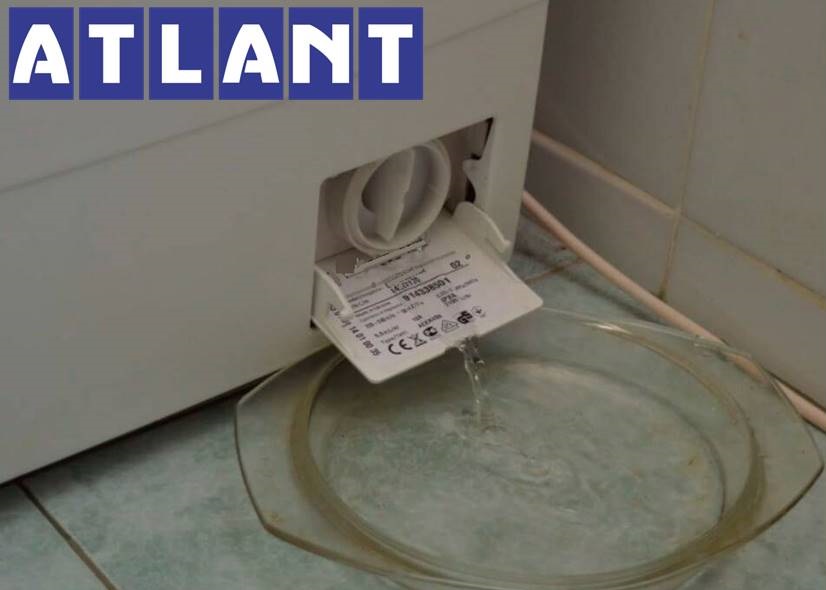
- place a container under the washing machine, in the area where the “trash bin” is located;
- unscrew the filter half a turn;
- Collect the leaking water in a basin.
Once all the water has drained from the system, the hatch door will unlock. You can also drain the water through the drain hose, allowing it to drain by gravity. However, this method is not available on Atlant models with a check valve.
If a code appears on the machine display
Often the Atlant washing machine not only freezes, but also displays an error message on the display. You can decipher the error code using the equipment instructions. This will help you figure out what happened to the machine and what steps to take to fix the problem.
Modern Atlant washing machines are equipped with a self-diagnostic system – the washing machine automatically detects any malfunctions and notifies the user.
This system is very convenient. After decoding the code, diagnostics are significantly simplified. The range of possible faults is narrowed, and the user only needs to check specific components of the washing machine. Let's look at what errors modern Atlantis washing machines can display.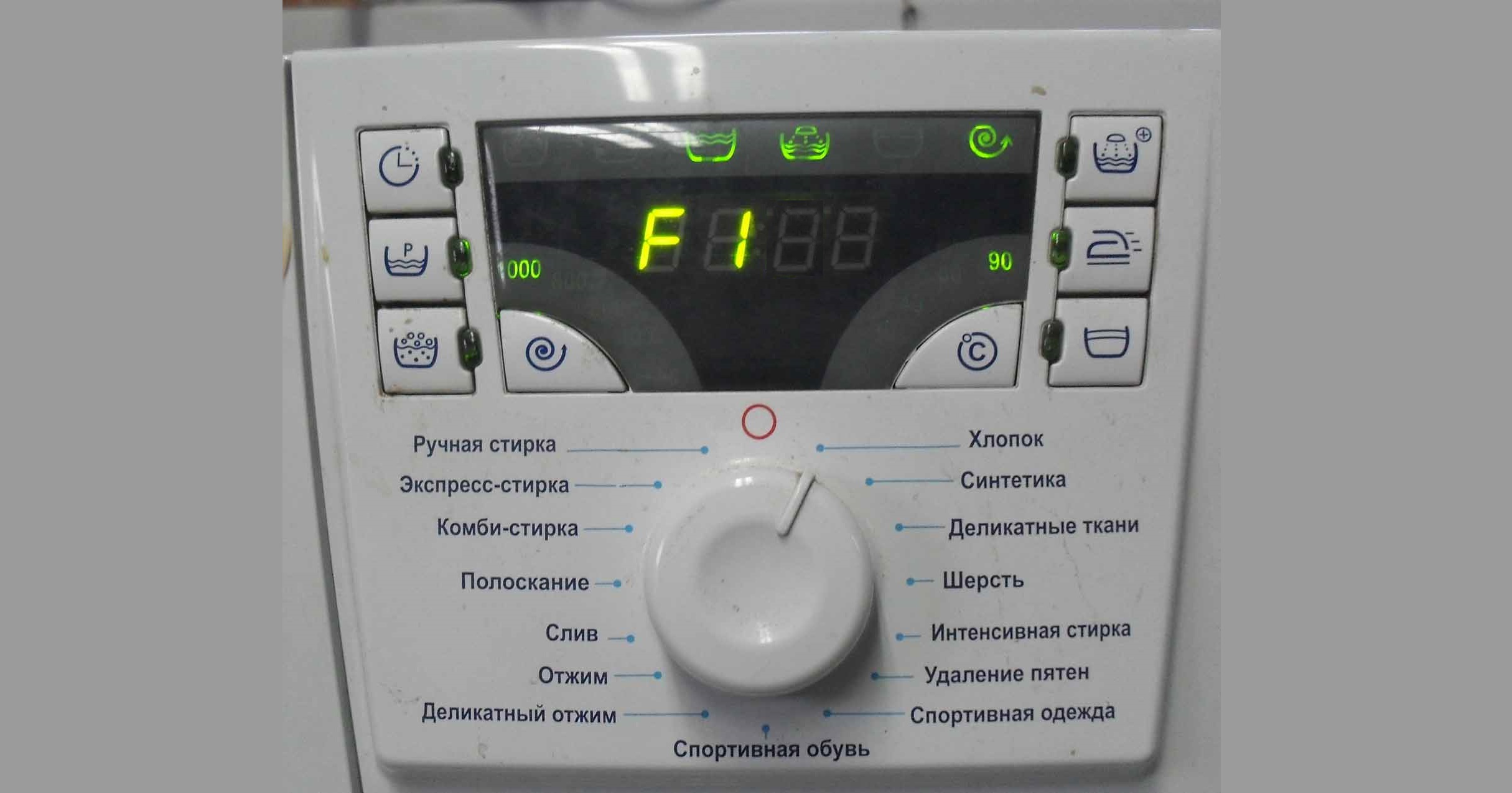
- F2 This code indicates a temperature sensor error. The problem could be with the thermistor itself, the control module, or the power supply wiring. Sometimes the cause is a one-time system failure, and to fix the problem, simply unplug the machine for 10 minutes and then plug it back in. In other cases, a more in-depth diagnosis of the washing machine is required.
- F3 indicates a problem with the water heating system. This could be due to a broken heating element, a faulty temperature sensor, a control module, or a communication break in the heating circuit. Sometimes the problem lies in a firmware error in the electronic unit. You can replace the heating element and thermostat yourself. It's best to leave circuit board repair to a service center.
- F4 indicates that water cannot drain. Possible causes include clogged system components, a faulty pump, damage to a section of the control board, or open contacts in the drain pump circuit. You can often reset the error yourself. First, clean the debris filter, corrugated pipe, hoses, and volute. Also, test the pump with a multimeter; if it's burnt out, replace the part.
- F5 indicates a problem with the water intake. This could be due to a faulty inlet valve, pressure switch, electronic controller, or a clogged mesh filter. Sometimes, this behavior in an Atlant machine can be caused by a leak in the inlet hose. To reset the code, you need to check all system components one by one, ensuring that water is not draining from the tank by gravity.
Many washing machine errors can be reset independently by eliminating the problem detected by the system.
- The F6 error indicates a problem with the motor circuit. Most often, the cause is worn-out electric motor brushes, which will need to be replaced. The problem can also be in the motor itself, such as a broken or shorted winding. Sometimes the error code that appears is the result of a system failure, and to reset it, simply turn off the machine and turn it on again after 5-10 minutes. Less often, the control board turns out to be the culprit.
- F7: Incorrect voltage notification. The problem may be with the control module, the noise filter, or the power cord. The cause may also be external, unrelated to the machine, in which case you'll need to contact your power company.
- F8 indicates an overflow—the system has detected that the water level in the tank is too high. The cause could be as simple as excessive foaming. This means you'll need to drain the water and add less detergent next time, or use higher-quality detergent. The fill valve, pressure switch, or control module could also be faulty.
- The F9 code indicates a malfunction of the tachogenerator. Sometimes the error is displayed as a result of overload or uneven distribution of laundry in the drum. In this case, restarting the appliance may help. The cause could also be a faulty tachogenerator, motor, or electronic controller. It's a good idea to check the motor brushes, wiring, and control module firmware.
- F10 indicates problems with the door locking system. The door lock itself or the control module could be faulty. A damaged drum seal can also trigger the error, in which case the lock will also not work. Another possible cause is a firmware failure in the board.
- The F11 code indicates that the washing machine door is not closed. Check that the door is closed securely – you should hear a distinctive click. Make sure nothing is stuck between the door and the body.
- F12 Electric Motor Error. Resetting may require replacing the motor brushes, repairing the motor or control module, or repairing the wiring in the motor circuit.
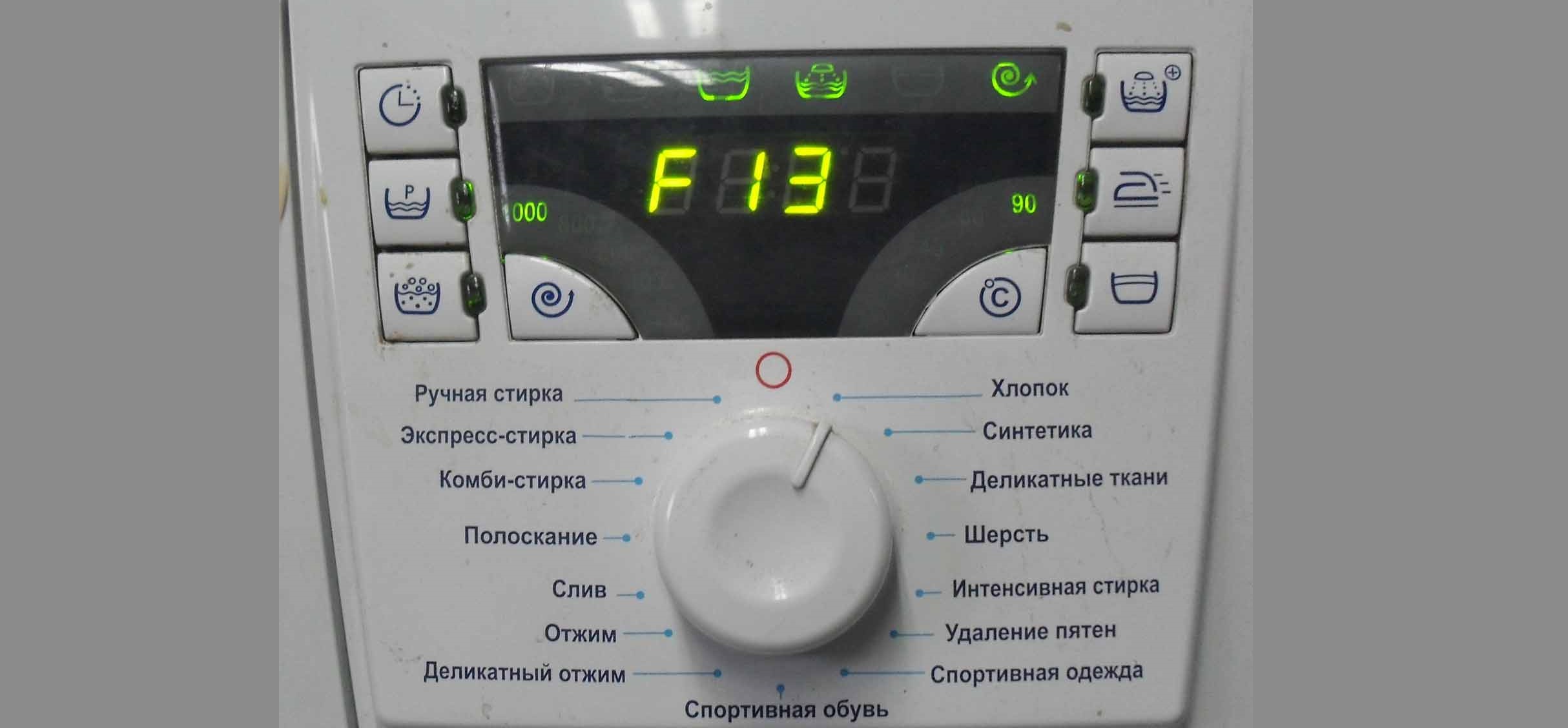
- F13 Control and display unit error. The module will need to be tested. Another possible cause is an EEPROM failure.
- F14 indicates a lack of communication between the microcontroller and the display unit. Both components, as well as the integrity of the wiring between them, must be checked.
- F15 indicates that the Aquastop system has been activated or that the pressure switch is not working properly. Check the machine for leaks and test the water level sensor.
- Error F16 indicates the wash temperature is too high (10°C higher than the program setting). The thermostat or control module may be the culprit. To rule out a one-time system failure, restart the machine.
You may also see the "SEL" error code on the Atlant display. This indicates a faulty program selector. The "Door" code indicates that the door cannot be locked—the door locking system and electronic module should be checked.
Interesting:


Readers' comments
Headings
Washing machine repair




For buyers




For users


Dishwasher




Add a comment