
Resetting the program on a Candy washing machine
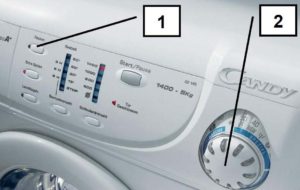 Sometimes, after starting a wash cycle, you simply need to reset your Candy washing machine. This can be necessary for various reasons: the wrong cycle was selected, valuables were left in the pockets, or you need to add more laundry. Sometimes, the machine freezes mid-cycle and refuses to continue. Let's look at how to reset the settings without damaging the electronics.
Correct stop of washing
If your washing machine freezes during a wash cycle and stops responding, you'll need to reset the system settings. In this case, you can try canceling the program by turning the machine off using the start button. If this doesn't help, you'll need to reboot the machine.
You can correctly complete the washing cycle by holding down the “Start” button for 4 seconds.
The control panel indicator will flash green, then the LEDs will go out. The cycle should stop at this point. However, older Candy models may require you to turn the program selector knob to the neutral position.
If everything went well, the washing machine will "silence." The LEDs will light up and then go out. However, a safe reset may not occur. This means there's a malfunction, and the system is reporting an error. A reboot will be necessary. The sequence of actions will be as follows:
- move the programmer to the first position;
- press and hold the "Start" button for 5 seconds;
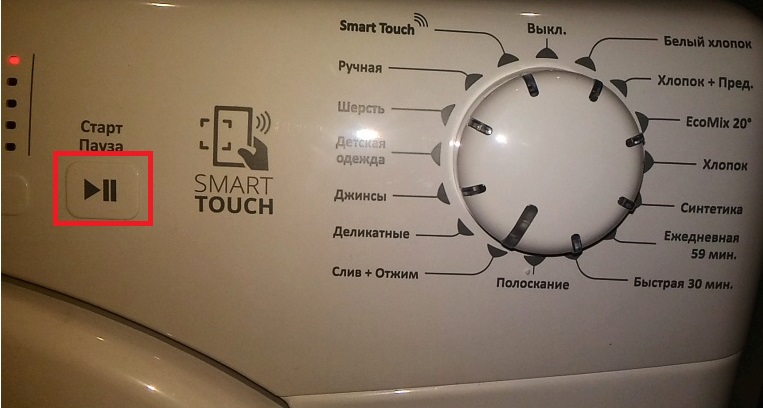
- Unplug the machine's power cord from the socket;
- wait 5-10 minutes;
- connect the washing machine to the power supply;
- Try running the desired program again.
If your Candy washing machine freezes while it's running, try to cancel the program using the gentlest possible methods. If you simply suddenly disconnect the machine from the power supply, there is a high risk of damaging the main control module. Therefore, it is better not to do this.
What if there is water in the tank?
Restarting the machine, or even worse, abruptly unplugging it, should only be done in extreme cases. If the washing machine is working properly, but you realize you've left your phone, wallet, alarm key fob, or other valuables in your pocket, quickly stop the cycle, drain the water from the drum, and open the door.
The faster you complete these steps, the better your chances of getting the item out of the drum intact. Soapy water heated to 45°C or higher can damage microchips and circuits.
 To cancel the program and access the drum, follow these steps:
- press the "Start/Pause" button;
- move the mode selector handle to the neutral position;
- activate the “Drain without spin” program;
- resume the cycle.
This will stop the main wash cycle. The machine, following the set command, will simply drain the water from the drum and complete the cycle. All that remains is to wait for the door to unlock and remove the forgotten item from your pockets.
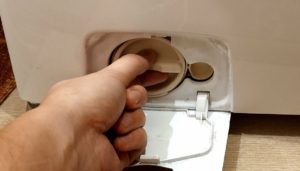
If the drain doesn't start, you can empty the machine through the waste filter. It's located in the lower corner of the machine behind a small door. Prepare a shallow, large basin and line the floor around the machine with rags. Place a container under the machine, then carefully unscrew the filter plug. The machine may drain up to 10-12 liters of water, so be sure to allow for this.
Resetting the program on an automatic machine should be done according to certain rules. Don't immediately resort to an emergency reboot or pull the power cord out of the socket. To begin with, more gentle methods are chosen. Only if these fail is it advisable to resort to the "heavy artillery."
Interesting:


4 reader comments
Add a comment
Headings
Washing machine repair




For buyers




For users


Dishwasher




What is the first position: "move the programmer to the first position?"
Thanks a lot!
What is the key command to enter service mode?
If the toilet starts filling with water and draining when plugged in, what can I do?