
How to reset the program on an Indesit washing machine?
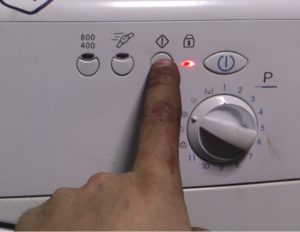 The need to reset a program on an Indesit washing machine often arises. Some people press the wrong button, others want to throw away a forgotten item at the last minute, and still others remember they loaded a shirt with their passport in the pocket. In any case, the cycle needs to be stopped and the current mode reset. How do you reset a program on an Indesit washing machine, and can you reverse it when the tank is full?
How to perform a reset?
The easiest way to reset the program on any machine is to reboot the system. However, this method is used only if the machine is unresponsive and freezes. In other cases, an emergency reboot is not recommended, as it can damage the board and the electronics. It's better not to take risks and practice safe cycle reset.
To reset the program safely, you need to follow the following instructions.
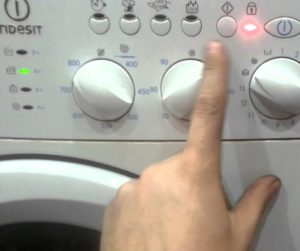
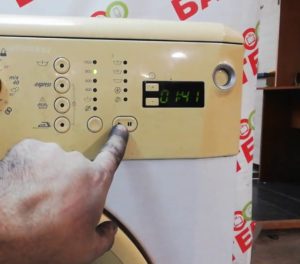
- Press and hold the “Start” button for 3-6 seconds.
- Wait until all the lights on the dashboard turn green and go out.
- Make sure the wash cycle is paused.
To reset the mode on older models, you must additionally turn the programmer to the neutral position.
When the mode is successfully reset, the machine goes silent, and all the lights on the panel blink and go out. If there's no blinking or silence after these steps, something's wrong—the machine is faulty and the system is displaying an error. In this case, a reboot is necessary.
A proper reboot is performed like this.
- Turn the programmer to the first position.
- Press the Stop/Start button and hold for 5-6 seconds.
- Disconnect the machine from the power supply by pulling the power cord out of the socket.
- Turn on the power supply and start a test wash.
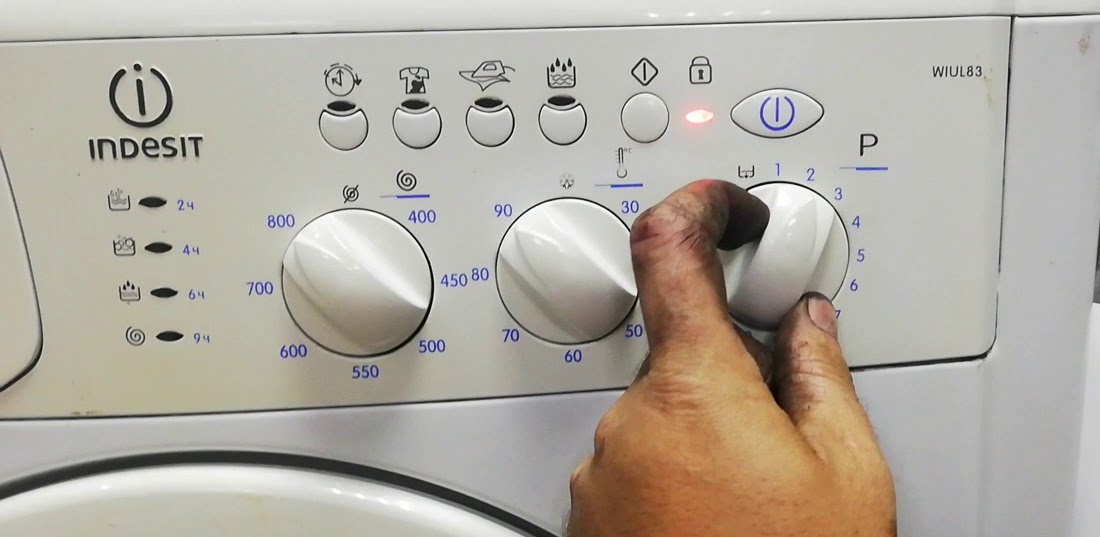
If the machine doesn't respond to the selector dial or start button, you'll have to take drastic action and immediately unplug the power cord. However, it's best to try this preliminary procedure several times. Remember that suddenly unplugging the machine risks damaging the control board and the electronics.
What if there is a lot of water in the tank?
A system reboot is necessary in extreme cases. If the reason for the forced stop of the cycle is a document or valuable item that has fallen into the drum, then you should quickly stop the wash, open the hatch and drain the water. It is necessary to act as quickly as possible, because the longer the lost item remains in the machine, the less likely it is to be retrieved undamaged.
Soapy water heated to 45-90 degrees can oxidize microcircuits in electronic devices and destroy microchips on cards.
To remove an item from a drum full of water, follow these steps.
- Stop the cycle according to the scheme described earlier (press and hold the “Start” button until all the LEDs on the panel blink).
- Turn the programmer to the neutral position.
- Turn on the “Drain only” or “Drain without spin” mode.
- Press the Start button.
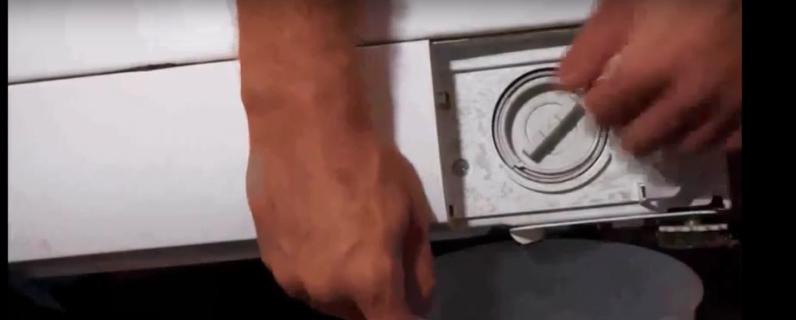
If everything is done correctly, the machine will immediately stop the cycle, drain the water and unlock the hatch. When the machine refuses to drain, you will have to take forceful action by unscrewing the waste filter. It's located at the bottom of the housing behind the service hatch and unscrews counterclockwise. It's important to place a container underneath and line the entire area with rags, as the unit will dispense approximately 5-10 liters of water.
Interesting:

5 reader comments
Add a comment
Headings
Washing machine repair




For buyers




For users


Dishwasher




I just hit the door and that's it.
It doesn't fill with water and it automatically locks up. What should I do and what's the problem?
The spin cycle won't start. The display shows draining without spinning. What should I do?
I started the wash cycle, but it's been running for two hours and won't cycle to the rinse or spin cycle. Could you please tell me what to do?
How can I remove the hazard lights on an Indesit automatic car?