
The Start button on my LG washing machine doesn't work.
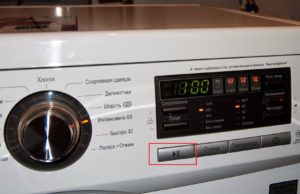 If the Start button on your LG washing machine isn't working, don't be surprised – it's the machine's weak point. Users often encounter sticking and falling buttons, requiring either a firm press or a complete replacement. Most often, the problem is easy to fix: simply identify the nature of the problem and resolve it. We'll explain how below.
What is the reason?
It's impossible to immediately say why the power button on LG washing machines doesn't respond to commands. The culprit could be a short-term system glitch that requires a single reboot of the machine, or more serious problems. If the situation doesn't improve after a brief shutdown and restart, a full diagnostic will be necessary. The Start button most often fails to work due to the following issues:
LG washing machines are among the top three brands with frequently broken start buttons.
- power strip failure;
- broken or dirty key;
- erroneous operation of the hatch locking system;
- debris getting into the lock on the hatch door, which affects the UBL error;
- control board malfunction.
If you have problems with the Start button, you must first restart the machine.
In 90% of cases of non-functioning start buttons on LG washing machines, the LED circuit on the program selector is to blame. You can confirm this yourself, without even disassembling the washing machine. Just follow the steps below.
- Start the machine.
- Slowly rotate the program selector, checking whether the lights opposite each mode are on.
That's it! If even one LED doesn't light, the button isn't working due to a broken circuit. The explanation is simple: the signal for the selected program is transmitted from one light bulb to another, and if there's a break, the wash cycle is canceled. To restore the balance, you'll have to replace the diode. Luckily, anyone can do it themselves at home.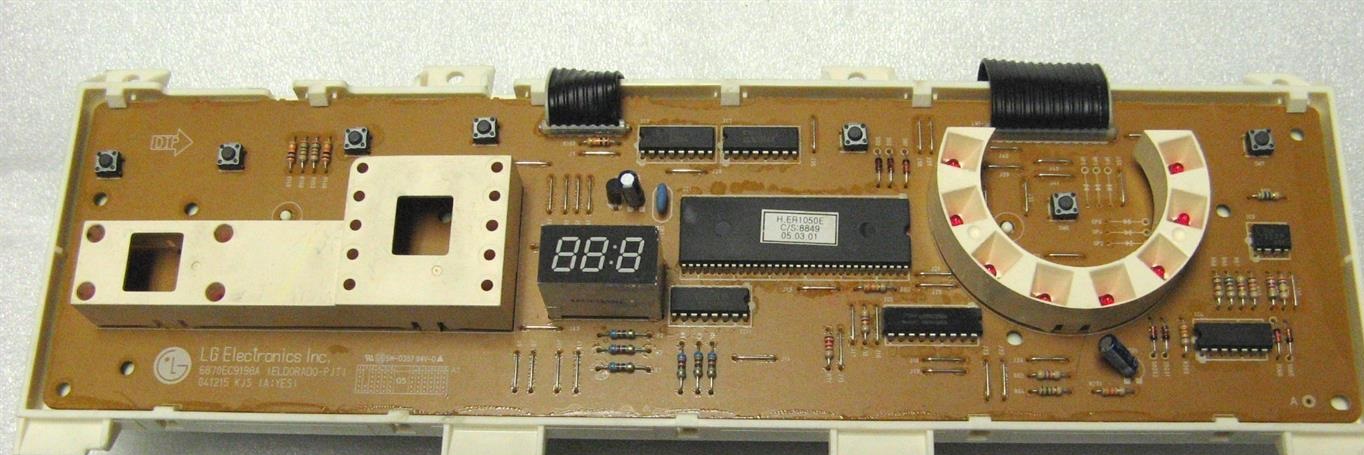
Machine repair
Once the cause is identified, we begin repairs. Unplug the washing machine, turn off the water, and disconnect the machine from the drain. It's recommended to immediately move the machine away from the wall or remove it from the cabinet—this will make troubleshooting easier. Here are the instructions:
- remove the top cover by unscrewing the two rear screws;
- loosen the screws on the front panel that hold the tray;
- remove the powder receptacle;
- unclip the instrument panel;
- carefully remove the board;
- find and disconnect the burnt-out LED;
- solder a new one instead of the old one;
- return the board and make sure all the lights are on;
- Replace the panel, tray and cover in reverse order.
To dispel doubts, you can use a multimeter to test the network filter and the “Start” button during repairs. It's quite possible that several issues are causing the problem, so don't neglect advanced diagnostics. It is not recommended to check or repair the control board yourself; repairing the module will require specialized equipment.
Interesting:



5 reader comments
Add a comment
Headings
Washing machine repair




For buyers




For users


Dishwasher




The start button does not work, but all the LEDs are lit.
The start-stop button isn't working. Everything else is working and lights up. What should I do? What's the cause?
Thanks author, I changed the LED but it was of no use. The machine also doesn't work, but the LED is now lit.
UBL or button replacement
The temperature button doesn't work, what should I do?