
Smart Touch mode in the Candy washing machine
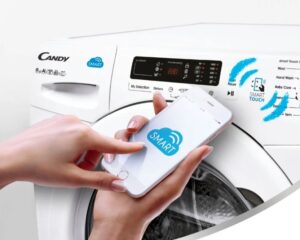 While some home appliance manufacturers are hesitant to add their best programs to budget-friendly machines, others are aggressively trying to capture the entire washing machine market. That's why the Smart Touch program in Candy washing machines is found in almost every model in their lineup. However, this program is often intimidating due to its complexity, so users prefer to use standard, intuitive cycles, launching them in the usual way. Let's take a closer look at this modern innovation, which can significantly simplify everyday life.
What is Smart Touch and how to use it?
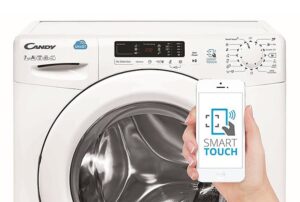
If you've discovered a Smart Touch feature on your appliance, your "home assistant" has an NFC sensor. This stands for "near-field communication," a technology for wirelessly transmitting information over a short range (about 10 meters). In this case, this means that you can install a special application on your smartphone in order to connect to the washing machine using it. Candy. This module is especially useful in household appliances when the machine cannot connect to the Internet via Wi-Fi.
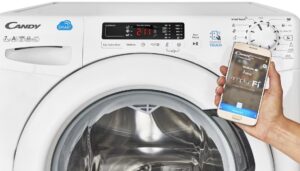
The application is called "CANDY SIMPLY-FI" and can be downloaded and installed on both iOS and Android mobile devices.
To get started, launch the app on your mobile device. From the app's main menu, you can add various Candy appliances to your profile to control them remotely from your phone or tablet. To do this, first register a new profile and then enter the serial number of the product you want to connect to your account.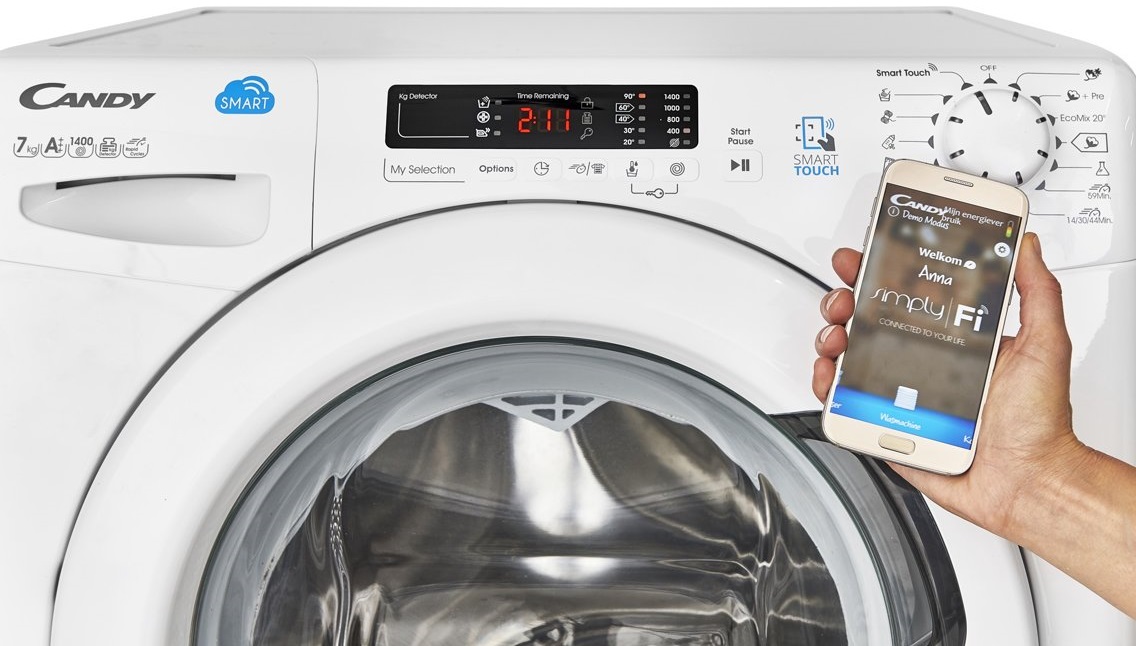
After entering the washing machine's serial number and accessing its menu, you'll see information about the appliance, as well as three tabs: "My Stats," "Programs," and "Smart Care." In the first tab, you'll find data about the last synchronization, the most frequently used programs, the total usage time, and other interesting statistics.
In the "Programs" section, you can view detailed information about all washing modes and select one for the current cycle. If you don't need information about function parameters, wash times, and other details, you can simply start one of the modes immediately or set a delayed start. You can also find special programs here that are designed to save time and energy. The manufacturer adds these programs as they are developed, and you can add them to your program list and then transfer them to the washing machine via NFC technology from your phone or tablet.
An NFC-enabled phone is very convenient to use if the programmer on your washing machine is broken, making it impossible to select a particular washing program.
Finally, in the "Smart Care" section, you can run a smart device check, which will monitor the operation of the main components of your appliance. This check must be run with an empty drum to obtain an accurate report. Here you can also review the helpful diagnostic report. Furthermore, in this helpful section, you can run an automatic drum clean to prevent unpleasant odors, enable filter cleaning, read the online user manual, request troubleshooting assistance, and receive various tips on using your "home assistant."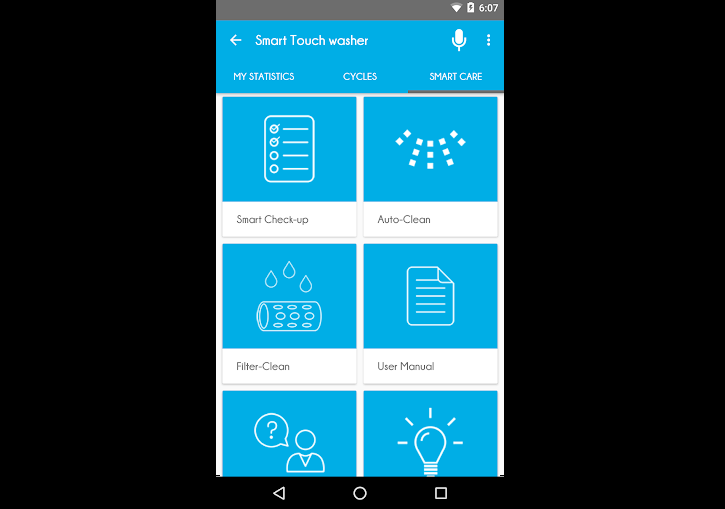
Now that we've covered the functions, all that's left is to figure out how to properly launch SM from a mobile device. To do this, you need to switch the programmer on the machine to Smart Touch mode, hold the phone near the smart option indicator after opening the app on it and going to the washing machine menu, and then press the "synchronize" button on the smartphone. Once synchronization is complete, all you have to do is select the washing mode and either start it immediately or set a delayed start.
Is Smart Touch useful for a housewife?
Conservative users often believe that Smart Touch is pointless, especially since it requires a modern phone or tablet with the app installed. While this feature and app may be of no use to some homeowners, that doesn't mean everyone should forego this opportunity. Here's what Smart Touch can offer, if you understand how to use it.
- A knowledgeable advisor. The app on your mobile device can suggest which washing program to choose. To receive a recommendation on the right cycle, simply specify the fabric type, garment type, color, and degree of soiling.
- Extending the lifespan of household appliances. The smart app can check the technical condition of your washing machine, significantly extending its lifespan. Furthermore, if the CANDY SIMPLY-FI app detects an error or malfunction, it can even help you fix it yourself without calling a service center technician. If self-repair is impossible, the app will forward the necessary data to a technician, saving them the time of a full diagnostic.
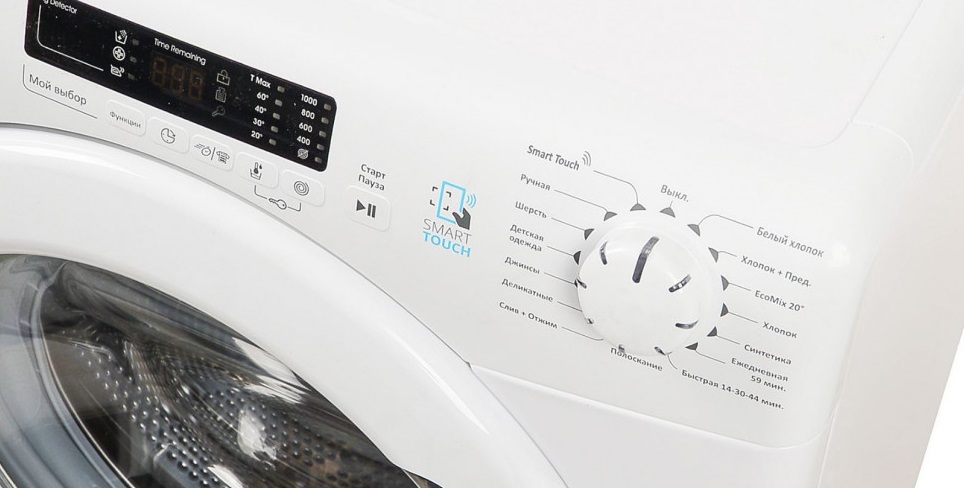
- Savings. With CANDY SIMPLY-FI, you can get washing machine usage statistics, analyze them, and optimize your laundry habits, allowing you to start saving on energy and water consumption.
- Enabling additional features. The app selects special washing options that may be relevant in a particular situation. The user-friendly menu includes over 20 special modes and options to meet any clothing cleaning need.
- Laundry reminder. Finally, a smart app can remind you when it's time to wash items that haven't been washed in a while. Your phone or tablet will automatically send you a notification that you haven't washed a certain type of item in a while.
Because of all of the above, this mode has become one of the most useful and modern innovations, definitely not worth neglecting. Be sure to download the app from the App Store, Google Play, or AppGallery, and you'll start washing in a new way!
Interesting:


1 reader comment
Add a comment
Headings
Washing machine repair




For buyers




For users


Dishwasher




There's no "CANDY SIMPLY-FI" app for iPhone. It's only available in English.