
How to remove the back panel of a Samsung washing machine?
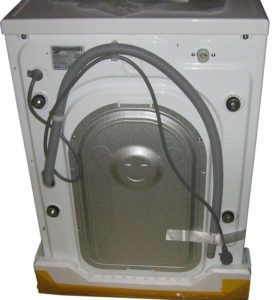 You may need to remove the back panel of a Samsung washing machine to check the motor brushes, replace the drive belt, or inspect a pulley, for example. While disassembling the machine body is usually easy, with Samsung models, the panel can't be easily removed. Let's look at how to access the components located at the rear and how to remove the back panel.
Is it possible to dismantle the back wall?
Most users don't encounter this problem—the rear panel of many automatic machines is easily removed, as it's held in place with standard screws. Some brands, such as Indesit, have special access hatches on the rear; removing them allows access to the machine's components.
Owners of Samsung models may rightfully wonder how to remove the back panel. The device doesn't have a separate back panel; that part of the case is a single piece. To access the belt or pulley, you'll have to split the case in half. If you carefully examine the SMA Samsung, you can see a barely noticeable joint running through the middle of the side panels; this is where the case halves are joined. In case of urgent need to separate them, it is permissible to remove the top cover, release the clamps and separate the machine in half.
Some Samsung washing machine models do not allow for the removal of the rear and side panels; the body is completely monolithic.
However, removing the back panel or dividing the housing in half may be impractical in some cases. Replacing the drive belt doesn't require extensive disassembly; simply removing the top cover is sufficient.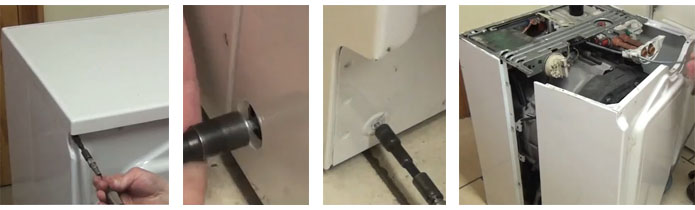
How to replace a belt?
Owners of belt-driven washing machines may encounter problems with the belt stretching or slipping. In this case, replacing the belt will be necessary to restore the machine's functionality. Let's look at how to do this with minimal effort if the back panel of the machine can't be removed.
Before beginning any repairs, be sure to unplug the washing machine. The following steps should be followed:
- take off top cover housing by unscrewing the two bolts that secure it using a screwdriver or a power screwdriver;
- Tilt the washing machine slightly toward you and support it with your foot or stomach. At the same time, use your hand to remove the drive belt, located near the rear wall, from the pulley. To make removing the belt easier, you can open the door and pull the drum slightly toward you, leaving more room at the back of the machine for handling the belt. The removed belt should be pulled out from under the washing machine.
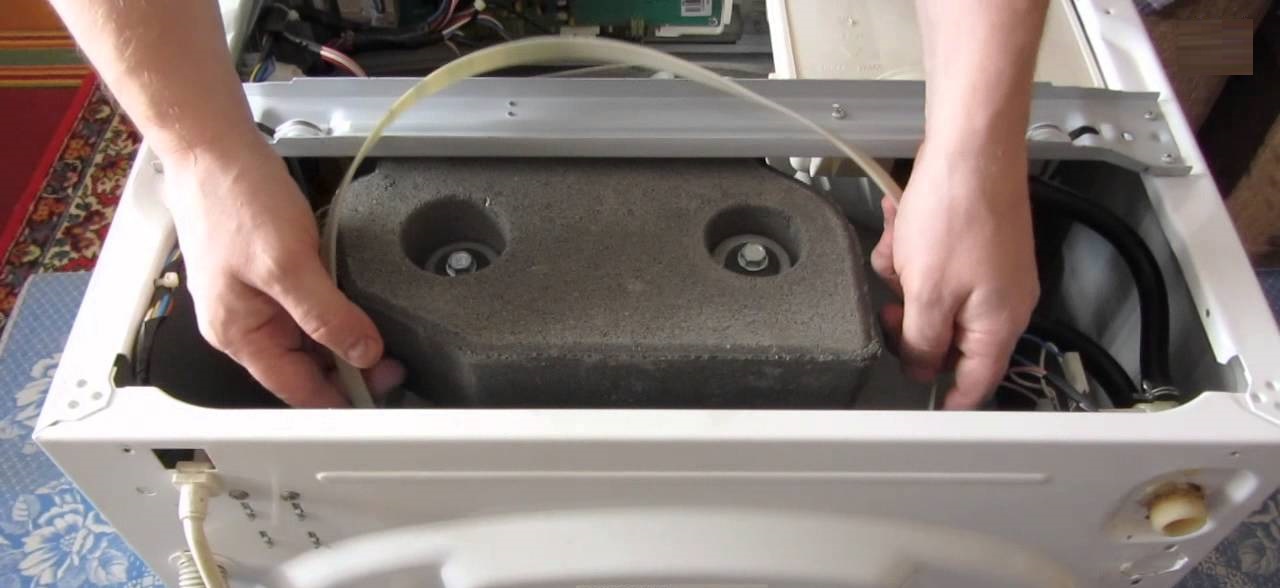
- Take the new Samsung belt, tilt the machine toward you again, and carefully slide the belt back into place. First, tighten the rubber band around the motor pulley. It might not be possible to get the belt on the first try, so it's best to have an assistant look underneath the machine to check your progress.
- Place the drive belt on the drum pulley. First, position it taut on one side of the wheel. Then, simply rotate the drum by hand (through the hatch door). The pulley will turn, and the belt will tighten tightly into place.
Be sure to ensure that the drive belt is located in the middle of the drum pulley, without sliding closer to any edge.
If the rubber band is positioned crookedly on the wheel, you will need to manually adjust its position on the electric motor pulley. Next, you need to check the operation of the equipment - plug the machine into the power supply and run the spin cycle in test mode. If the drum starts to rotate without any problems, then the belt replacement was carried out correctly. Then you can put the top cover back in place, secure it with screws and use the washing machine.
Interesting:

Readers' comments
Headings
Washing machine repair




For buyers




For users


Dishwasher




Add a comment