
Samsung washing machine test service mode
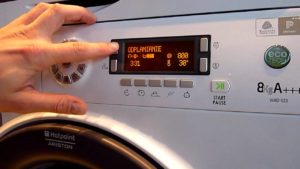 While using your washing machine, you may encounter malfunctions or breakdowns. The Samsung washing machine's test mode, provided by the appliance manufacturer, allows you to run the machine's self-diagnostic system. This feature allows you to check the functionality of all components and identify any faults or defects without opening the machine. We'll explain how to initiate the service test below.
Starting the testing process
Testing a Samsung washing machine from the popular Eco Bubble line will help you understand how to perform a self-diagnosis. The procedure is similar for most other Samsung models. Before beginning the procedure, make sure the washing machine is connected to the utility lines. Then, plug the appliance into the power outlet. To enter the test mode, press a simple combination of keys simultaneously: “Spin”, “Options” plus the power key.
While holding the buttons, you'll hear a distinctive sound and watch the indicators on the control panel light up. After you release the buttons, the washing machine will enter test standby mode. Close the door tightly; the appliance is now ready to perform its self-diagnosis.
Testing linear components
The Samsung washing machine service test is divided into two stages, the first of which is a check of the machine's linear components. This allows you to clearly verify the proper functionality of linear components, such as:
- fill valve (fills the drum with water to the required level);
- Heating element (responsible for heating water);
- drain hose (to check for blockages, etc.);
- Eco Bubble pump (air bubble generating module).
The button for selecting the water temperature activates the valve check mode. Pressing it will watch the drum begin to fill with water through the first section of the detergent dispenser. Pressing the "Temperature" button again will begin dispensing water through the second section of the drawer. This will test both sections of the inlet valve. A third press will turn off the filling of the drum.
Pressing the "Spin" button once will test the drain hose. Pressing it again will turn on the Eco Bubble pump. Pressing it a third time will turn the pump off. If you're sure there's no problem draining the drum, proceed to testing the Eco Bubble pump. To do this, quickly press the spin button twice in a row. Now look through the door. Bubbles should start to appear in the water filling the drum, this indicates that the bubble wash function is functioning properly.
The "Options" button helps you check the heating element's operation. Pressing the button turns the heating element on for a few seconds. If the machine's control panel displays no changes, the heating element is working properly. If there are any problems with the heating element, the machine will display a heating element error.
Checking sensors and motor
The functionality of various sensors and the washing machine's motor is tested by rotating the program selector knob. By setting the knob to a specific mode, you can diagnose a specific component of the appliance. We'll explain where to point the knob to test the motor, temperature sensor, level sensor, and main power board.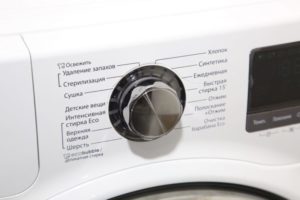
- Setting the selector to "Spin" mode will display the current frequency of the water level sensor signal in the drum on the machine's digital display. For example, a flashing 24.16 on the display indicates that the sensor's frequency signal is 24.16 kHz. You can check how this value changes during the drain; the frequency should increase by approximately 2 kHz.
- Turning the knob to the "Rinse + Spin" position will display the current water temperature in the drum. This checks the functionality of the temperature sensor.
- Setting the “Quick Wash” program will display the status of the washing machine’s main power board on the screen.If the signal is OT, or Okey Test, it means the test was successful, the appearance of the NT (Not Test) icon indicates a board malfunction.
- Moving the selector to the "Hand Wash" position allows you to check the motor speed. By selecting this position and pressing the "Start/Pause" button, you'll see the drum begin to spin, confirming the motor is working properly. If a component is defective, the display will indicate a motor speed error.
- Turning the mode selector knob to the "Synthetics" program allows you to visually check the drum rotation speed from zero to maximum. Set the knob and press the "Start/Pause" button; the speed information will be displayed on the option LEDs. Once the test is complete, stop the drum rotation by pressing the "Start/Pause" button.
A washing machine diagnostic test will help you quickly check the appliance's systems for proper operation and identify potential faults. The service test will pinpoint the root cause of the machine's failure, whether it's a problem with the inlet or drain hose, a faulty washing machine motor, water level sensor, or main board.
Interesting:


Readers' comments
Headings
Washing machine repair




For buyers




For users


Dishwasher




Add a comment