
How to start the spin cycle on an Ariston washing machine
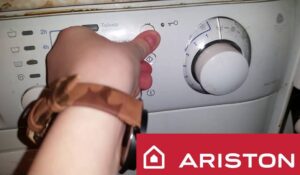 The primary purpose of any washing machine is to clean dirty clothes, but your "home helper" can be used for more than just laundry. Sometimes, a housewife needs to turn on the spin cycle on an Ariston washing machine to simply wring out the clothes, rather than wash or rinse them. Activating the spin cycle is usually easy, but there are some unfortunate exceptions, which we'll explore in detail in this article.
We force the machine to spin
With approximately 15 different Ariston washing machine lines currently available on the market, the spin cycle is initiated differently on some of them. For example, if your appliance doesn't have a display, but has three rotary knobs for adjusting the temperature, drum speed, and program selection, you can initiate the spin cycle on such a machine by following these instructions.
- Place the items in the drum.
- Turn on the SM using the power button.
- Turn the temperature control knob to the position with the snowflake icon, which will activate the mode without heating the water.
- Switch the program selection knob to the position with the spiral icon, which indicates spinning.
- Finally, switch the last knob to the required number of drum revolutions per minute during spinning, for example, 600.
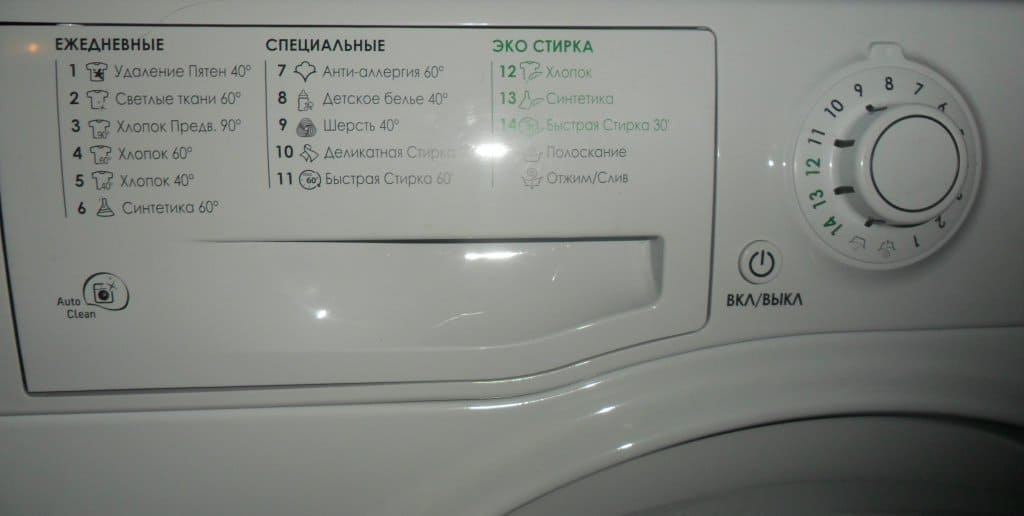
- Activate the device using the Start/Stop button.
If your Ariston washing machine does not have a separate Start/Stop button, the machine will start working automatically immediately after the steps described.
However, on more expensive machines, starting the spin cycle is even easier. In this case, the spin cycle is activated as follows:
- switch the programmer to the position with the spiral icon to select spin;
- Use the temperature control knob to select the position with the snowflake icon to turn off water heating;
- Finally, place the items in the drum and start the cycle.
As you can see, regardless of the model of your "home assistant", spinning can be started easily within a few minutes.
"Reviving" a frozen car
Now let's look at a common situation where a device freezes in the middle of a work cycle and stops responding to user actions. In this case, the only solution is to reset the current wash and start a new cycle. To do this, press and hold the "Start" button for approximately 10 seconds, which will initiate the device reboot process. After the reboot, simply select the desired work cycle settings again and activate the washing machine.
The instructions provided are suitable for a modern Ariston washing machine, but if you have an older model, the procedure will be different. In this case, you'll first need to set the programmer to neutral and check the control panel, where the indicator light should first turn green and then go out. If your "home helper" behaves differently, it was either stopped incorrectly or is seriously damaged.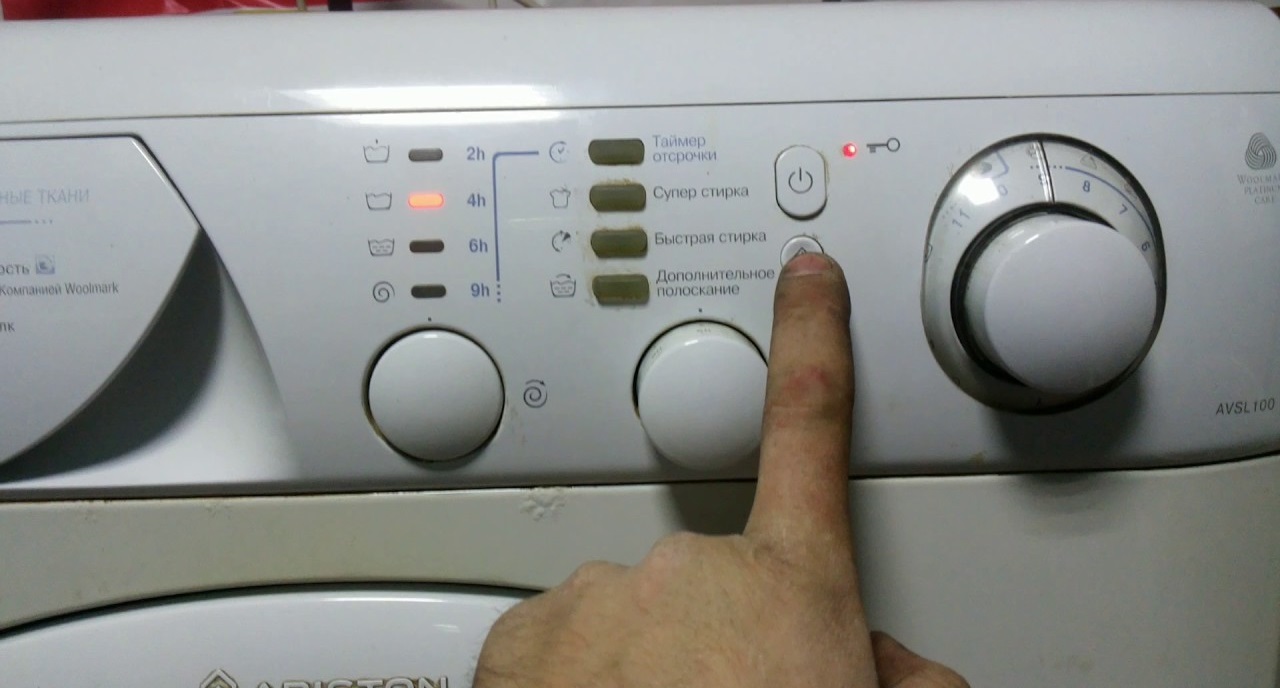
In any case, if resetting the program fails, you can try a complete reboot of the device. Here's how to do this:
- switch the program selection knob to the neutral position;
- press and hold the Start/Start button for about 5 seconds;
- Disconnect the device from the power supply by pulling out the power cord;
- Wait about half an hour, and then try to connect the machine to the power supply again and start the work cycle.
Such a power outage during operation can damage the control board of the washing machine, which can cost as much as half the cost of the washing machine, so this method should only be used in extreme cases.
If your appliance freezes and stops responding to any user commands, it should be unplugged. If, after restarting, the appliance doesn't function normally and continues to be unresponsive, you should contact a repair service.
When the tank is full of water
Now let's look at a situation where you need to urgently end a work cycle, for example, if you suddenly remember that you left money, a credit card, keys, a mobile phone, or another item in your pocket that could either damage itself or damage the washing machine. In this situation, it is not necessary to reset the current program - it is enough to simply pause the machine, drain the waste liquid, open the hatch door, remove foreign objects from the drum, and then start the cycle again. How to do this correctly?
- Stop the washing machine by pressing the “Start” button.
- Move the program selection knob to the neutral position.
- Start draining water from the drum.
Be sure to do this without wringing out the items, so as not to accidentally damage anything.
- Wait for the liquid to drain, which usually takes a few minutes.
Once the door assembly falls down, it can be opened freely. However, if your "home assistant" stops responding to your commands, for example, if it doesn't drain, you can manually dispose of the waste liquid using the compartment containing the waste filter. This element is located at the bottom of the appliance on the right side of the front panel, hidden by a special hatch. Before manually draining, be sure to place rags or towels on the floor and use a large basin to carefully collect all the liquid and avoid spilling on the floors.
The washing machine was washing, but the power was cut off.
Finally, let's look at an unpleasant situation where the washing machine was stopped by a sudden power outage. In this case, you must immediately disconnect the equipment from the power supply to protect it from damage caused by a sudden surge of electricity.
The machine should only be reconnected to the power supply after the power returns. Please note that if the selected wash program has not been reset, the appliance will resume operation immediately. Some Ariston washing machine models will first drain the waste water after the power returns and then return to the neutral position. The user will then have to reselect the program and restart it.
Pay close attention to any malfunction of your household appliance, as it's crucial to accurately determine the cause of the problem. These can always be divided into software and mechanical issues. The former will cause the system to lock the control panel, making it unresponsive to user commands. If this happens, the user should turn off the machine and wait approximately half an hour before attempting to reconnect the appliance to the power outlet and checking the control panel.
If the problem is mechanical, you can either look for the mechanical damage yourself and replace the faulty part, or call a service center specialist. Unless you have extensive experience repairing complex household appliances, it's best to leave the repair to a technician who can find and fix the problem themselves.
Interesting:






Readers' comments
Headings
Washing machine repair




For buyers




For users


Dishwasher




Add a comment