Finally, your new washing machine has arrived from the store. All that's left to do is unpack it, install it, connect it to the power outlets, and start your "home assistant" for the first time. Let's look at how to properly turn on your Bosch washing machine, prepare its location, and start your first wash.
We find a place for the machine
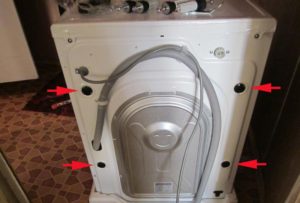
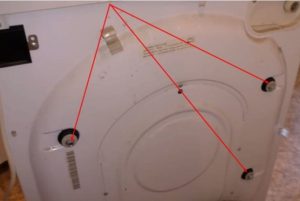
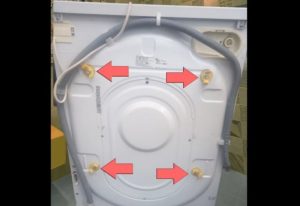
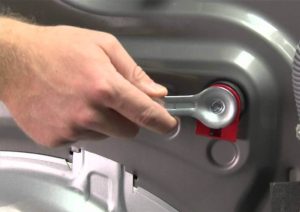
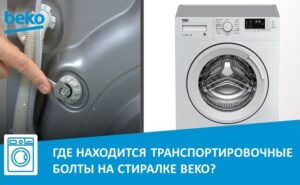
First, carefully unpack the machine. Once the original packaging is removed, be sure to remove the shipping bolts. These can be accessed from the rear of the washing machine. After removing the fasteners, there will be holes in the housing; these should be sealed with the special plastic plugs included.
It is strictly forbidden to operate a Bosch washing machine with the transport bolts not removed, as this will damage the equipment.
Then you need to place the washing machine in the place designated for it. The floor covering under the automatic machine must be as level and hard as possible. You can place a special anti-vibration mat under the body. Then, adjust the washing machine's feet so that it stands very stable.
You can check that your Bosch washing machine is level using a standard spirit level. Using the level as a guide, adjust the machine's body by screwing or unscrewing the feet.
Connecting with communications
The next step is connecting the appliance to the water supply and sewer system. If the washing machine is being replaced in its original location, all connections are already in place – the pipes have a drain point and a branch with a valve for the water supply to the machine. A socket for the machine's power cord is also provided.
If none of this is available, you'll have to set up your "home helper's" workstation from scratch. A separate outlet for the washing machine should be installed. It's also advisable to equip the outlet with a residual-current device (RCD). automaticallyThis will protect the machine from power surges.
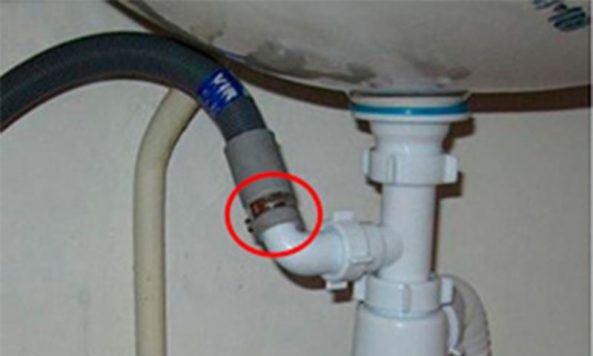
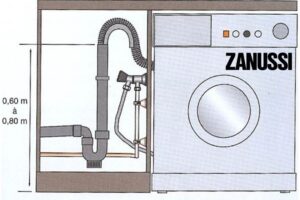
Next, you need to connect the washing machine to the sewer system. Drainage can be done simply, for example, by running the hose into a bathtub or sink. The machine comes with a plastic hook that attaches to the end of the drain hose and hangs over the edge of the fixture. This method takes minimal time, but is not considered reliable. Firstly, the hook could break off and flood the surrounding area. Secondly, this drainage method is unhygienic, as wastewater will constantly flow through the bathtub or sink.
It's preferable to drain the waste directly into the sewer system. For this purpose, we recommend purchasing a special siphon.
Finally, all that's left to do is connect the washing machine to the water supply. This requires cutting into the pipe and installing a dedicated branch. A shut-off valve is installed, which can be used to shut off the water supply to the machine if necessary. Now that both the drain and inlet hoses are in place, you can start washing.
Machine activation
At the final stage, all that remains is to plug in the Bosch washing machine and select the desired washing mode. The first start of the automatic machine should be done “idle”, with an empty drum. This is necessary so that the equipment is thoroughly washed from the inside and cleared of factory debris and dirt.
Now you can start the wash cycle. To do this, sort the laundry and place it in the drum. Use the machine carefully, not exceeding the maximum load weight specified in the instructions. Then, close the door tightly and pour detergent into the dispenser. It's important to use the correct amount of detergent and not overdo it, otherwise too much foam will build up in the drum and the machine will not rinse the laundry properly.
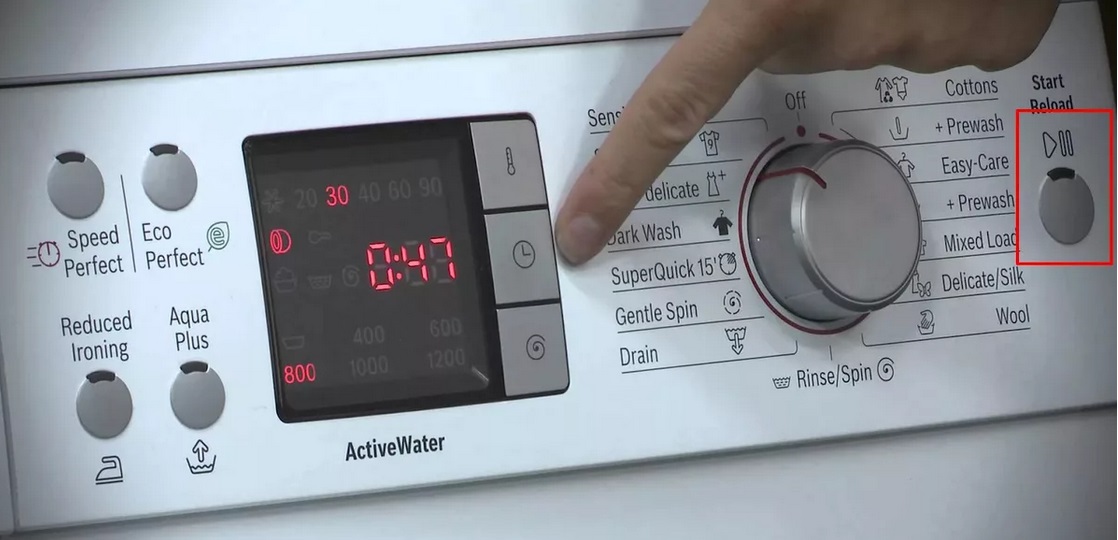
The Bosch washing machine's interface is easy to navigate. The control panel lists all available wash modes. Depending on the items in the drum, you can select one of the following programs:
wool;
cotton;
synthetics;
jeans;
sporting goods;
down clothing, etc.
If the control panel is unlabeled and everything is indicated by symbols, such as a shirt on a hanger or a pair of pants, you can refer to the instructions for the program interpretation. For example, the first symbol shown here corresponds to the synthetic fabric cycle, while the second symbol indicates the denim cycle.
Sometimes you may need to manually set the washing temperature and spin speed; to do this, use the corresponding buttons on the panel.
Basically, it's enough to simply select a mode and start the wash by pressing "Start." The automatic machine will automatically set the cycle parameters.

 Finally, your new washing machine has arrived from the store. All that's left to do is unpack it, install it, connect it to the power outlets, and start your "home assistant" for the first time. Let's look at how to properly turn on your Bosch washing machine, prepare its location, and start your first wash.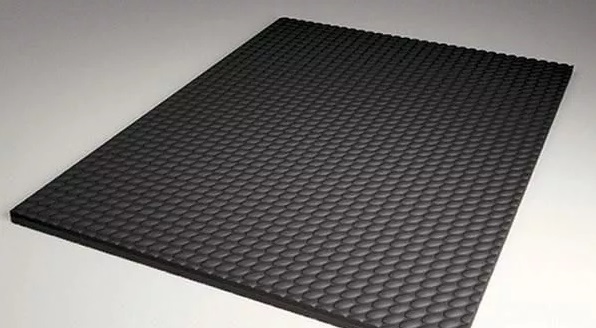














Add a comment