
What do the symbols on a Bosch dishwasher mean?
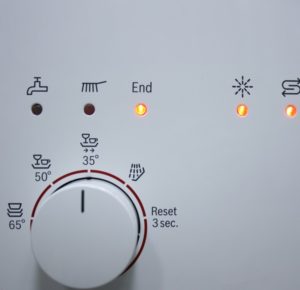 After purchasing a new dishwasher, it takes some time to learn its capabilities. The icons on your Bosch dishwasher represent specific functions. Learn how to operate the appliance and decipher the signs and symbols on the display and control panel in our article.
Understanding the icons on the buttons
Bosch dishwashers are the most popular in our country. The manufacturer offers a wide range of models with different interfaces. However, their symbols are standard; let's look at the most common ones:
- "Pot on stand" – indicates intensive cleaning of greasy stains, performed at a temperature of 70°C for 115 minutes. Water consumption during operation is 21 liters.
- "Mug with plate" cycle, also known as the standard cycle, average temperature - 45-65°C, duration - 140 minutes with a consumption of 19 liters, universal wash for ordinary dishes, not suitable for fragile items.
- “ECO” – after a short rinse, washing is carried out at 50°C, the operating time is 140 minutes with an average water consumption of 14 liters.
- "Wine glass on a stand with arrows pointing left to right" – express wash at 45°C for half an hour without pre-soaking or rinsing. Water consumption: approximately 10 liters.
- "Shower on" – a preparatory wash to remove food particles and prepare dishes for thorough cleaning, takes no more than 20 minutes, consumption – 4 liters.
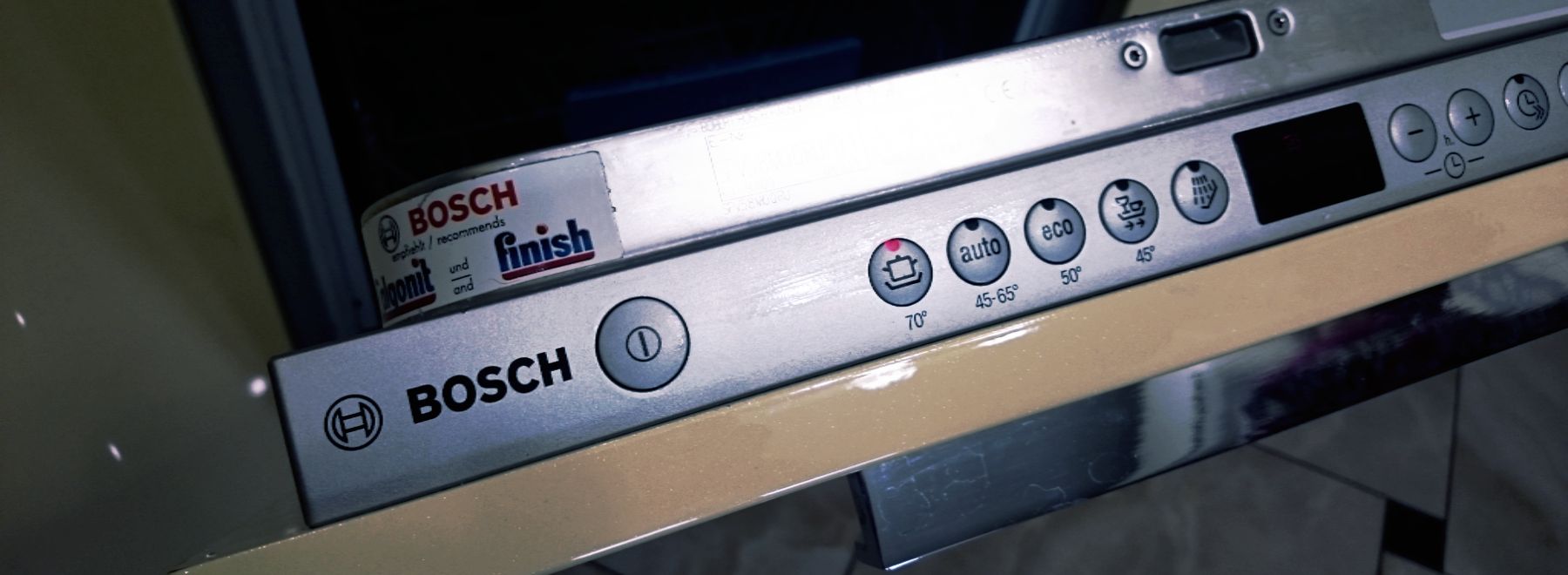
- “Glass” – a mode for cleaning fragile dishes at low temperatures of no more than 40°C, takes 75 minutes and uses about 15 liters of water;
- “1/2” – the technical device is half-loaded for operation; this function is convenient to use if there are not enough dirty dishes for a full load;
- "pot in the oven" – intensive washing with maximum pressure in the lower part of the device;
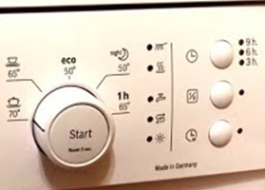
- “+” h “-” – option for adjusting the program start time.
Important! The baby bottle symbols on your Bosch dishwasher indicate that they clean at maximum temperatures to disinfect baby dishes.
What do the indicators tell us?
Brightly lit icons are designed to simplify operation of household appliances and to help you understand the processes occurring inside. Let's look at the meaning of most of the indicators. They are designed to display information about the running program. The illuminated symbols on the control panel have the following meanings:
- “brush” means the program has started and washing is in progress;
- "tap" - water is supplied to the device;
- "Wavy arrows" - shows the amount of salt in the ion exchanger;
- "sun or snow" – presence of rinse aid in the device.
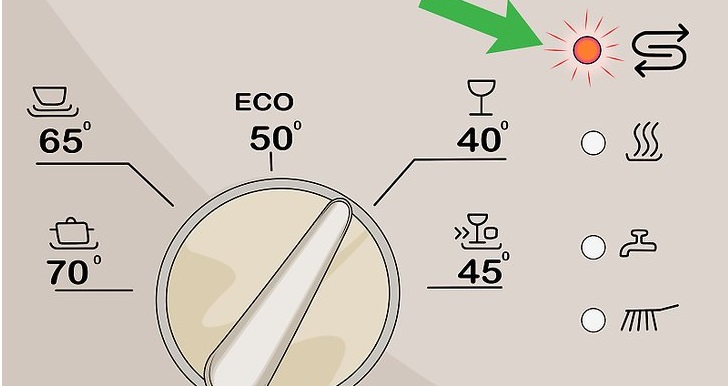
In addition, Bosch dishwashers may also have time indicators, hygiene indicators, and an additional drying function. When a red beam comes from the machine onto the floor, it means that the dishes are being washed. Once the program ends, the light goes out. Built-in models have a control panel on the side.
Important! When the "+" symbol lights up, you can adjust the temperature from 65 to 75 degrees Celsius. When the "-" symbol lights up, you can lower it to 35-45°C.
The light is blinking
If your dishwasher suddenly starts flashing, it means the program has malfunctioned for some reason. You need to reset the appliance or turn it off. It's also best to diagnose the problem as quickly as possible. When the "faucet" symbol or "end" appears on the display, there's a problem preventing water supply. Here are some possible causes.
- The dishwasher board broke.
- The shut-off valve was closed.
- The Aquastop function has been launched.
Please refer to the instructions for your Bosch dishwasher's control panel and icons. If you experience any problems, contact a qualified appliance repair technician. Trying to troubleshoot the problem yourself is not recommended. You may need to open the unit and look for the cause of the malfunction inside.
Interesting:

1 reader comment
Add a comment
Headings
Washing machine repair




For buyers




For users


Dishwasher




I still don't understand where the drying indicator is. Or do not all machines dry dishes?