
What do the symbols on an LG washing machine mean?
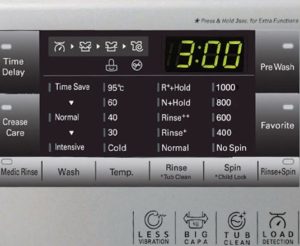 Sometimes, after purchasing an LG washing machine, people glance at the symbols on the control panel and are confused about how to operate the appliance. Even experienced users encounter this problem. Generally, the symbols on LG washing machines are clearly displayed, and the manufacturer has also included symbols in Russian (and English) to help customers understand the operation. So, what's the problem?
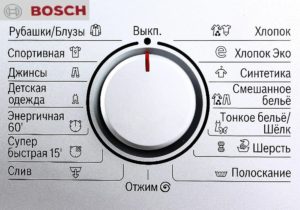
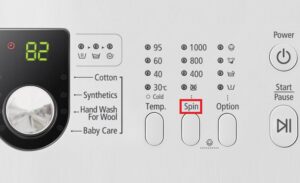
Washing program icons
Developers of leading household appliance brands often use symbols on the front panel to indicate different operating modes. LG clearly describes all the features of its equipment on a display near the selector. Sometimes it can be difficult for users to determine the desired cleaning setting for their laundry or clothing. LG washing machine program types.
- Cotton. Used for washing clothes, linens, and cotton items. It can run for up to 2.5 hours. In this mode, the water is heated to 90 degrees Celsius, and the drum rotates at 800 rpm or more.
- Cotton (Eco). This program is similar to the previous one and is designed for cleaning cotton items at temperatures between 40 and 60 degrees Celsius. The cycle lasts approximately 1.5 hours. The selected option shows energy savings.
- Quick 30. This function instantly refreshes laundry at +30 degrees.
- Everyday cycle, synthetics. For lightly soiled nylon, polyamide, and acrylic garments. This cycle is performed at 40°C (104°F) for 70 minutes. This cycle prevents stretching and fading.
- Delicate. Function explanation: For items made from delicate lace materials, including silk. These include shirts, blouses, and tulle, which require careful handling. Duration: 60 minutes at 30°C.
- Hand wash, wool. Used to remove dirt from cashmere, wool, and knitwear. This function allows you to wash items that require a hand wash cycle. It lasts about an hour at 40°C (104°F).
- Down blanket. Suitable for large, bulky items with filling. Blankets, down jackets, and jackets can be washed for 90 minutes in warm water at 40°C (104°F).
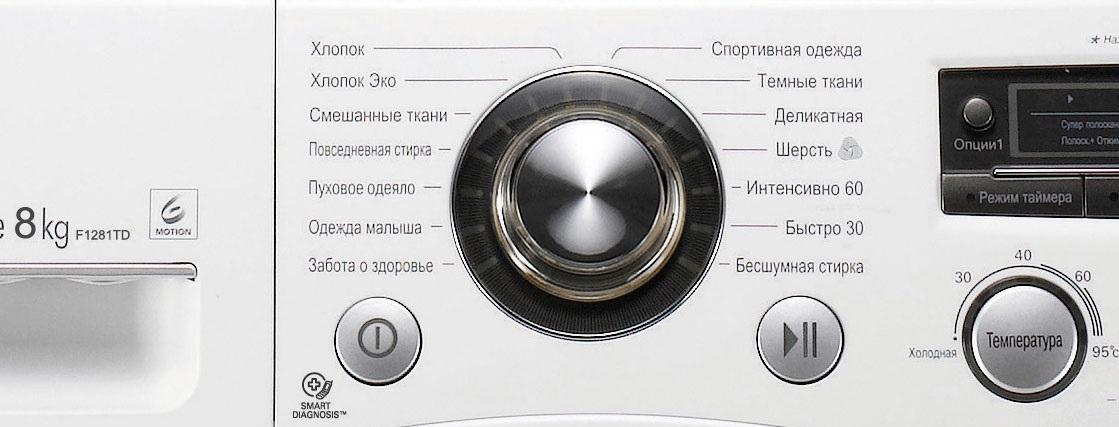
- Baby's clothing. Wash in very hot water to kill bacteria. Rinsing occurs thoroughly, removing chemical residues from the fibers; the entire process takes up to 140 minutes.
- Bio-care. When you need to remove stubborn stains like chocolate, blood, and juice using high temperatures.
- True Stim/steam cleaning. It removes various microorganisms from items, eliminates unpleasant odors, and helps smooth out wrinkles. It lasts 20 minutes.
- Hypoallergenic mode. It operates at 60°C water temperature and rinses clothes several times. It effectively removes detergent particles.
- Silent. A symbol on the display indicates that the program is designed for silent operation at night. The machine stops after the wash cycle without draining the drum. The user can activate the spin and drain cycles. Not recommended for heavily soiled items.
- Sportswear. For uniforms and sports clothing made from membrane fabrics.
- Intensive. Recommended for items made from blended and cotton materials, this cycle runs for 60 minutes at 60°C.
- Dark clothing. For items of the corresponding shade, use a special cleaning chemical at 30°C (96°F) to prevent fading and discoloration (110 minutes).
Let's explain the meaning of the additional icons displayed on the control panel. These are dedicated functions: rinse, spin, and dry. Each can be activated after washing, if needed.
Some LG models feature a "My Program" (cycle loading) feature, allowing the owner to customize the washing machine's program. This is convenient for items that require a specific cleaning cycle.
Additional function signs
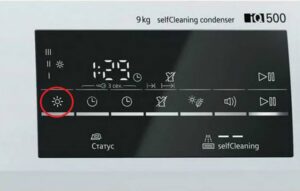
Some LG washing machine control buttons are sometimes unlabeled. These are usually auxiliary functions, and their functions can only be determined by the labels themselves, referring to the operating instructions. For example: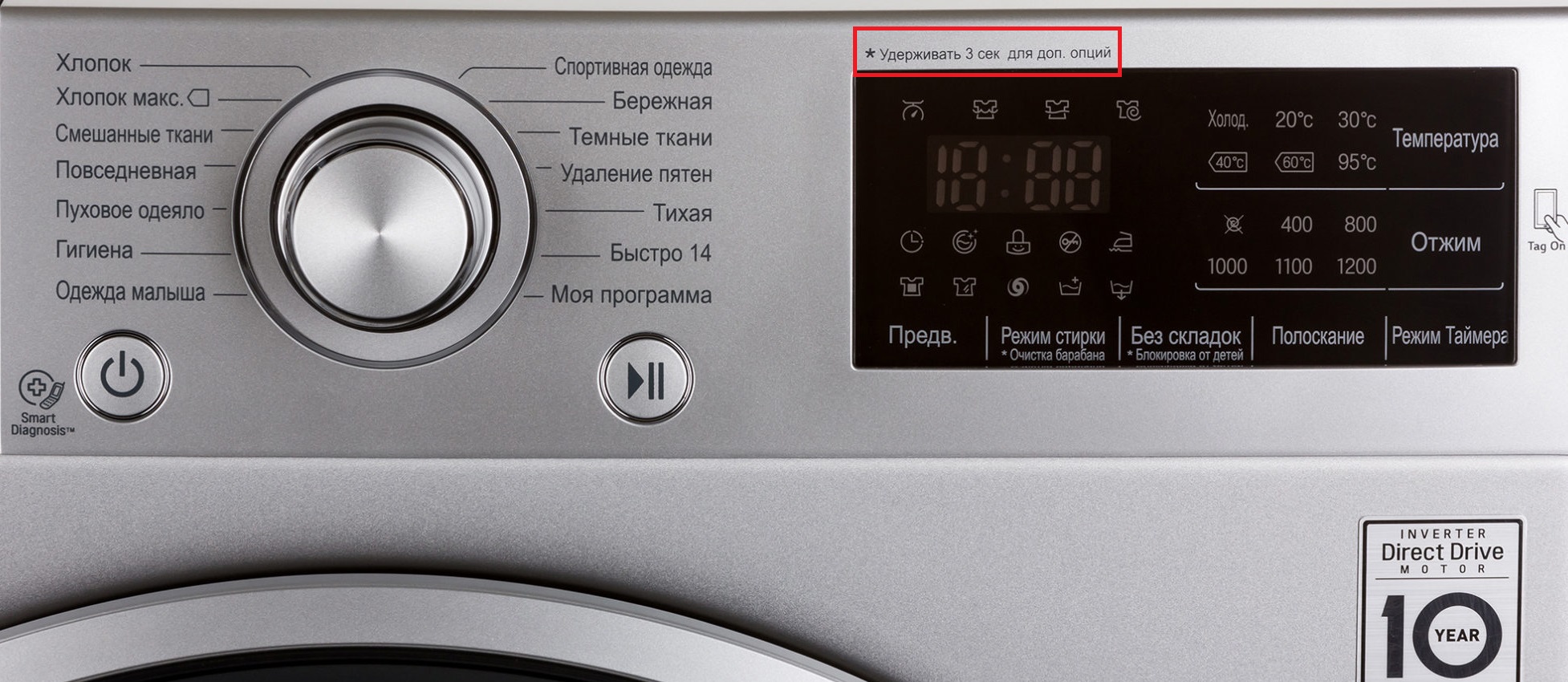
- The watch face is a delayed start feature. You can turn on the device whenever you want by setting the delay time;
- Smiling lock – two buttons that activate and deactivate the child protection program. It blocks all functions so that the child cannot press anything on the panel during washing;
- The "star" symbol indicates the machine's ability to clean the drum of dirt. It also includes two buttons. It can only be activated when there is no laundry in the system.
By pressing two keys simultaneously for three seconds, the complex cleaning mode is activated.
LG washing machines are specially adapted for Russian consumers. Each button is not only marked with an icon but also labeled. Therefore, even a novice user will find it easy to understand the controls. To avoid damaging your washing machine, it's important to understand its construction materials. Following all the instructions will ensure effective removal of dirt and stains.
Let's start washing
After deciphering all the markings on the machine body, the user can begin operating the equipment. The following steps are required:
- select a program based on the composition of the fabric being washed;
- load the products into the unit;
- add detergent and conditioner to the tray;
- press the desired key to launch the selected function;
- Monitor the operation of the equipment on the display board.
The display will show each wash cycle, water temperature, and RPM. To keep your clothes wrinkle-free, you can run the "Wrinkle-Free" program. Once activated, a special icon will flash on the display. To activate the drum clean function, press the "Wrinkle-Free" and "Intensive" buttons. This process will quickly remove mold, debris, and dirt from the drum. We've explained the meaning of the symbols on LG washing machine panels. If anything remains unclear, please leave a comment or ask questions.
Interesting:
1 reader comment
Add a comment
Headings
Washing machine repair




For buyers




For users


Dishwasher




Hello! I have an LG washing machine. How do I activate the "Spin" function? It's not in the instructions.