
Signs on the dryer
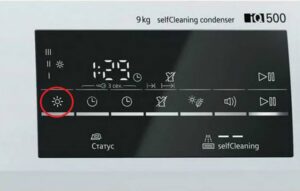 All dryer manufacturers strive to make their dryer control panels informative, accommodating as much information as possible. However, describing all the functions verbally would take up too much space and make the panel too cluttered. Using symbols is the best solution, but they can often be confusing to users. In today's article, we'll look at all the icons on a dryer and explain what they mean.
Let's explain the most popular symbols
Dryers are equipped with various symbols and indicators that help owners use the device effectively and achieve the best drying results, and the control panel plays a key role in setting up and starting the device.
Typically, it contains symbols that help users properly configure their device. But to do this correctly, it's important to understand what these symbols represent. Let's look at the main symbols you might see on the display.
- "Drying." As the name suggests, this symbol indicates the drying mode. Typically, this symbol is represented by a fan or hot air. It is the primary symbol indicating that the machine is in operation.
- "Heating" means that a heating element will be used to warm the air during the drying process. This is usually depicted as a thermometer or a light.
- "Time." This symbol indicates that the user can adjust the drying time. It is usually represented by a clock or an arrow.
- "Finish." This sign indicates the end of the drying cycle. It is depicted as an asterisk.
- "Dryness Level." This symbol allows you to select the desired dryness level for your laundry. It's usually represented by images of different dryness levels.
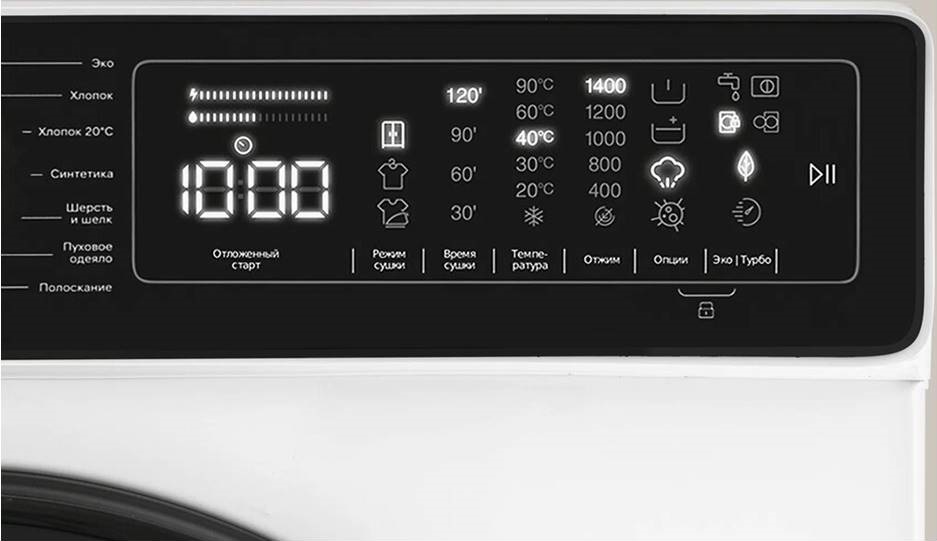
- "Eco Mode." This symbol indicates drying with lower energy consumption. This can be useful for saving energy and reducing your laundry drying costs.
- "Delayed Start." Allows you to delay drying for a specific time. This is usually displayed as a delayed clock.
There are other symbols, too. For example, those that indicate the drying temperature setting best suited for a particular type of laundry. A clock symbol indicates the time setting. The user can select the desired cycle time, which will completely dry their clothes. Many modern dryers also feature a steam function, which adds extra softness to laundry and saves time on ironing.
The Child Lock feature allows you to lock the control panel to prevent little ones from accidentally changing settings. The "Tank Full" symbol alerts the user when the condensate container is full and needs to be emptied. The dryer automatically alerts you when the container needs emptying, a very convenient feature.
Remember: if you don't empty the condensate container in a timely manner, this may result in your "home helper" stopping working properly and your laundry not drying!
It's equally important to clean the filter drawer and heat exchangers. After a certain amount of time, a symbol will flash on the dryer's display, alerting you to the need to clean the filter compartments. The "Start, Pause, Cancel" icon is provided if you want to stop the drying process for any reason after the machine has started. You can turn off the mode by turning the "On/Off/Program Select" button.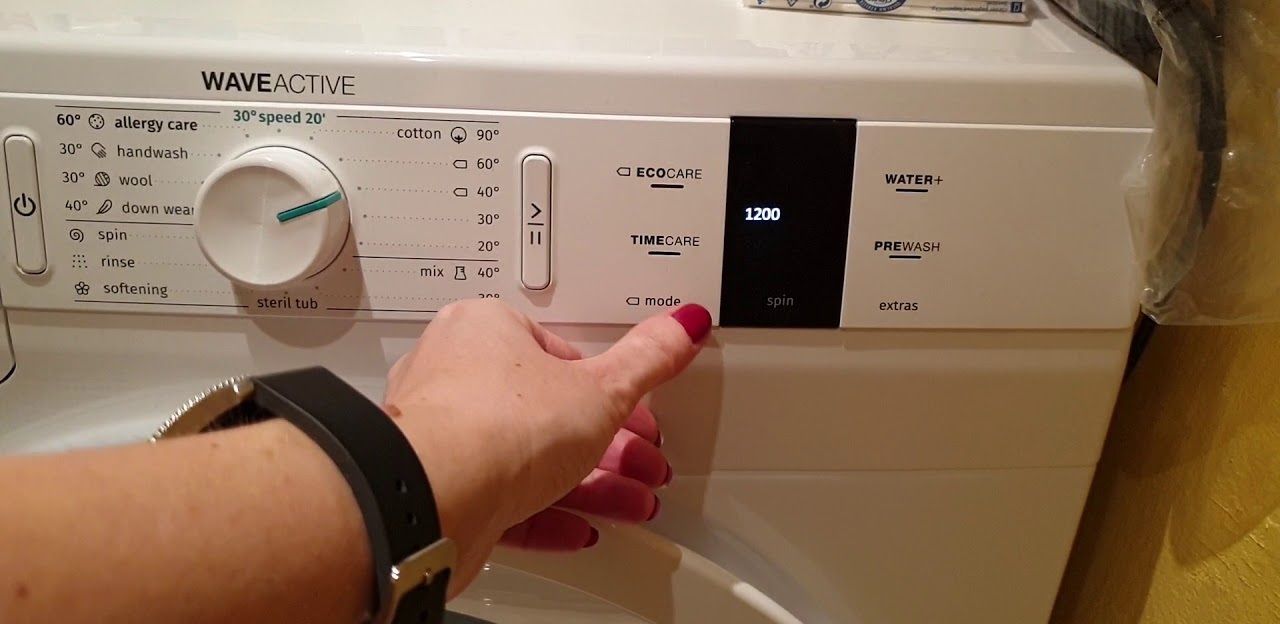
The "alarm" feature on the control panel is designed to help dryer owners ensure they don't miss the end of a cycle. When the cycle is complete, a beep will sound, signaling that it's time to remove the laundry. This feature is especially convenient for those busy with other tasks and unable to keep track of the drying process.
Extra Dry provides laundry with a specific amount of time to dry thoroughly. This feature is especially useful for large and thick fabrics. Furthermore, this mode helps remove creases from clothes, leaving them smoother and more pleasant to the touch. For a completely smooth finish, you can also use the "No Crease" mode, which prevents any creases from forming.
In addition to these, there are other symbols and their meanings. For example, the "Wool Protection" symbol indicates that this mode is designed for gentle drying and to prevent damage to woolen items. Wool is a delicate material that can shrink and lose its properties if exposed to high temperatures and vigorous tumbles. Therefore, when selecting this function, the machine uses a low temperature and gentle movement to prevent deformation and damage to the fibers of woolen items. This mode thus ensures gentle care for clothing and helps it retain its shape, size, and quality over time.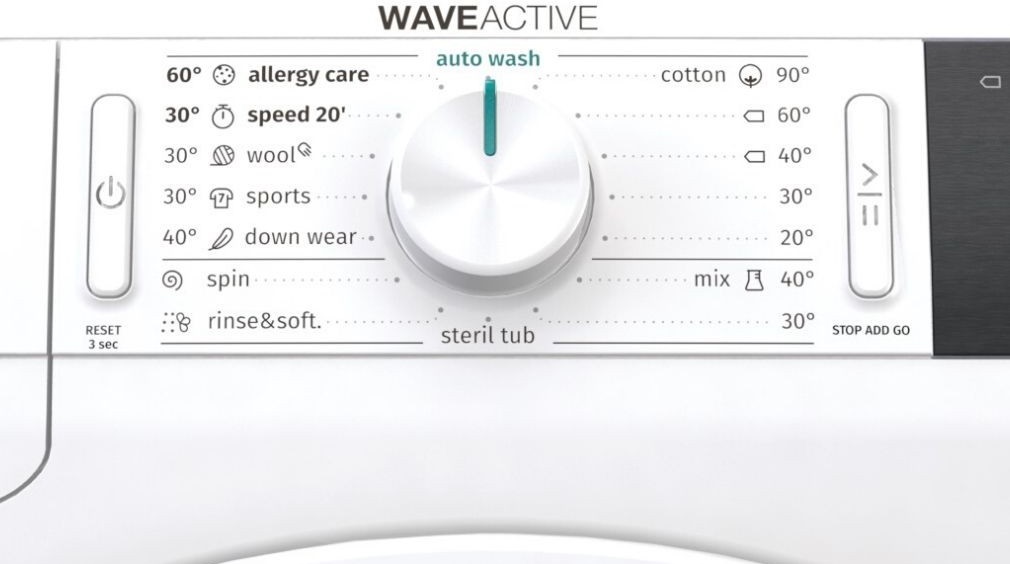
The dryness level button is used to adjust the desired drying level for your items. Depending on the settings you select, the program duration may vary. It is worth noting that such a function should only be enabled before launching the program. An icon like "Drum Light" lets you know that the drum light can be turned on and off by pressing the corresponding button. The light turns off after a set amount of time.
The "Mix" symbol indicates that the dryer has a program designed for drying dye-resistant synthetic and cotton fabrics. This program makes it easy to dry sportswear and fitness clothing. Hygienic drying is designed for items that need refreshing without washing. Using ultraviolet radiation and heat, it ensures effective and quick drying of your clothes, leaving them highly hygienic. The recommended load for this program is 6 items.
The "Night" icon indicates the presence of a mode designed to reduce noise and vibration during operation. This is especially useful in living spaces where people sleep and may be disturbed by the device's noise, especially at night. This feature is also useful for saving energy.
Therefore, knowing all these symbols on your dryer's control panel will help you set it up correctly and achieve high-quality drying results. Also, remember to always carefully read the user manual before using the dryer. It contains a detailed description of all the symbols and modes, as well as recommendations for choosing the right program for specific fabric types.
Purpose of the buttons on the standard dryer panel
The main purpose of the buttons on a dryer's control panel is to control its operation. Depending on the model, devices may have various options and settings that allow you to select the optimal drying mode for different types of laundry. For example, the panel may contain buttons for selecting temperature, drying time, humidity level, as well as special programs for delicates, sportswear, synthetics, and more.
Additionally, some dryers feature a delayed start feature, allowing you to start the cycle at a time convenient for you. Some buttons are designed to select drying modes for different fabrics, such as cotton, wool, and others. This helps preserve the quality and structure of your laundry and prevent damage.
Choosing the right settings allows for efficient and safe drying, preserving the quality of your clothes and extending the life of your dryer!
When deciding which cycle mode to use, be sure to consider the fabric type, load volume, humidity level, and many other factors. Let's look at the basic programs found on household appliances.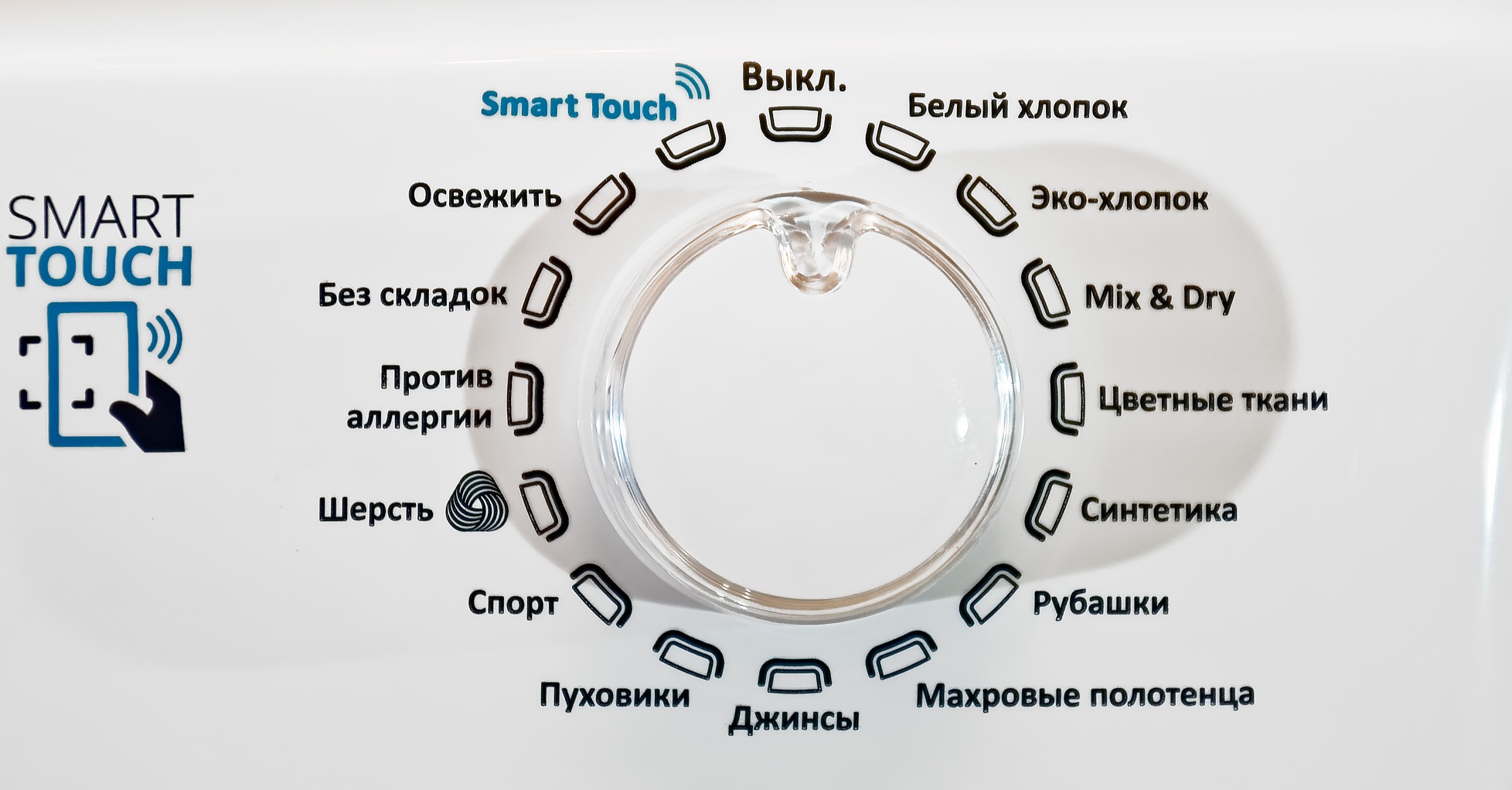
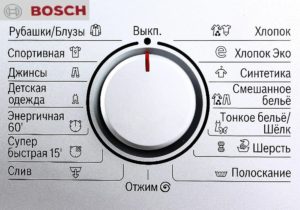
- Cotton. This mode is designed for drying cotton fabrics that can withstand high temperatures. When choosing a drying program, consider the thickness of the garment and the desired dryness level.
- Eco Cotton. This mode dries single-layer cotton materials in the most efficient, economical mode. It uses a lower temperature and shorter drying time to prevent wear and tear.
- Synthetics. This mode is used for drying various synthetic materials. To achieve the desired dryness, select the correct settings.
- Mix. Designed for drying dye-resistant, mixed synthetic and cotton fabrics. This mode is ideal for sportswear.
- Towels. As the name suggests, this option is for drying these items. Suitable for kitchen towels, bath towels, and hand towels.
- Gentle. This program is designed for drying delicate items or items labeled "hand wash only." These include silk blouses, delicate underwear, etc.
- Shirts. This program dries shirts in the gentlest possible manner. This prevents creasing and makes ironing easier.
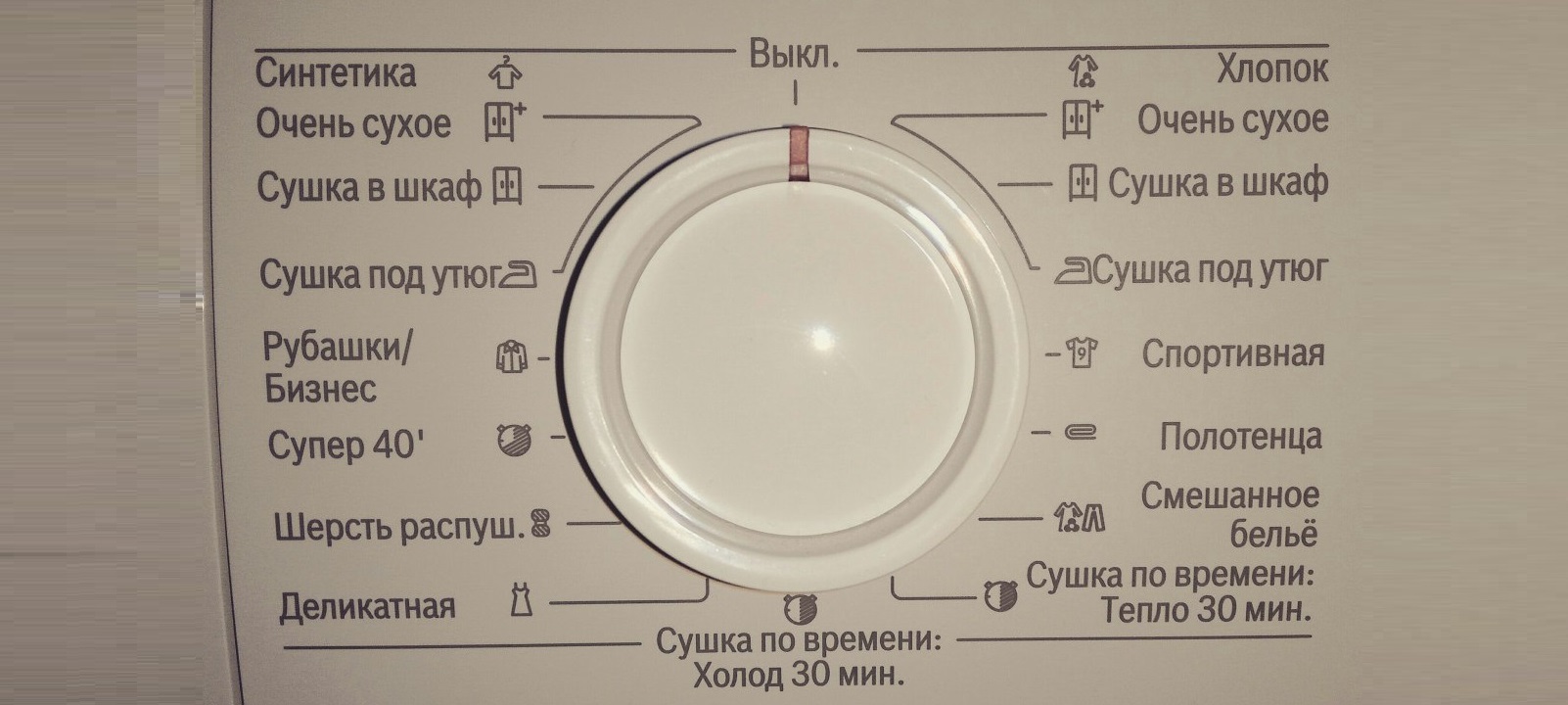
In addition to these options, there are others. For example, a mode like "Hypoallergenic Drying" helps kill all bacteria. If you or a family member suffers from allergies, this program should be used to disinfect and remove fine dust from clothing fibers.
There's also a "Program Time" option: it lets you set a timer from 10 to 160 minutes to achieve the desired dryness level at a low temperature. "Down" allows you to safely dry items filled with feathers and fibers. It is recommended to turn the garment inside out before drying. The Express option is one of the most useful and practical features in tumble dryers: it helps dry laundry quickly when time is limited.
As you can see, the variety of modes in modern dryers allows you to find the perfect option for different fabric types, laundry loads, and personal preferences. When choosing a dryer, be sure to pay attention to its multifunctionality. This will ensure maximum comfort and efficiency when using the unit.
Interesting:


Readers' comments
Headings
Washing machine repair




For buyers




For users


Dishwasher




Add a comment