
Symbols on a Zanussi washing machine
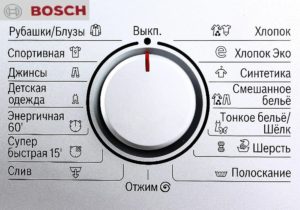
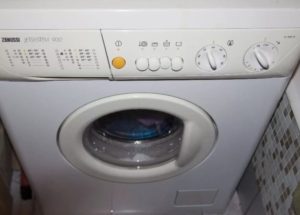
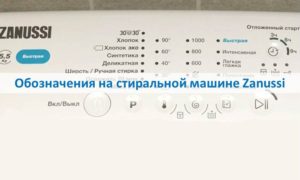 Not every Zanussi washing machine can scan the load for size and fabric type and automatically adjust the wash duration, temperature, and spin intensity. Most machines offer the user the option to select one of the pre-programmed cycle buttons on the control panel. The only remaining option is to decipher the symbols on the washing machine. While you can try to read the printed images, it's better to consult the manufacturer's instructions or our article.
Basic modes
Every washing machine has basic buttons like "Spin," "Drain," or "Delicate Wash," which are considered the most popular and sought-after among homeowners. But finding the right button isn't always easy—the symbols on Zanussi machines vary slightly. Therefore, don't rely on guesswork or intuition; it's better to get to know your new home assistant better beforehand. A description of the icons on the control panel will help you choose the right washing program.
- A schematic representation of cotton as a dotted circle and a check mark. It's logical that this represents "Cotton," designed for washing cotton linens of various colors at a high temperature range of 60-95°C. It lasts approximately 2-3 hours and allows you to wash even heavily soiled items.
Important! These data are approximate, as the duration, temperature, and spin intensity may vary depending on the Zanussi washing machine model.
- A broken, rounded triangle. Called "Synthetics," it's washed at 30-40 degrees Celsius with a low spin cycle. It's considered ideal for underwear, towels, shirts, and tablecloths due to its wrinkle-preventing properties. Wash time: 85-95 minutes.
- Three circles and two curved lines, together resembling a tree. This symbol indicates an energy-saving auxiliary function that, when activated, saves electricity. For example, activating this function at 90 degrees will reduce the temperature to 67 degrees, and at 60 degrees, to 40 degrees. Suitable for all but express washes.
- Flower. This designates a delicate wash cycle, used for delicate fabrics, lace, and other items labeled "Hand Wash." Average wash time: 70 minutes.
- Jeans. The image speaks for itself: the button is for denim items. An optimally selected temperature of 40 degrees, minimum spin and a cycle of 130-140 minutes help prevent fading and shedding.
- A skein of thread. Designed for woolen items. It features low temperatures of up to 40 degrees Celsius and no spinning, which eliminates shrinkage and pilling. The cycle lasts on average 50 to 60 minutes.
- A painted bib. Clearly indicates its intended use for children. It requires gentle cleaning at 30-40 degrees Celsius with generous rinsing for half an hour.
- Cross. The "medical" symbol signifies a hygienic wash, which can rid items of dust mites and allergens. The machine operates at a high 90 degrees Celsius and includes three rinses over a two-hour cycle.
- Crumpled Fabric. This icon indicates special programs for washing blankets at 30 or 40 degrees Celsius. The filling of the items being washed is irrelevant, so it's considered a universal program for bulky items. The average cycle time is no more than 75 minutes.
- Shoe. The button's meaning is clear from the image itself—it's selected for cleaning various types of footwear in the machine. The full cycle lasts over two hours, during which the item is washed at 40 degrees Celsius, rinsed three times, and dried in a spin cycle at 1000 rpm or more.
- A crescent moon and two stars against a black circle. This is the "Night Wash" cycle, which lasts at least two hours. The main features are the machine's quiet operation and minimal energy consumption. The temperature varies, there's no spin cycle, and the water remains in the drum until the user activates a separate spin cycle.
- An image of a drum with the letter "I" indicates a prewash, designed for the initial washing of heavily soiled items. The water is heated to 30°C, and the drum spin time varies depending on the fabric type and ranges from 40 to 115 minutes.
- A T-shirt with a black stain. Another auxiliary function called "Stain Removal." In addition to pressing the button, you need to pour stain remover into a special compartment of the dispenser. It is best when the water in the tank is at 40°.
- The image of a filled drum with a "+" sign on top. This is what the extra rinse looks like, which can be run after the main wash to thoroughly remove detergent residue from the fabric. The rinse process will take about an hour.
- Spiral. The familiar "Spin" cycle, used for more intensive drum rotation or after an overnight wash. The duration depends on the drum load and the power setting, but typically doesn't exceed 20 minutes.
- A half-full tank with a downward-pointing arrow indicates a forced drain. A full tank drains in 7-10 minutes. This is necessary after an overnight wash and soak.
Knowing the meaning of all the images printed on the control panel will help you use your home appliance more efficiently and conveniently. A smart approach will also prevent damage, fading, and shrinkage. Better cleaning results and the ability to schedule washing cycles will also be a plus.
Setting up the machine before washing
Deciding on the mode is only half the battle, as it still needs to be configured correctly. This involves both changing the programmed parameters and enabling additional options. The general sequence is as follows:
- connect the machine to the power supply;
- find a programmer;
- scroll the selector until the pointer is aligned with a specific character;
- adjust the speed and temperature;
- activate child lock, power saving mode or other auxiliary function;
- check the correctness of the specified parameters;
- Click on "Start".
Some models allow you to adjust the cycle while the machine is running. Simply press "Pause," make your changes, and resume washing. The time is adjusted automatically, depending on the program and enabled options.
Interesting:

Readers' comments
Headings
Washing machine repair




For buyers




For users


Dishwasher




Add a comment